UpKeep review 2026: is this mobile-first CMMS right for you?
UpKeep is a mobile-first maintenance management system that lets technicians create, receive, and close work orders from their phones. Ryan Chan, a former process-development engineer, founded it in 2014 after watching maintenance teams waste time walking back and forth to a central computer for their assignments. The platform now serves over 9,500 customers in 10 countries.
To create this UpKeep review, we analyzed the platform extensively. We believe it’s the right choice if:
- You need a CMMS to replace paper-based or spreadsheet maintenance tracking
- Your technicians work in the field and need mobile work order management
- You prioritize ease of use and fast adoption over feature depth
- Your primary focus is maintenance workflows rather than full asset lifecycle management
- You want AI-assisted work order creation and scheduling
However, UpKeep might not be the best choice if:
- You need structured collaboration across internal teams, suppliers, and customers around your assets
- You want usage-based pricing rather than per-user costs that scale quickly
- You manage multiple asset classes (vehicles, equipment, consumables, facilities) and need them in one system
- You require stock management, rental/leasing workflows, or financial tracking
- You need customizable workflows through a low-code/no-code platform rather than predefined processes
In this case, you should consider Bulbthings: a platform for digitalizing asset-centric workflows, designed for mid-sized businesses that need to track, maintain, collaborate on, and manage every type of physical asset from a single system. With its collaboration design, Bulb AI copilot agent, unlimited users at no extra cost, and usage-based pricing, Bulbthings covers the ground that a maintenance-focused CMMS leaves out.
We’ve included a detailed look at Bulbthings at the end of this UpKeep review as the top alternative for businesses that need unified asset operations. If you’re ready to explore a platform built for asset workflow digitalization, you can start a free trial of Bulbthings here.
What is UpKeep?
UpKeep is a cloud-based Computerized Maintenance Management System (CMMS) built around a mobile-first philosophy.
Ryan Chan created it after experiencing paper-based maintenance tracking firsthand as an engineer at a manufacturing plant. He taught himself to code and built the first version in his mother’s garage.
The platform manages work orders, tracks assets, schedules preventive maintenance, and controls parts inventory. It positions itself as an “Asset Operations Management” platform that combines CMMS, Enterprise Asset Management (EAM), and Asset Performance Management (APM) capabilities.
UpKeep has introduced AI features under the name “UpKeep Intelligence” to automate routine tasks and generate insights.
UpKeep’s core audience is maintenance teams at small to midsize businesses across manufacturing, property management, facilities management, food and beverage, and healthcare. It appeals most to organizations moving from manual processes to digital maintenance management for the first time.
UpKeep Pros & Cons
| Pros | Cons |
|---|---|
| ✅ Intuitive mobile app designed for field technicians | ❌ Per-user pricing adds up quickly for larger teams |
| ✅ Fast setup and low learning curve | ❌ Limited customization for advanced workflows |
| ✅ Unlimited work orders on all plans | ❌ Analytics restricted to 30 days on Premium plan |
| ✅ AI-powered work order creation and scheduling | ❌ Offline mobile mode only on Professional plan and above |
| ✅ Preventive maintenance scheduling | ❌ Key features like purchase orders and downtime tracking locked to Enterprise |
| ✅ Proprietary IoT sensors offering for quicker IoT deployments | ❌ Significant investment required. ROI depends on the criticality of assets usage data. |
| ✅ Strong customer support across all tiers | ❌ Occasional slowdowns with large asset databases |
| ✅ QR code scanning for quick asset lookup | ❌ No equipment bookings, stock management, fleet management or rental/leasing capabilities |
UpKeep Review: How it Works & Key Features
Work Order Management: UpKeep makes creating, assigning, and tracking maintenance tasks straightforward on any device.
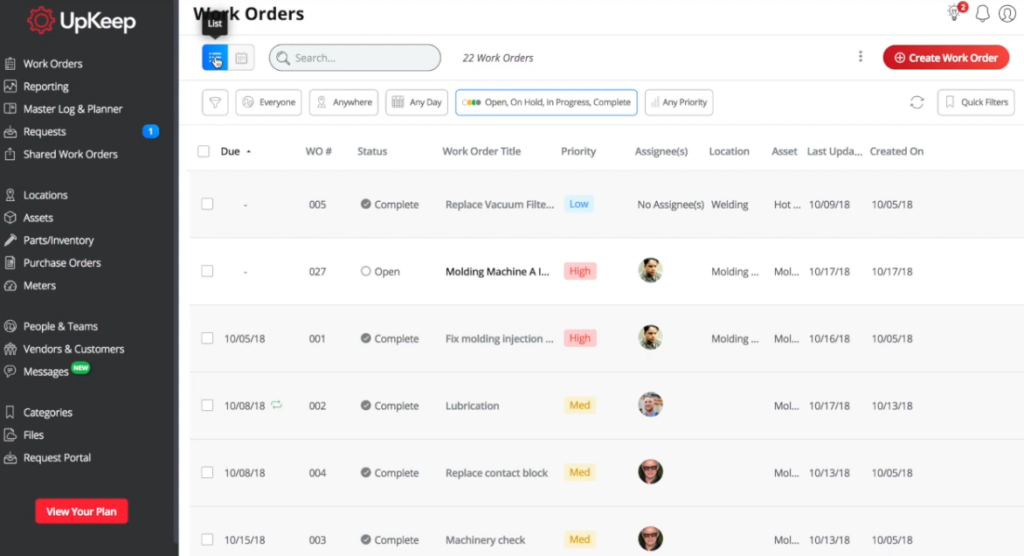
Work order management is the core of UpKeep. The process starts when someone submits a work request through a dedicated portal (open to non-technicians), or when a manager creates a work order directly. Each work order captures the essentials: title, description, linked asset, location, priority level, assigned technician, due date, and estimated duration.
Source: UpKeep
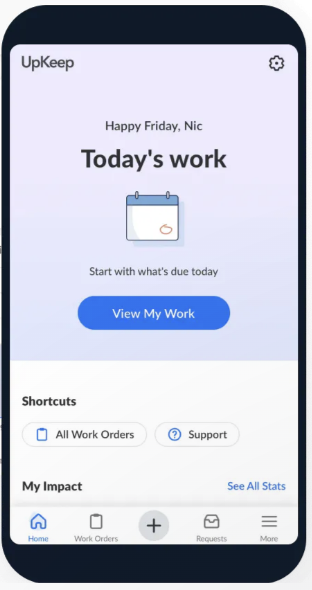
Technicians receive push notifications when work is assigned and can view all details, checklists, and attached files from the mobile app. As they work, they update the status, log time, record parts used, and add notes or photos. Managers see these updates in real time without chasing people for status reports.
Source: UpKeep
UpKeep supports custom work order statuses beyond the defaults (Open, In Progress, On Hold, Complete), so teams can add stages like “Awaiting Parts” or “Pending Approval” to match their actual workflow. The platform also includes A/B testing for work order processes through its AI features, with voice-to-create capabilities that let technicians dictate work orders instead of typing them out.
One practical detail: failed inspection items on checklists can automatically trigger follow-up work orders, which prevents issues from slipping through the cracks.
Asset Management: A centralized record of every asset, its history, and its current condition.
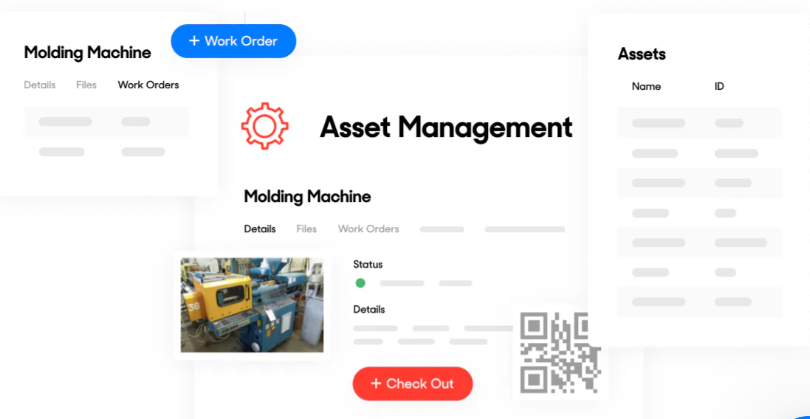
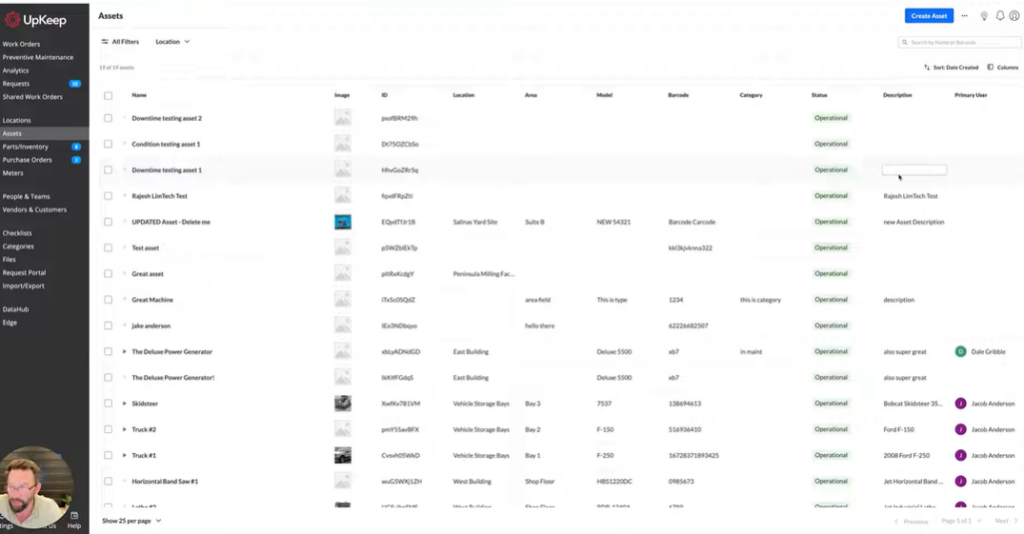
UpKeep’s asset management module creates a digital profile for each piece of equipment. Assets can be imported via CSV or added manually, and each one gets a unique QR code that technicians scan to pull up the full profile: maintenance history, active work orders, downtime records, parts consumption, and warranty information.
Source: UpKeep
The platform supports a multi-tier asset hierarchy (up to four levels), which helps teams understand how individual components relate to larger systems. If a pump fails inside a cooling unit, the hierarchy makes it easier to trace the impact and schedule the right repair.
Meter readings track usage-based metrics like operating hours, mileage, or production cycles. These readings can trigger preventive maintenance work orders automatically when a threshold is reached, which is more precise than scheduling maintenance by calendar alone.
Downtime tracking (available on the Enterprise plan) records when equipment goes offline, how long it stays down, and why. This data feeds into reliability metrics that help managers decide whether to repair or replace aging assets.
Source: UpKeep
Preventive Maintenance: Automated scheduling that shifts teams from reactive repairs to planned upkeep.
UpKeep’s preventive maintenance feature uses “PM Triggers” to generate work orders on a recurring basis. Triggers can be calendar-based (every week, every month, on specific days), usage-based (every 5,000 miles, every 100 operating hours), or a hybrid of both where the work order fires on whichever condition is met first.
 Source: UpKeep
A useful detail: seasonal PM settings let you pause triggers during off-seasons, so you’re not generating unnecessary work orders for HVAC systems in summer or snow removal equipment in July.
Each PM trigger can include checklists, attached manuals, and parts requirements. When the trigger fires, the assigned technician gets a notification with everything they need to complete the job. The system logs all completed preventive work against the asset’s history, building a record that helps refine future schedules.
UpKeep also supports “Preventive Maintenance Optimization,” which uses data from completed PMs (time spent, parts used, failure patterns) to help managers adjust their schedules and task lists over time.
Parts & Inventory Management: Track spare parts, set reorder alerts, and link consumption directly to work orders.
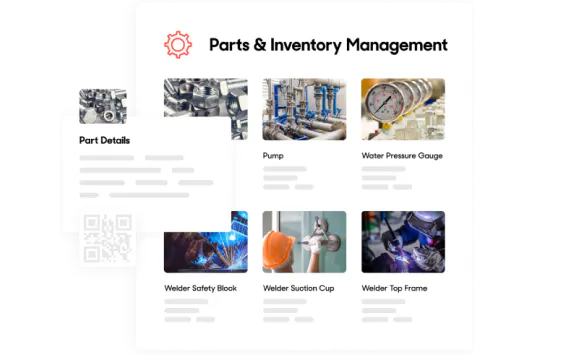
UpKeep’s inventory module tracks quantities, costs, and locations for every spare part and supply item. Each part gets a QR code, and scanning it from the mobile app shows current stock levels, cost, and vendor information. When a technician adds a part to a work order, inventory counts update automatically.
Source: UpKeep
Low-stock alerts notify managers when a part drops below a minimum threshold, prompting a purchase order before a stockout causes delays. For organizations with multiple locations, the multi-site module (an Enterprise add-on) tracks inventory across facilities from a single account.
Parts consumption data feeds into UpKeep’s analytics, showing which assets consume the most parts, which parts cost the most, and how inventory spending trends over time.
Analytics & Reporting: Pre-built dashboards and custom reports for tracking maintenance performance.
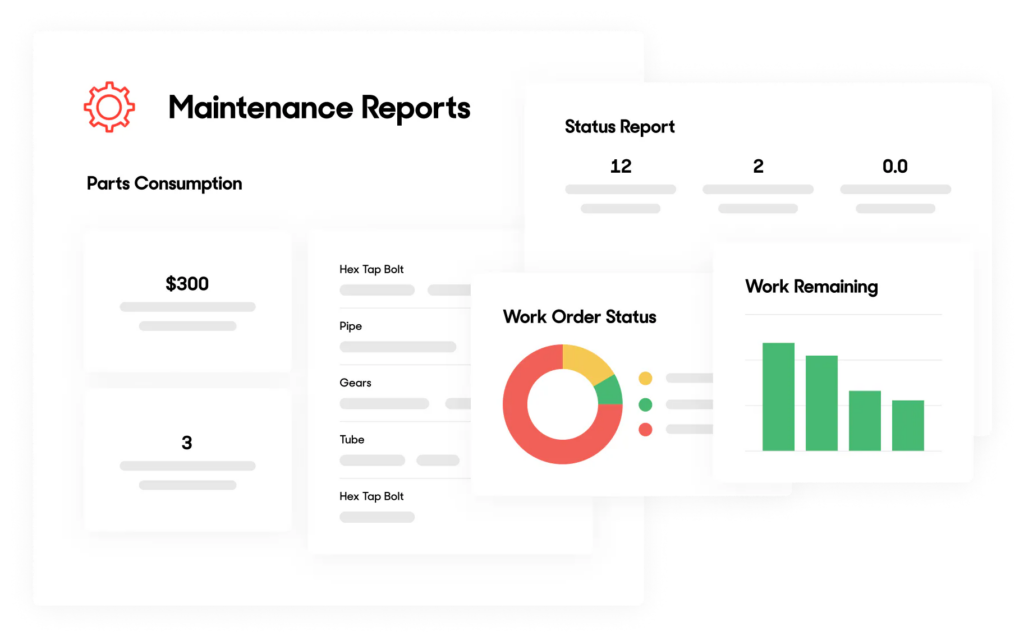
UpKeep’s analytics run on a partnership with Looker, a business intelligence platform. Pre-built dashboards cover work orders, assets, parts, meters, requests, and user activity. Managers can track metrics like maintenance compliance rates, time and cost per work order, mean time between failures, and parts consumption trends.
Custom dashboards (available on Enterprise) let administrators build their own views with over 15 visualization options. Data can be exported as CSV, Excel, JSON, PDF, or PNG files.
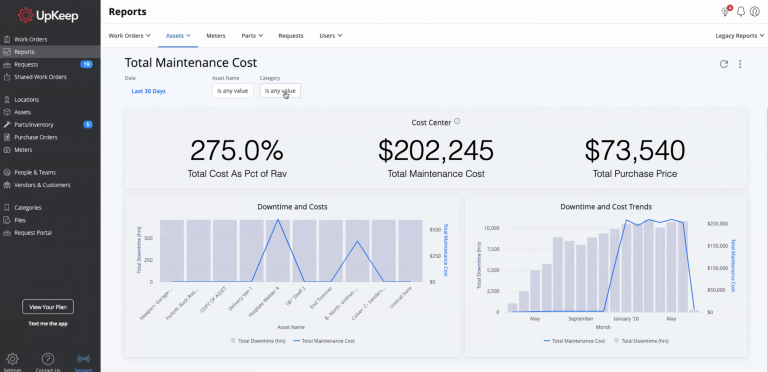
Source: UpKeep
One important limitation: the Premium plan restricts reporting history to 30 days. Full drill-down reporting and analytics require the Professional or Enterprise plans.
Where UpKeep Falls Short
While UpKeep delivers a clean, mobile-friendly CMMS experience, several limitations become apparent as organizations grow or their needs extend beyond core maintenance.
Per-User Pricing Pressure: UpKeep charges per user per month, starting at $20 for Essential and $55 for Premium. A 20-person maintenance team on the Premium plan pays $1,100 per month before add-ons. Implementation packages ($500 to $5,000+) and IoT sensor costs add more.
Businesses with large teams or tight budgets feel this quickly, especially when many users need only occasional access rather than full licenses.
Features Gated Behind Higher Tiers: Several capabilities that many teams consider essential are locked to the more expensive plans.
The Essential plan ($20/user) lacks preventive maintenance optimization, custom checklists, inventory management, and any analytics. Offline mobile mode requires the Professional plan. Workflow automation, downtime tracking, purchase order management, and custom integrations are Enterprise-only.
The version most teams can afford may not include the features they actually need.
Limited Scope Beyond Maintenance: UpKeep is a CMMS first. It handles work orders, preventive maintenance, and parts inventory well, but it doesn’t offer fleet management, stock management, rental/leasing workflows, or the ability to manage diverse asset types (consumables, buildings, IT equipment, vehicles) under a single framework.
Businesses managing more than maintenance end up needing additional tools, which creates data silos and duplicated effort.
Customization Constraints: Users with industry-specific or multi-step workflows report that UpKeep’s customization options feel limited. Custom statuses and checklists help, but the platform doesn’t offer the low-code flexibility some businesses need to adapt the system to their processes without developer involvement.
Reporting Restrictions on Lower Plans: The 30-day analytics window on the Premium plan is a real constraint. Maintenance trends, seasonal patterns, and asset lifecycle decisions require months or years of historical data. Teams on Premium fly with limited visibility unless they upgrade.
These limitations reflect UpKeep’s focus on being an accessible, maintenance-first platform. But they leave a gap for businesses that need broader asset workflow digitalization, more flexible pricing, and deeper customization without enterprise-level costs.
Top UpKeep Alternative: Bulbthings
Bulbthings addresses UpKeep’s scope and pricing limitations with a platform for digitalizing asset-centric workflows, built for mid-sized businesses whose asset management needs go beyond maintenance alone.
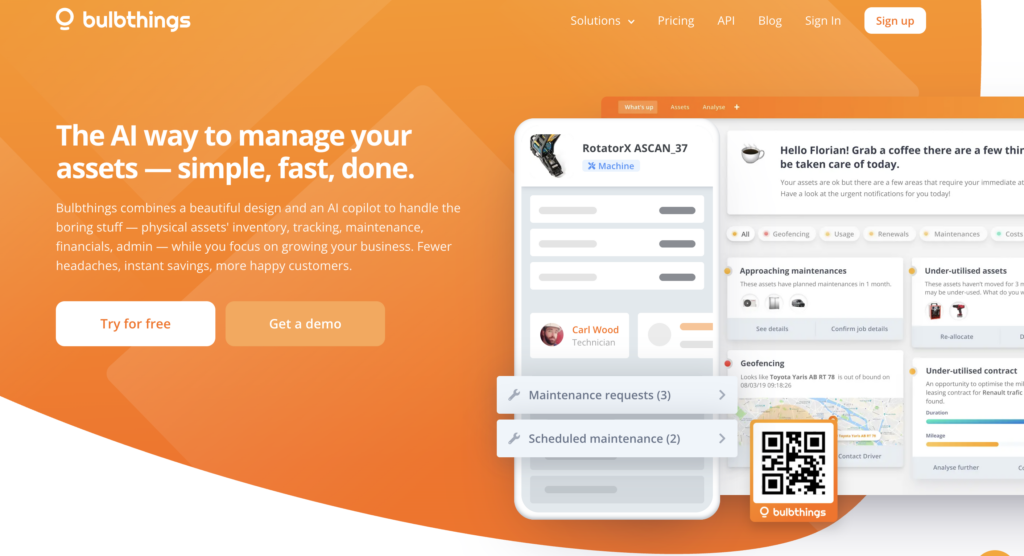
Yann Depond, who spent over 30 years in asset and fleet management and observed customers struggling with fragmented tools to manage their assets end to end, and Leslie Depond (a former technology strategy consultant at PwC and Accenture), passionate about enterprise software modernization and simplification, co-founded the company in 2014. They designed the platform from the start to manage every type of physical asset in one system, with collaboration, workflow automation, and AI at its core.
Asset Inventory & Tracking: A unified system for every asset class, from heavy equipment to consumables.
Bulbthings manages any type of asset within one platform: vehicles (including fleet management), buildings and facilities, IT equipment, production equipment, and low-value consumables tracked by quantity rather than individually.
Each asset class has different requirements (vehicles need mileage and fuel tracking plus heavy maintenance scheduling, while computers mainly need corrective maintenance) and the platform handles all of them through configurable categories and subcategories.
Assets can be added through multiple methods: Bulb AI with image recognition via the mobile app, spreadsheet import through an automated module, QR code scanning, or manual entry.
The system allows deep tracking of assets rather they are tracked individually or in bulk, assigned or booked to people, assigned to locations, linked through parent-child hierarchy, GPS-tracked or other tracking methods.
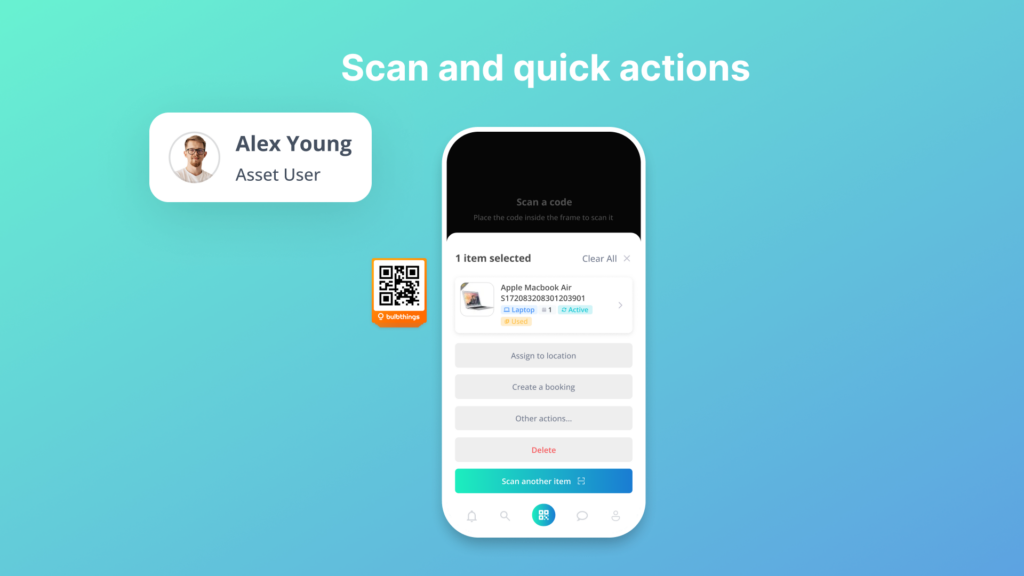
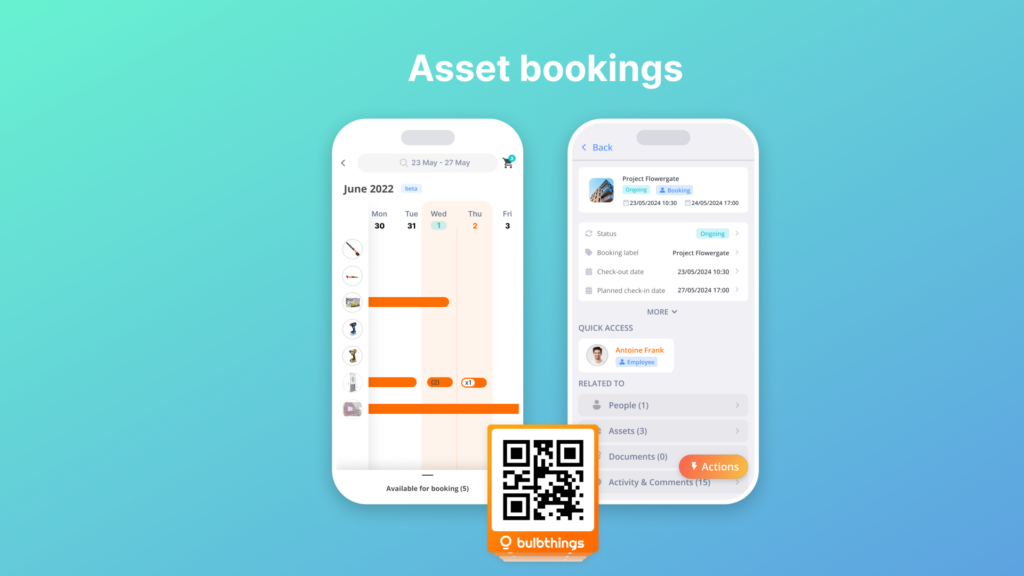
Each asset or person’s profile maintains a complete history including allocations to locations or people, bookings, maintenance activities, service or financial contracts, and conversations.
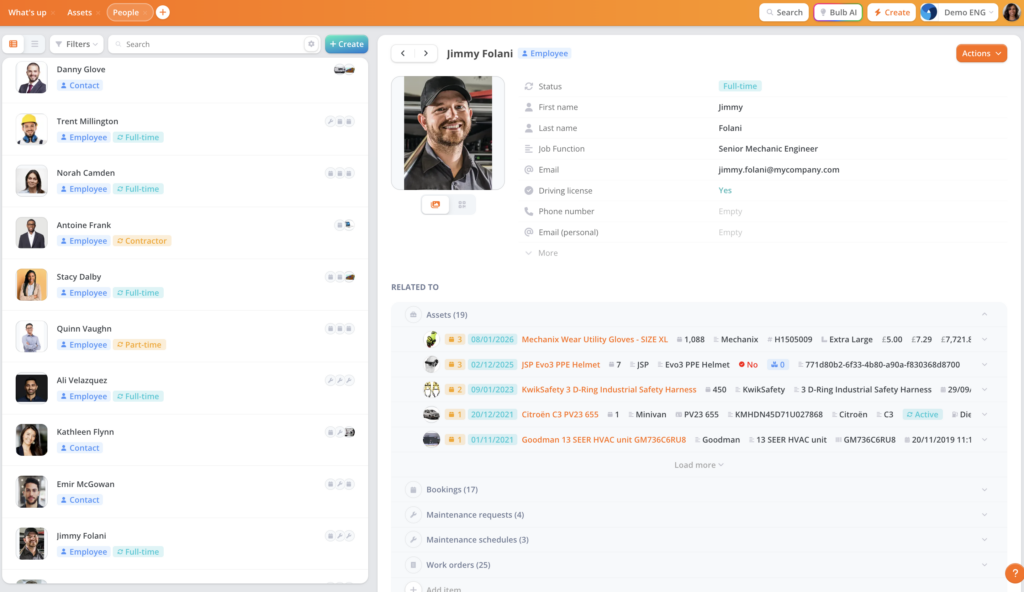
The platform provides multiple inventory views: registers, stock levels, floor maps (indoor) and GPS maps (outdoor) for location tracking, and planning views. Managers get different lenses into the same asset data depending on what they need to see.

Modern, Intuitive Design: A clean interface that reduces training time without sacrificing depth.
One area where Bulbthings stands apart from traditional asset management software is its user interface. The platform has a clean design built to be immediately understandable, cutting the learning curve compared to legacy tools with dense menus and crowded option panels.
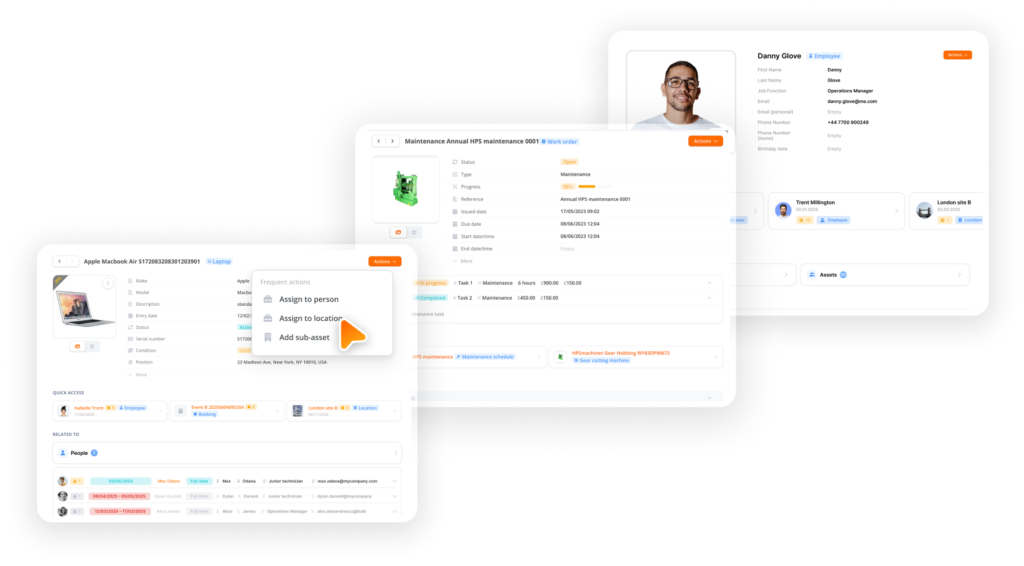
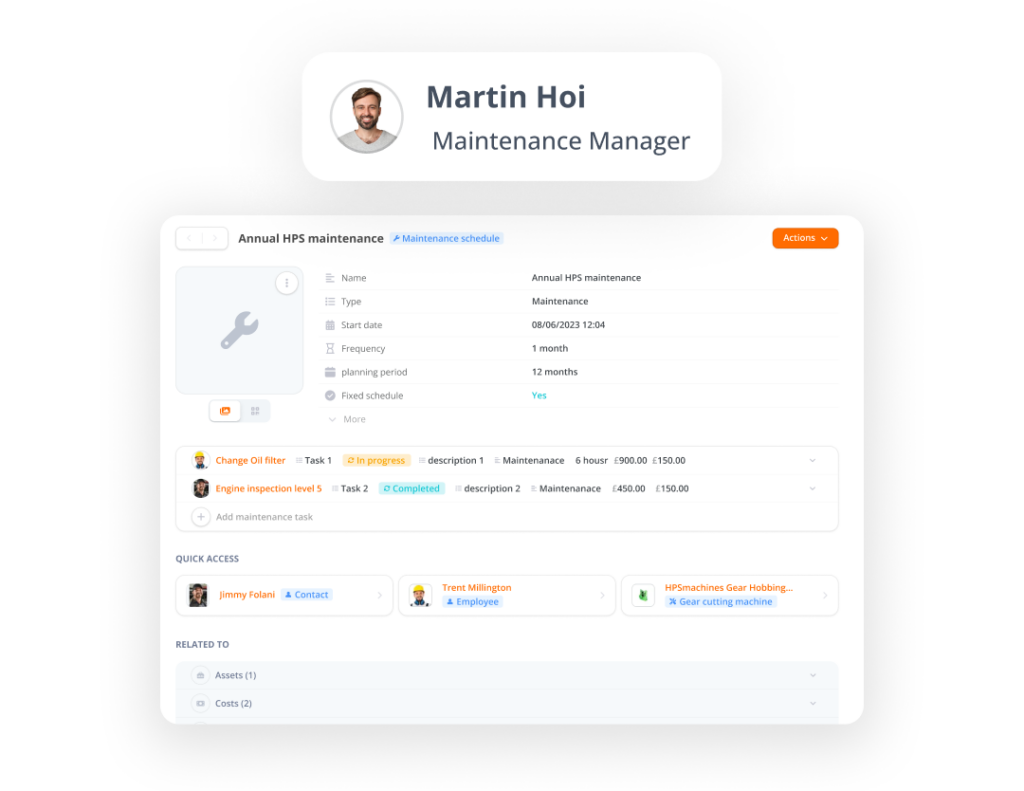
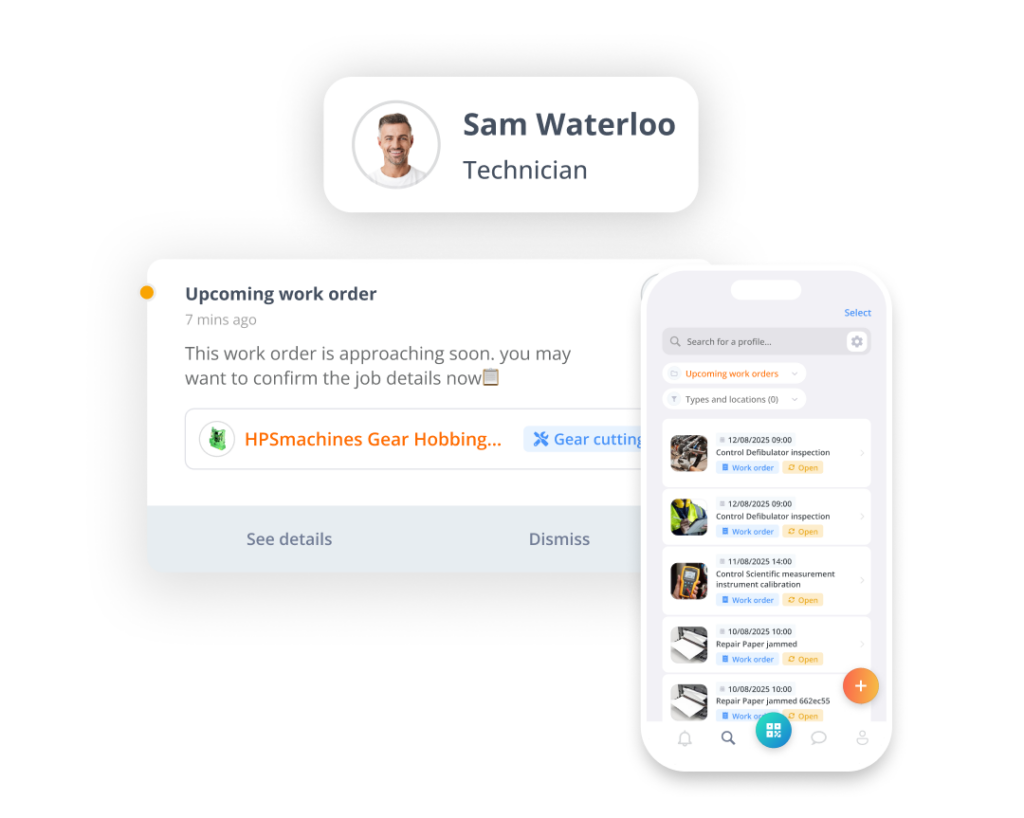
This matters for adoption. When a platform requires hours of training before a technician can log a maintenance request or a manager can pull a report, the rollout stalls. Bulbthings prioritizes getting users productive quickly while still exposing the platform’s full capabilities underneath.
Mobile Collaboration: Structured teamwork across internal teams, suppliers, and customers.
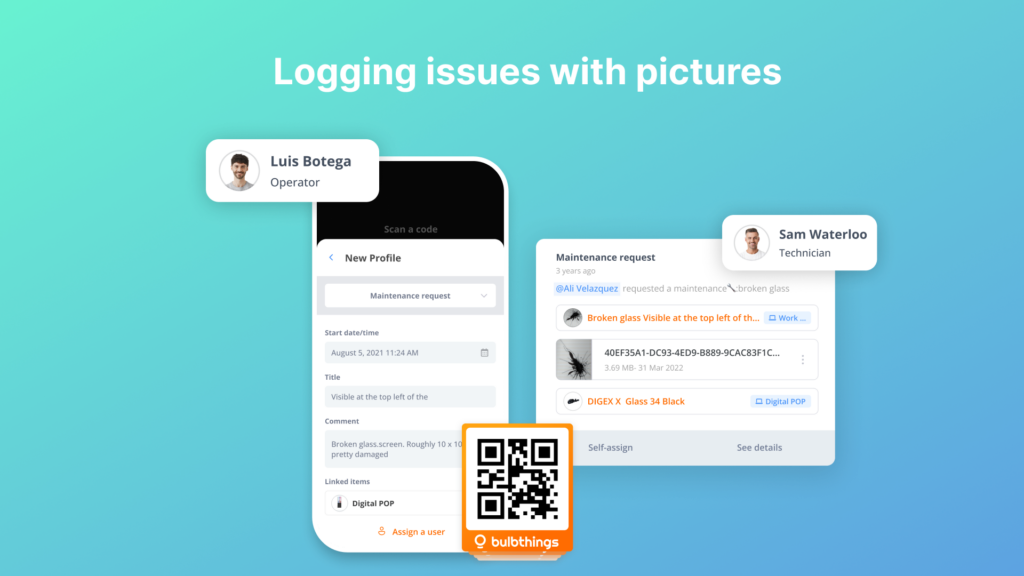
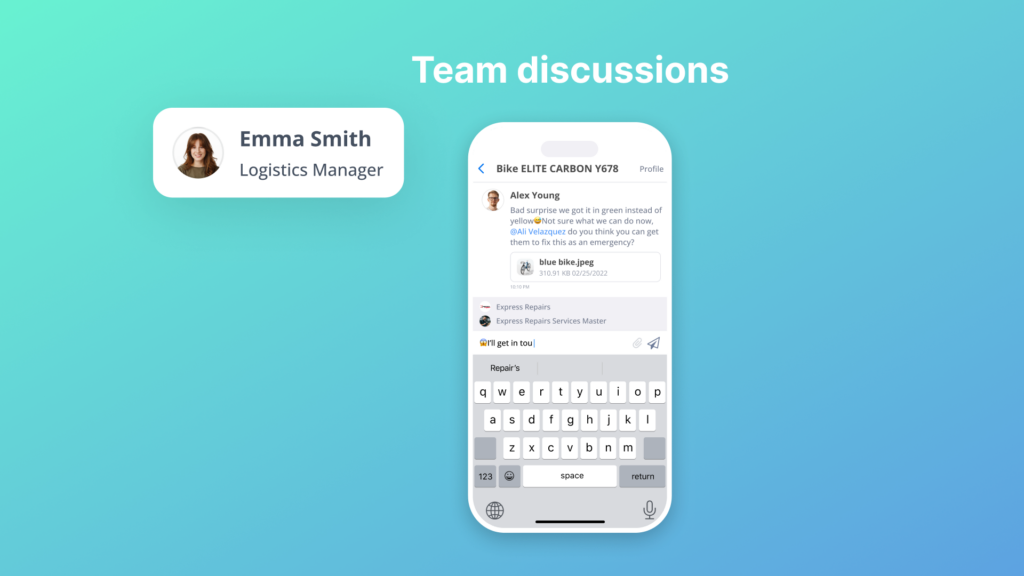
Collaboration is where Bulbthings creates the widest gap with UpKeep. The platform works as what the team calls “WhatsApp for assets,” providing structured collaboration that connects internal teams, suppliers, and customers around shared asset data.
Source: Bulbthings
Workspace management lets organizations create dedicated environments for different teams or projects.
Collaborative workflows span departments and extend to external partners: a supplier can receive work order details via email link, an office user can scan a public QR code to log an issue without downloading the app, and field teams can tag supervisors with mentions and image sharing in the context of a specific asset.
For organizations operating across borders, the platform supports multi-language, multi-currency, and multi-metric collaboration, so teams in different countries can work together without translation or conversion friction. The roles and permissions system ensures each user (internal or external) sees only what they need and can only perform relevant actions.
Bulbthings’ unlimited users model enables this collaboration. Because pricing is based on assets rather than headcount, businesses can invite technicians, managers, drivers, suppliers, and customers into the platform without the cost pressure of per-user pricing.
A company with 50 people who need occasional access pays the same as if only five used the system.
AI-Powered Asset Management: Bulb AI turns asset operations into natural language conversations.
Bulbthings features Bulb AI, an AI agent that works as a copilot across the entire platform, not limited to a single function like work order creation. Users interact with it in natural language (chat or voice) to take actions on assets (create, book, assign, log maintenance, create maintenance schedules), get reports and insights, and query the application.

Source: Bulbthings
The AI includes image recognition: users photograph an asset via the mobile app and ask Bulb AI to create it in the system, automatically populating the profile. Maintenance requests can be described in plain language.
Reports can be generated by asking a question like “What is the total maintenance cost for our vehicle fleet this quarter?”
This contrasts with UpKeep’s AI, which focuses on work order creation and scheduling suggestions. Bulb AI operates across the full scope of the platform, from asset tracking and maintenance to reporting, analytics, and bulk actions on large asset volumes.
A Developer AI Agent is in development that will let customers customize workflows using natural language instructions, making AI the primary interaction method for the platform going forward.
Advanced Stock Management: Tracking from intake to allocation to value reporting.
Bulbthings‘ stock management goes beyond parts inventory. The platform handles stock intake, allocation to locations and people (useful for tracking PPE, materials, and distributed supplies), stock value calculation, alerts on minimum and maximum stock levels, and stock level trends and reporting.
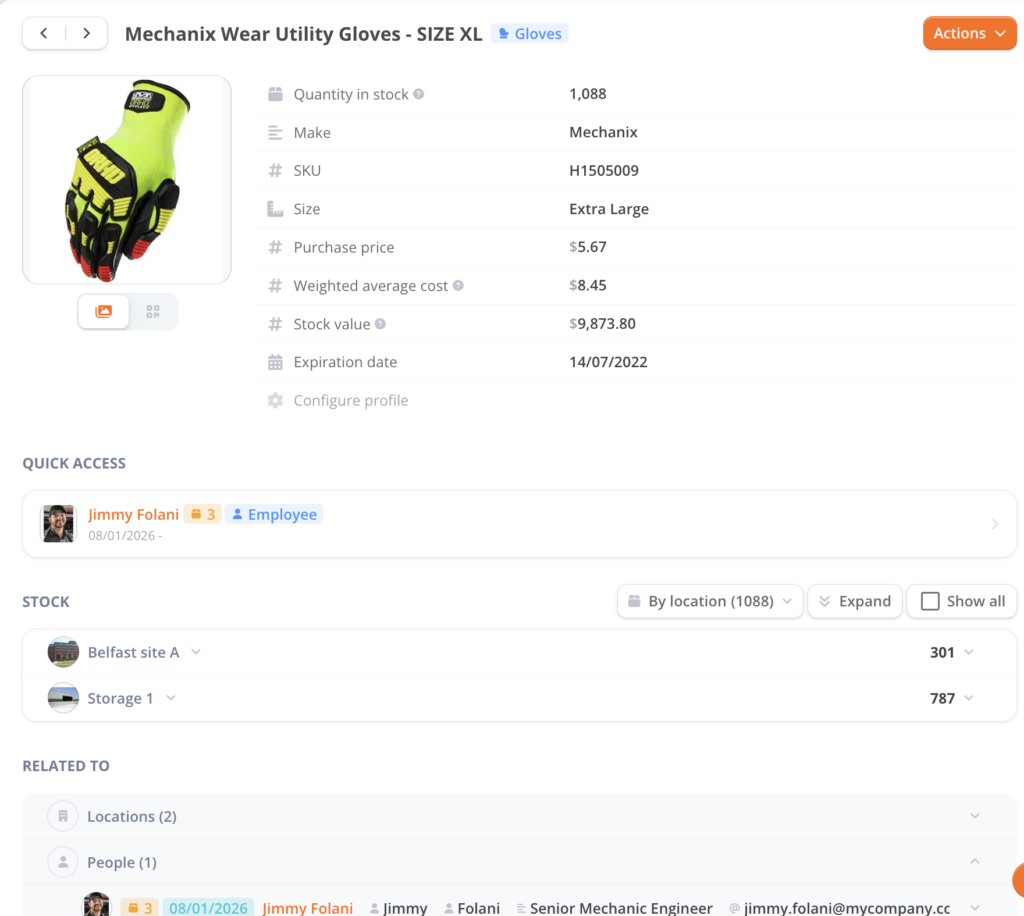
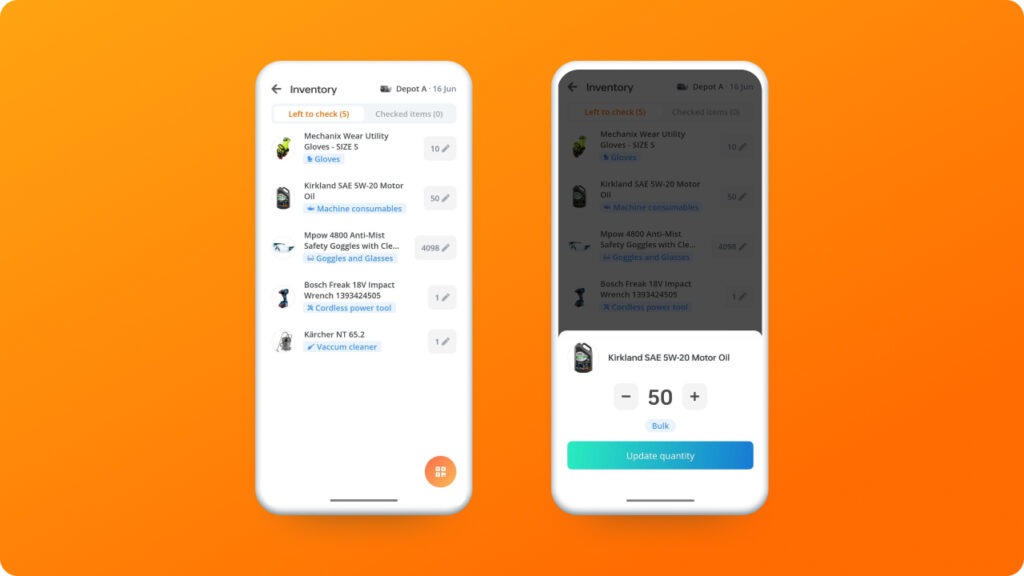
This matters for businesses that need to track consumables and low-value items alongside serialized equipment. UpKeep’s parts inventory module is designed around spare parts for maintenance work orders; Bulbthings’ stock management covers a broader operational scope.
Vehicles and Plant Fleet Management: Full fleet operations from mileage tracking to leasing contract comparison.
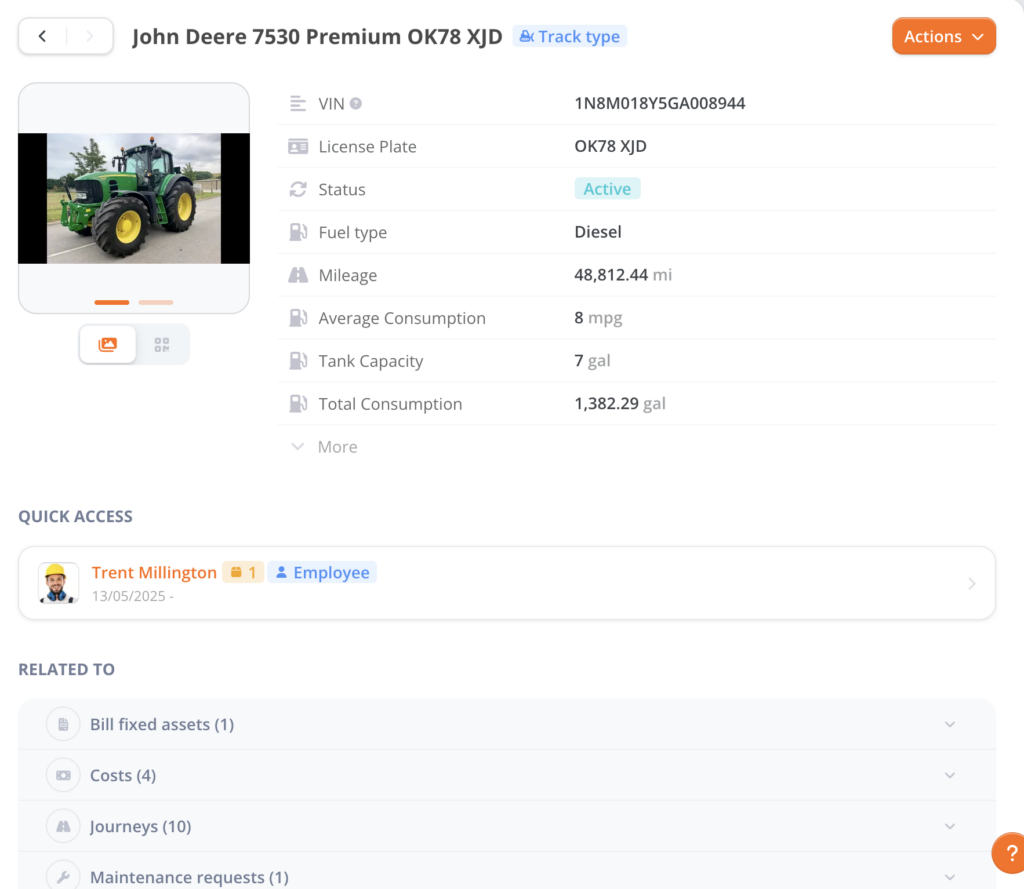
Bulbthings provides fleet management features that UpKeep doesn’t offer. These include mileage tracking, fuel consumption tracking, driver incident reporting, fines and damages management, and end-of-life management for vehicles and plant equipment.
Source: Bulbthings
For corporate fleets, the platform adds leasing contract quotation and comparison, ordering from suppliers, fleet cost import (maintenance, fuel, financing or depreciation), and Total Cost of Ownership (TCO) calculation.
A facilities company managing both a vehicle fleet and stationary equipment can handle everything in one platform rather than running a separate fleet management tool alongside their CMMS.
Service Providers and Rental/Leasing Management: End-to-end workflows for rental operations.
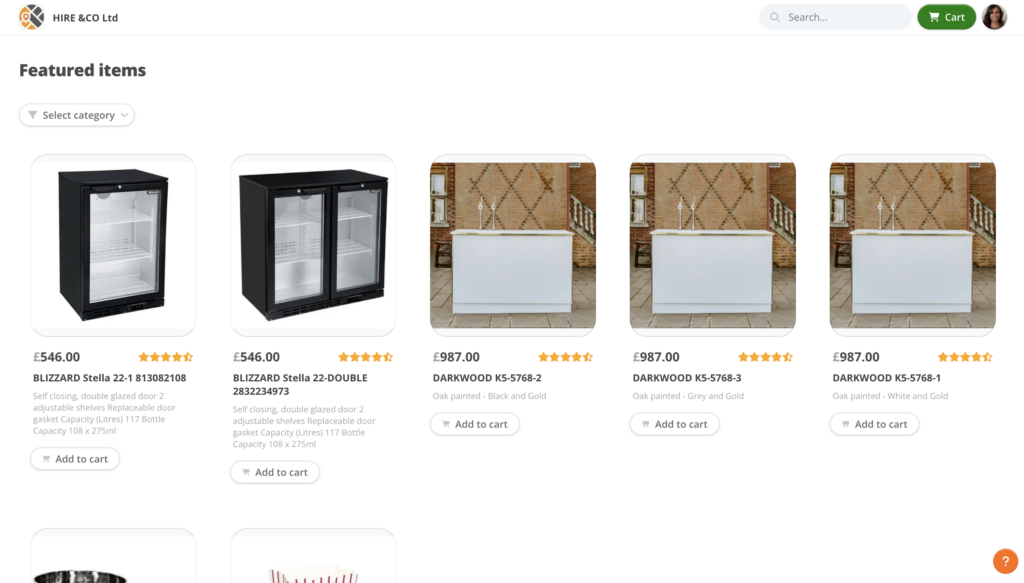
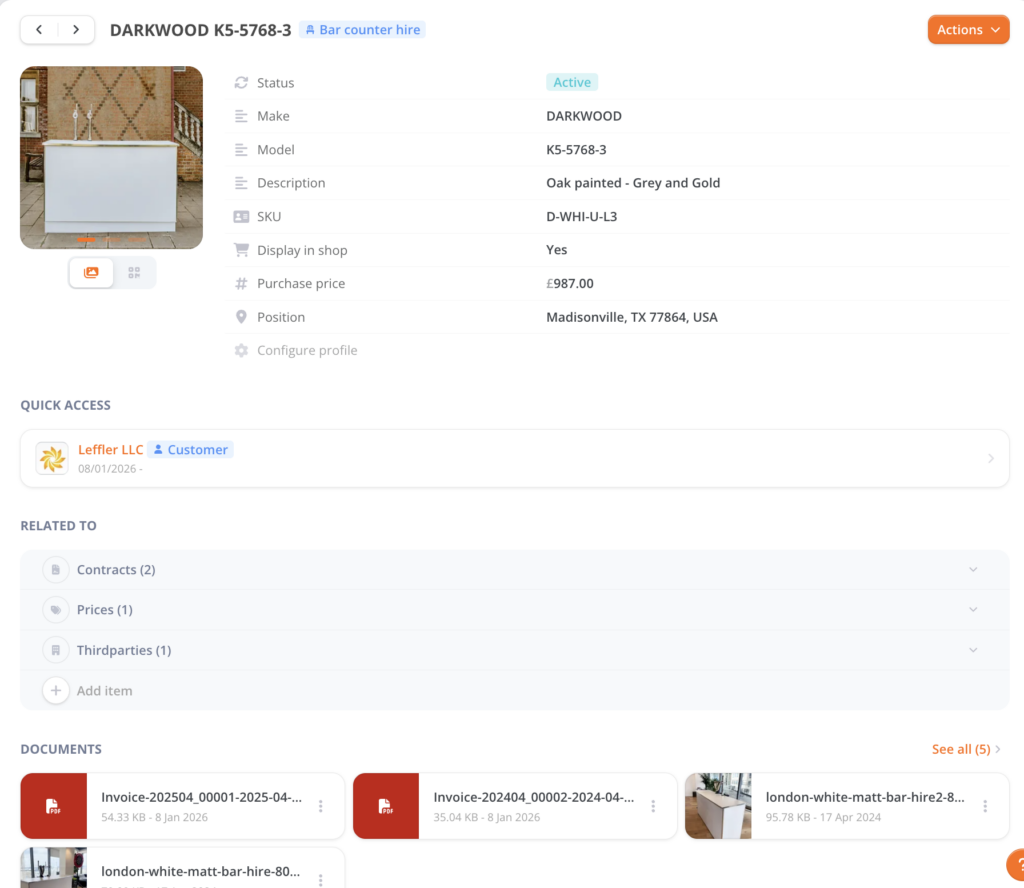
Bulbthings includes rental and leasing management covering three operational areas. Front-office: customer records, CRM integration, e-shop plug-in, quotation and invoicing. Logistics: supplier records, orders, delivery management, end-of-rental checks. Back-office: stock management, maintenance management, and financial reporting.
e-shop website plug-in:
Back office for inventory, logistics, customer contracts invoicing management:
Source: Bulbthings
This capability has no equivalent in UpKeep and matters for businesses that rent out equipment, manage leased assets, or need structured supplier workflows as part of their asset operations.
Telematics and IoT Connectivity (Optional Add-On): Connect GPS trackers and sensors for real-time monitoring.
As an optional add-on, Bulbthings connects with GPS tracking devices and IoT sensors for real-time asset monitoring. This enables features like idling alerts and geo-fencing for fleet vehicles.
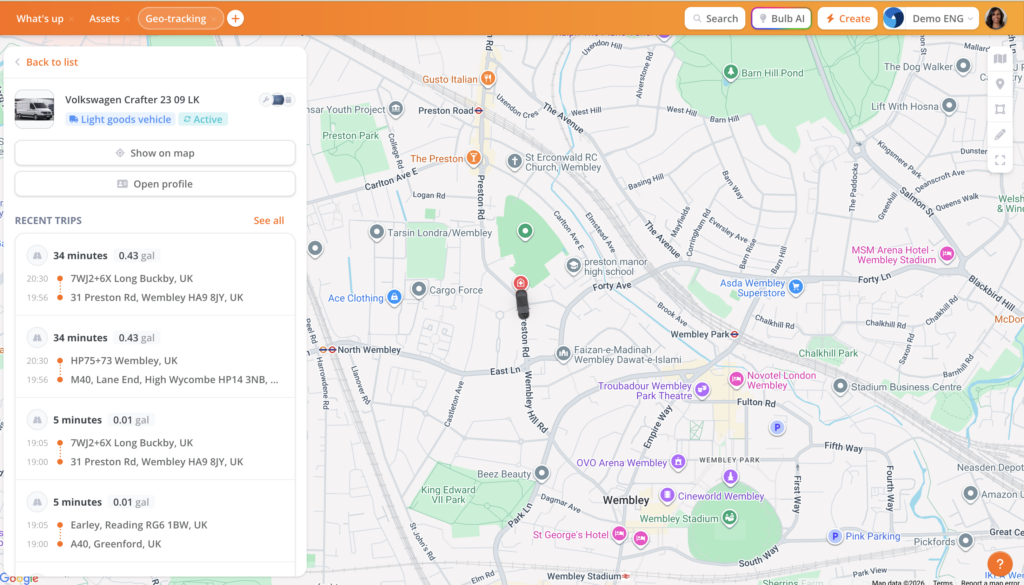
This is not a core feature but an available extension for organizations that need it.
Low-Code Workflow Automation: Customize processes without developer resources.
The platform comes with many off-the-shelf templates, features and workflows by industry, so customers get pre-built solutions to get started straight away.
However, since Bulbthings was built as a low-code/no-code platform from the ground up, businesses can further customize workflows, validation processes, checklists, and forms to adapt to their specific processes and ways of working.
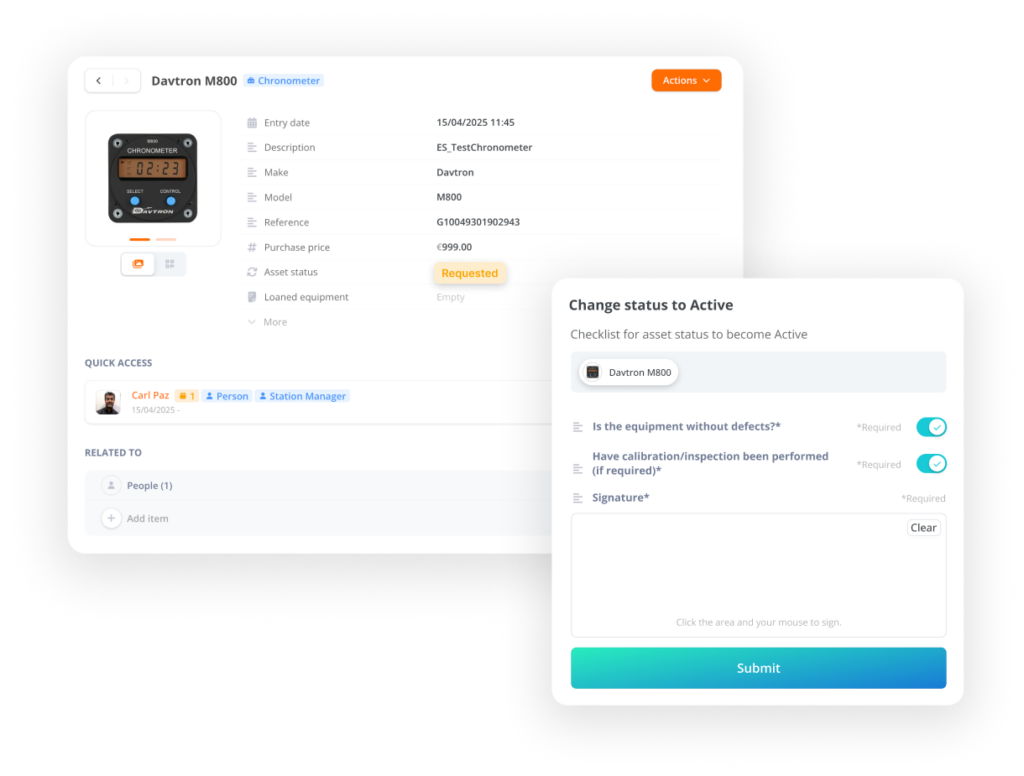
An AI workflow builder agent feature is in development that will let customers customize workflows on their own.
This low-code foundation means that when a business has multi-step processes to digitalize, Bulbthings can accommodate them, whereas UpKeep’s customization is limited to custom statuses and checklists within its predefined structure.
Pricing Philosophy: Pay for assets, not headcount.
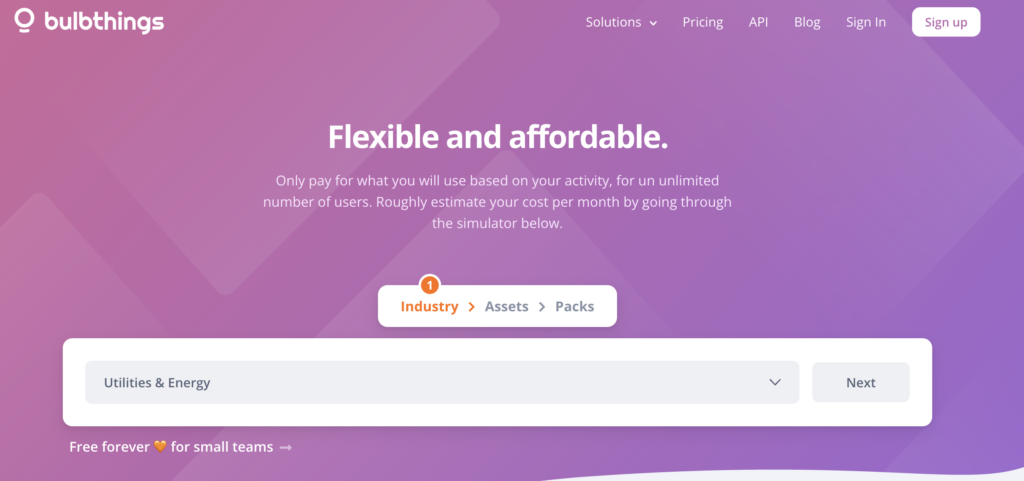
Bulbthings uses a usage-based pricing model determined by industry, number of assets, and selected feature packs. The price does not depend on the number of users; businesses can add unlimited users at no extra charge.
Source: Bulbthings
Bulbthings offers discounts for longer commitments: 15% off for annual payments and 10% for semi-annual. A pricing simulator on their website generates custom quotes based on the specific configuration.
Bulbthings is free forever for small teams, up to 100 assets and 10 account users (asset user profiles for the purpose of tracking assets are unlimited). The plan include asset tracking, booking and maintenance feature with mobile app and built-in QR scanner.
Optional add-ons include QR code labels (from €250 per 1,000 units), onsite inventory services, and custom integrations priced by scope. Self-onboarding with online payment is also available.
Analytics and Total Cost of Ownership: Reports that show what assets actually cost to own and operate.
Bulbthings‘ analytics go beyond maintenance metrics to calculate the Total Cost of Ownership (TCO) for each asset.
The system pulls data from usage records, maintenance history, contracts, and bills to show what an asset costs over its lifecycle, not just its purchase price and repair bills.

Reporting and customizable analytics dashboards are available for data visualization. The Bulb AI agent can generate reports on demand through natural language queries. Alerts flag issues like budget thresholds being reached or assets due for compliance checks.
This financial depth gives managers the data to answer questions a CMMS can’t: Is it cheaper to repair or replace this equipment? Which asset category has the highest hidden costs? Where can we reduce spending across the portfolio?
UpKeep or Bulbthings: Comparison Summary
| Upkeep | Bulbthings | |
|---|---|---|
| Primary focus | Maintenance management (CMMS) | Digitalization of asset-centric workflows and activities |
| Target audience | Maintenance teams at small and mid-size companies | Mid-sized companies who depend on seamless collaboration to manage their asset operations. |
| Modern design/UX | Clean, functional interface | Modern UI designed for reduced training and fast adoption |
| AI features | AI work order creation and scheduling | AI co-pilot across all asset operations |
| Mobile app | ✅ Mobile-first CMMS experience | ✅ Mobile-first for all asset features with QR/NFC scanning, image recognition, and Bulb AI |
| CMMS features | ✅ Full CMMS, advanced technicians job planification and optional apps (e.g. Technician performance coach) | ✅ Full CMMS |
| Asset tracking on maps | Floor maps (Professional and Enterprise only) | Google maps, Openstreet maps, Floor maps |
| Asset bookings, check-in check-out | ❌ Not a core feature | ✅ Manager-led or self-service booking and check-out check-in system |
| Advanced stock management | Parts inventory for maintenance work orders | Stock management: intake, allocation, value calculation, alerts, trend reporting |
| Financial management | Limited cost tracking and invoicing on work orders | ✅ TCO analysis, cost calculation, and customer invoicing for any asset-related service (e.g. maintenance, asset hire) |
| Vehicles and plant fleet management | ❌ Not available | ✅ Mileage, fuel, incident reporting, drivers checks and reporting, TCO, leasing contract management |
| Service providers and rental/leasing | ❌ Not available | ✅ Front-office, logistics, and back-office rental workflows |
| Customization | Custom statuses and checklists | Low-code/no-code platform with customizable workflows and off-the-shelf industry templates |
| Telematics/IoT | Proprietary IoT devices for quick IoT deployments | Fully integrated solution using IoT and telematics hardware from third party manufacturer partnerships |
| API for IT and developers | Rest API available for integrations | Rest API and Javascript/Typescript SDK available for integrations, customizations and new apps |
| Pricing model | Per user/month ($20–$55+) | Per asset/feature pack (unlimited users) |
| User limits | Per-user pricing scales with team size | Unlimited users at no extra cost |
| Free plan | ❌ Not available (7-day free trial) | ✅ up to 100 assets and 10 account users (unlimited asset users for tracking purposes). Feature-rich with asset tracking, bookings, check-out check-in, CMMS. |
| Best for | Teams focused on maintenance workflows | Mid-sized businesses digitalizing diverse asset operations |
Final Verdict
The choice between UpKeep and Bulbthings depends on what your organization needs to manage and how your teams need to work together around those assets.
👉 Choose UpKeep if your primary need is a mobile-first CMMS for maintenance teams. It excels at work order management, preventive maintenance scheduling, and getting technicians productive on their phones quickly.
If your operation centers on keeping equipment running and you don’t need fleet tracking, stock management, rental/leasing workflows, or collaboration with suppliers and customers, UpKeep is a focused, well-executed solution. It works especially well for teams making the jump from paper and spreadsheets to their first digital maintenance system.
👉 Choose Bulbthings if you need a single platform to digitalize the workflows around everything your business owns and operates, from equipment and tools to vehicles, consumables, and facilities. Its collaboration design, Bulb AI agent, low-code workflow automation, and unlimited-users pricing make it the stronger choice for mid-sized businesses where maintenance is one piece of the asset management picture.
If you’ve been stitching together a CMMS, a fleet tool, and a spreadsheet for inventory (or if you need structured collaboration with suppliers and external partners around your assets) Bulbthings replaces those fragmented systems with a single platform that also calculates what your assets actually cost you.
Get started with Bulbthings here.
UpKeep does maintenance management well. Bulbthings digitalizes asset operations broadly. Your choice depends on which problem you need to solve.