Asset Panda pricing: worth it or consider Bulbthings? (April 2026)
If you’ve ever tried to decode Asset Panda’s annual-only pricing tiers (figuring out whether 1,000 assets on the Starter plan will be enough, or if you’ll need Business+ for 5,000, while calculating that each additional user costs $600-$900 per year and extra assets run $0.50-$1.00 each) you know that asset management pricing can feel like budgeting for a system you haven’t fully configured yet.
Asset Panda has built a solid reputation as a configurable, cloud-based asset management platform, serving over 4,000 organizations across 60+ countries and tracking more than 20 million assets. Its no-code customization, mobile barcode scanning, and compliance-ready audit trails have earned recognition from Forbes Advisor and multiple Inc. 5000 appearances.
But as Asset Panda has grown from a tracking tool into a lifecycle platform with enterprise integrations, its pricing has become a layered equation of user seats, asset caps, and tier-locked features that can surprise buyers who outgrow their initial plan.
We’ve analyzed Asset Panda’s pricing tiers, per-user costs, and asset cap model. We believe it’s the right choice if:
- You need IT asset management with native integrations for Microsoft Intune, Jamf Pro, and ServiceNow
- Your organization requires SOC 2 Type II compliance and a proven audit trail
- You have a defined number of power users who need full edit access
- Your assets are primarily IT equipment, fixed assets, or tools requiring barcode-based accountability
- You value a large, established user community and third-party recognition
However, Asset Panda’s pricing might not be a good choice if:
- You need collaboration across internal teams, suppliers, and customers without per-seat cost barriers
- You want a modern interface that reduces training and onboarding time
- You need to digitalize multi-step asset workflows with flexible, low-code customization
- You want a permanent free tier to test the platform before committing to a $3,000/year minimum
- You manage diverse asset classes (vehicles, facilities, rental equipment, consumables) alongside IT assets and need them in one system
In this case, consider Bulbthings: a collaborative asset management platform built for digitalizing asset-centric workflows. It uses activity-based pricing with unlimited users included, offers a permanent free plan, and covers asset tracking, CMMS, fleet management, field services, and PPE compliance in a single system, with team collaboration, modern design, and a full AI agent at its core.
We’ve included a detailed pricing comparison with Bulbthings in this review, as the best choice for teams that need collaborative, cross-departmental asset management with predictable costs. If you’re eager to jump into the Bulbthings pricing breakdown, go ahead and do so with this link.
Asset Panda Pricing Summary
| Asset Panda | Bulbthings | |
|---|---|---|
| Free offering | 7-day free trial (all features, no permanent free plan) | Free forever plan (up to ~100 assets, unlimited users) |
| Entry plan | Starter: $3,000/year (5 users, 1,000 assets) | Activity-based pricing (unlimited users, scales by assets and features) |
| Mid-Tier | Business+: $7,200/year (10 users, 5,000 assets, integrations + API) | Activity-based pricing (more advanced feature packs available) |
| Enterprise | Enterprise: $18,000/year (20 users, 10,000 assets, Ursa AI + offline mode) | Enterprise: custom pricing (IoT, telematics, custom integrations, SSO) |
| Best for | IT-focused organizations needing ITAM integrations, SOC 2 compliance, and configurable asset tracking | Mid-sized teams needing collaborative, multi-class asset management with modern UX, AI workflows, and unlimited users |
Asset Panda Pricing: In-Depth Overview
Asset Panda runs on an annual subscription model with no monthly billing option.
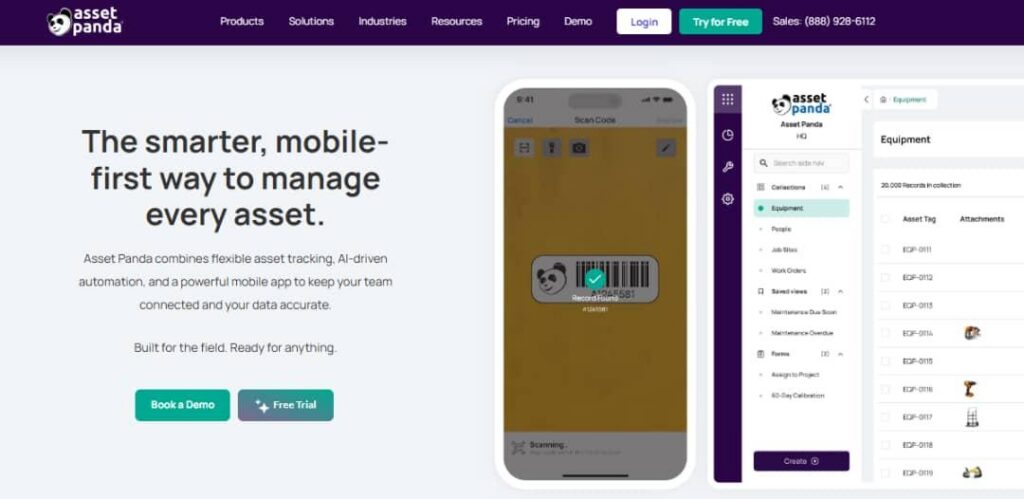
Plans are priced by user seats and asset volume, with three published tiers and custom pricing above Enterprise. Beyond the base subscription, Asset Panda charges for additional user seats, collaborator licenses, and asset block purchases, so buyers must forecast both team size and asset count carefully.
Here’s each tier, plus the add-on costs that shape the true investment.
Asset Panda Free Trial: 7 Days, All Features
Asset Panda provides a 7-day free trial that unlocks all platform features. This gives prospective buyers a chance to test the configurability, mobile app, and barcode scanning before committing.
But the trial window is short for organizations that need time to import data, configure custom fields, and get multiple stakeholders to evaluate the platform.
| Free Trial Pros | Free Trial Cons |
|---|---|
| ✅ Full feature access during trial | ❌ Only 7 days to evaluate |
| ✅ Live demo option available | ❌ No permanent free tier |
| ✅ Test barcode scanning and mobile app | ❌ Short window for multi-team setups |
| ✅ Evaluate automation features | ❌ Must commit to $3,000/year minimum after trial |
The Bottom Line 👉 The 7-day trial works for teams that already know what they need and can evaluate quickly. Organizations wanting to test with real data over weeks will feel rushed.
Asset Panda Starter Plan: $3,000/year
| Features | Details |
|---|---|
| Annual Price | $3,000 |
| Included Users | 5 |
| Asset Limit | Up to 1,000 |
| Additional Users | $600/user/year |
| Additional Assets | $0.50/asset/year |
| Key Features | 24/7 support, onboarding, automations, smart forms, kits and consumables tracking |
The Starter plan is the entry point for small teams getting organized. At $3,000 per year for 5 users and 1,000 assets, it includes 24/7 support, onboarding, automations, smart forms, and kits and consumables tracking. The included onboarding support is a real differentiator at this price point, since many competitors charge separately for implementation help.
However, the plan excludes integrations, API access, and AI features, which limits its usefulness for teams that need to connect Asset Panda to their existing IT stack.
| Starter Plan Pros | Starter Plan Cons |
|---|---|
| ✅ Includes onboarding and 24/7 support | ❌ $3,000/year floor is high for small teams |
| ✅ Automations and smart forms included | ❌ No integrations or API access |
| ✅ Kits and consumables tracking | ❌ 1,000 asset cap fills quickly |
| ✅ Custom fields and workflows available | ❌ No AI features (Ursa) |
The Bottom Line 👉 Starter suits small teams with under 1,000 assets who don’t need integrations. The lack of API access and the $3,000 floor make it a big commitment for basic tracking.
Asset Panda Business+ Plan: $7,200/year
| Feature | Details |
|---|---|
| Annual Price | $7,200 |
| Included Users | 10 |
| Asset Limit | Up to 5,000 |
| Additional Users | $720/user/year |
| Additional Assets | $0.75/asset/year |
| Key Additions | Integrations, multi-tenant structure, custom permissions, open API access |
Business+ is where Asset Panda becomes a connected platform. The plan adds integrations, multi-tenant structure, custom permissions, and open API access, unlocking 20+ native integrations with tools like Microsoft Intune, Jamf Pro, Zendesk, Jira, and ServiceNow.
For IT teams that need two-way device sync or ticketing system connectivity, this tier is the real starting point. The 5,000 asset limit provides room for most mid-sized organizations, though per-user costs climb to $720/year for each additional seat.
| Business+ Plan Pros | Business+ Plan Cons |
|---|---|
| ✅ Full integration catalog unlocked | ❌ 140% price jump from Starter |
| ✅ Open API for custom development | ❌ Still no AI features |
| ✅ Multi-tenant structure for departments | ❌ $720/user/year adds up for larger teams |
| ✅ Custom permissions and role-based access | ❌ No mobile offline mode |
The Bottom Line 👉 Business+ is the right tier for IT-centric organizations that need integrations and API access. Teams wanting AI assistance or offline mobile capability must step up to Enterprise.
Asset Panda Enterprise Plan: $18,000/year
| Feature | Details |
|---|---|
| Annual Price | $18,000 |
| Included Users | 20 |
| Asset Limit | Up to 10,000 |
| Additional Users | $900/user/year |
| Additional Assets | $1.00/asset/year |
| Key Additions | Ursa AI workflows, AI column mapping, field auto-fill, mobile offline mode, dedicated Slack channel for support |
Enterprise unlocks Asset Panda’s full feature set, including Ursa AI for natural language queries, AI-generated automations, and AI-assisted database configuration.
The mobile offline mode lets field teams scan barcodes and update records without internet connectivity, syncing changes when they reconnect. A dedicated Slack channel provides direct access to the support team.
At $18,000/year with 20 users and 10,000 assets, the per-user and per-asset economics improve, but organizations exceeding these limits must negotiate custom pricing.
| Enterprise Plan Pros | Enterprise Plan Cons |
|---|---|
| ✅️ Ursa AI for natural language queries and automation | ❌️ $18,000/year is a major commitment |
| ✅️ Mobile offline mode for field operations | ❌️ $900/user/year for additional seats |
| ✅️ Dedicated Slack support channel | ❌️ 10,000 asset cap requires block purchases beyond |
| ✅️ AI column mapping speeds data imports❌️ | ❌️ Custom pricing needed above 20 users or 10,000 assets |
The Bottom Line 👉 Enterprise delivers the full Asset Panda experience with AI and offline capabilities, but at $18,000/year it requires a clear ROI case and predictable growth to justify.
Asset Panda Add-On Costs and Hidden Fees
Beyond base subscriptions, Asset Panda’s true costs emerge through several add-on categories:
Additional Full User Seats (billed annually per the help docs pricing page):
| Plan | Cost Per Additional User |
|---|---|
| Starter | $600/user/year |
| Business+ | $720/user/year |
| Enterprise | $900/user/year |
Collaborator Seats (view-only access for employees who need to view records and submit forms like check-in/check-out requests):
Additional Asset Blocks (purchased annually when exceeding plan caps per the help docs pricing page):
| Plan | Cost Per Additional Asset |
|---|---|
| Starter | $0.50/asset/year |
| Business+ | $0.75/asset/year |
| Enterprise | $1.00/asset/year |
Other Cost Considerations:
- All plans are annual billing only, with no monthly option
- Users can self-serve asset block upgrades from the account dashboard
- Pricing is subject to change without notice
- Asset Panda sells branded asset tags and labels as a complementary hardware product
Where Asset Panda Falls Short
Asset Panda delivers solid asset tracking with configurability and proven compliance features, but its pricing model and feature boundaries create challenges for organizations with broader operational needs:
Per-Seat Pricing Limits Cross-Team Collaboration
- Each additional full user costs $600-$900/year depending on the plan, creating friction when operations teams, field workers, suppliers, and managers all need access
- Collaborator seats at $120/year provide view-only access, but staff who need to edit records must pay full user rates
- Organizations with 30-50 users across departments face annual seat costs of $18,000-$45,000 on top of the base subscription
- No collaboration workflows for working with external suppliers or customers (collaboration is limited to internal user access levels)
Traditional Interface Requires More Training
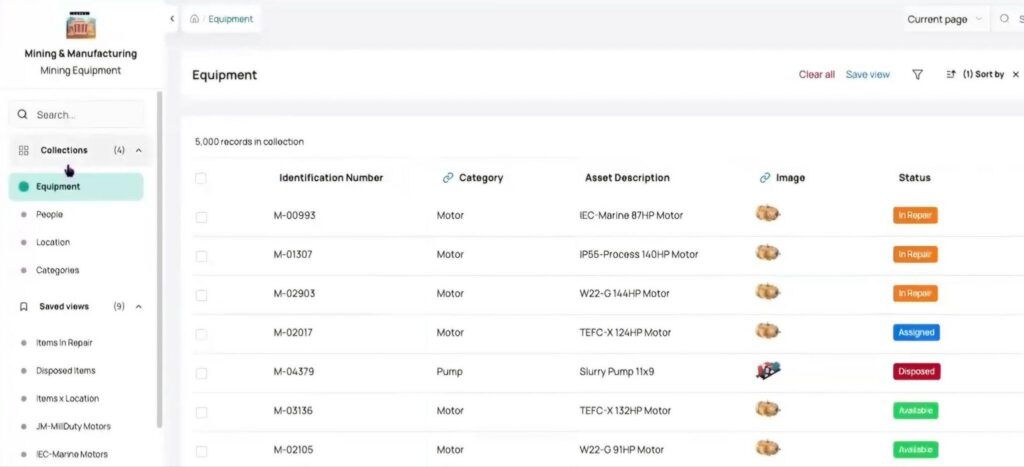
- Asset Panda’s interface uses dense menus, numerous buttons, and layered option screens
- New users typically require dedicated onboarding sessions and training time to navigate the platform
- The learning curve adds hidden costs in productivity loss during adoption, especially when rolling out to non-technical staff
Annual-Only Billing With a High Entry Floor
- The $3,000/year Starter plan is a significant commitment for small teams evaluating asset management for the first time
- No monthly billing option means organizations must commit for a full year before knowing if the platform fits their workflow
- The 7-day trial is too short for teams that need to import real data and test across departments
Feature-Gating Creates Upgrade Pressure
- Integrations and API access require Business+ at $7,200/year, locking Starter users out of connecting to existing tools
- AI features and mobile offline mode are reserved for Enterprise at $18,000/year
- Teams that need basic Intune or Zendesk connectivity have no affordable option between $3,000 and $7,200
Limited Workflow Customization
- Asset Panda was not built as a low-code platform, which limits how far organizations can customize multi-step workflows, validation processes, and approval chains without workarounds
- Teams with unique operational processes may find that the platform either cannot accommodate them or requires costly custom development
Scope Limited to Asset Tracking and ITAM
- No fleet management module for organizations tracking vehicles alongside equipment (no mileage tracking, fuel consumption reporting, or fines and damages management)
- No field services management for dispatching technicians to customer sites
- No stock management with intake workflows, allocation tracking, or stock level alerts
- No PPE compliance tracking for safety-regulated industries
- Financial management limited to depreciation calculations (no cost analysis, customer invoicing, or TCO reporting across asset classes)
- Organizations needing these capabilities must add separate tools, increasing total cost and fragmenting data
Source: Asset Panda
These limitations have led many operations-focused teams to explore platforms that combine broader asset management with collaborative workflows, modern design, and more inclusive pricing.
Best Asset Panda Alternative: Bulbthings
Bulbthings takes a different approach to asset management, built as a collaborative platform for digitalizing asset-centric workflows.
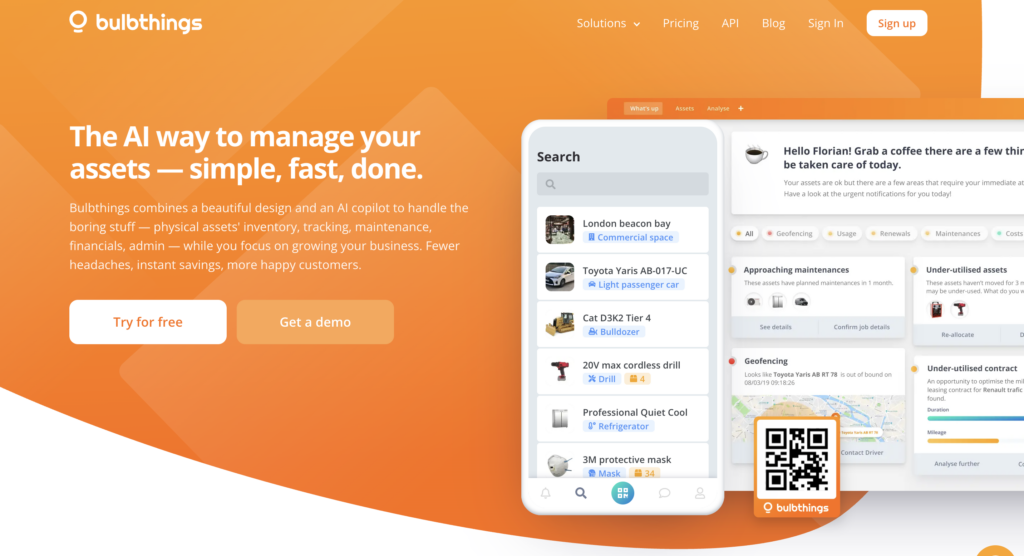
Where Asset Panda focuses on configurable asset tracking for IT teams, Bulbthings packages asset tracking, CMMS, fleet management, field services, and PPE compliance into a single system with unlimited users, team collaboration across internal and external stakeholders, and a full AI agent, all on activity-based pricing.
For those who find Asset Panda’s per-seat costs restrictive, collaboration too limited, and scope too narrow for diverse physical operations, Bulbthings offers a direct solution: collaboration across teams, suppliers, and customers with granular permissions, a modern interface that cuts training time, and an AI copilot (Bulb AI) for natural language interaction with all platform functions.
Founded in 2014 by Leslie Depond and Yann Depond, Bulbthings serves clients including BBC News, James Fisher Renewables, TKMS, Oetker Collection, Bio-Techne, and Applus.
The platform earned a 5.0/5 rating on Capterra with perfect scores for ease of use and customer support, and its January 2026 AI agent launch added natural language interaction for creating assets, managing maintenance, generating reports, and updating records via image recognition.
Bulbthings excels for mid-sized companies managing multiple asset classes across several locations, organizations that need collaborative workflows with suppliers and customers alongside internal teams, and any company where broad team access and modern design matter more than per-seat license calculations.
Bulbthings Free Plan: $0/month, Unlimited Users
| Feature | Details |
|---|---|
| Price | $0/month (free forever) |
| Assets | Up to ~100 |
| Users | Up to 10 account users. Unlimited asset users for tracking purposes. |
| Features | Assets register, unlimited asset users and locations for tracking purposes, assets assignments and bookings, maintenance requests, work orders, preventive/recurring maintenance schedules. Mobile app with built-in QR code and barcode scanner. |
| Duration | No time limit |
Unlike Asset Panda’s 7-day trial with no permanent free option, Bulbthings offers a free forever plan that supports approximately 100 assets with 10 account users.
This lets teams establish tracking and maintenance habits, validate the QR code workflow, and build the case for a paid upgrade on their own timeline rather than under a 7-day deadline.
| Bulbthings Free Plan Pros | Bulbthings Free Plan Cons |
|---|---|
| ✅ No time limit to evaluate | ❌ Limited to ~100 assets |
| ✅ Up to 10 account users to start collaborating | ❌ Reduced feature set vs. paid plans |
| ✅ Feature-packed with QR code scanning and mobile app included | ❌ No advanced financial or vehicles fleet management |
| ✅ No credit card required | ❌ Limited reporting capabilities |
The Bottom Line 👉 The free plan gives operations teams a real testing ground, and the feature-packed access means small teams get a comprehensive asset management solution and a lot value from day 1.
Bulbthings Paid Plans: Activity-Based Pricing
| Feature | Details |
|---|---|
| Pricing Model | Based on asset volume, industry, and feature packs selected |
| Users | Unlimited on all paid plans |
| Billing cycles | Monthly (cancel anytime) or annually. |
| Billing Discounts | 15% off annual, 10% off semi-annual |
| Configuration | Interactive pricing simulator on website |
Bulbthings uses an activity-based pricing model where costs depend on three factors: the number of assets managed, which feature packs you select and the subscription term monthly (cancel anytime) or annually.
The key distinction from Asset Panda is that all paid plans include unlimited users, so adding field workers, managers, suppliers, and customers costs nothing extra.
This matters for organizations that need collaboration across internal teams and external partners, since there is no per-seat barrier to bringing everyone into the same workspace.
Pricing is configured through a transparent, interactive simulator on the Bulbthings website, with a starting pricing of 99$ per month and custom quotes available for larger deployments.
| Bulbthings Paid Plan Pros | Bulbthings Paid Plan Cons |
|---|---|
| ✅ Unlimited users eliminates seat math | ❌ Exact pricing requires using the simulator or contacting sales |
| ✅ Pay for features you need, not users | ❌ No published fixed-price tiers for easy comparison |
| ✅ Payment flexibility with monthly payment available (cancel anytime) | ❌ No feature gating behind premium plans. AI copilot, API/SDK and other advanced features are available whatever the size of the team or number of assets being managed. |
| ✅ 15% discount on annual billing | ❌ No refunds on any fees |
| ✅ Scales by actual operational activity | ❌ Add-on features (IoT, integrations) are custom-priced |
The Bottom Line 👉 Activity-based pricing removes the per-user cost anxiety that drives up spending on platforms like Asset Panda, though buyers should use the pricing simulator or request a quote to understand their specific costs. Smaller teams switching from the free plan to paid plans still get the flexibility of a cancel anytime subscription.
Bulbthings Feature Modules Included
Where Asset Panda focuses on asset tracking with configurable fields and IT integrations, Bulbthings bundles a broader set of operational modules into its platform:
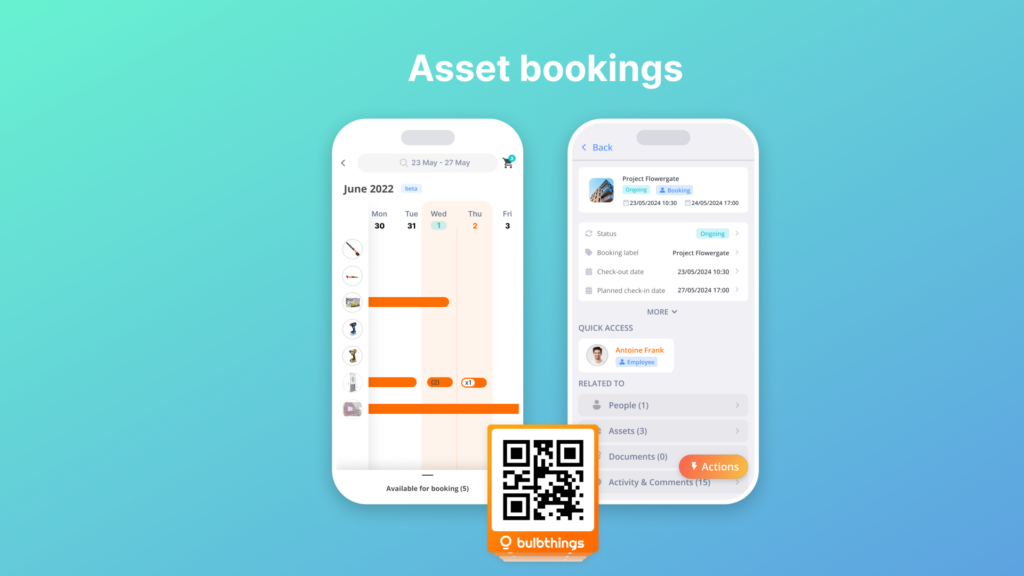
Asset Inventory & Tracking: Full asset register with QR code and NFC scanning, advanced booking and check-in/check-our management, audit trails, periodic inventory audits via mobile, and dynamic inventory views including registers, stock levels, floor maps (indoor) and GPS maps (outdoor), and planning views.
Source: Bulbthings
Each asset profile maintains a complete history including allocations, bookings, maintenance activities, service contracts, and conversations.
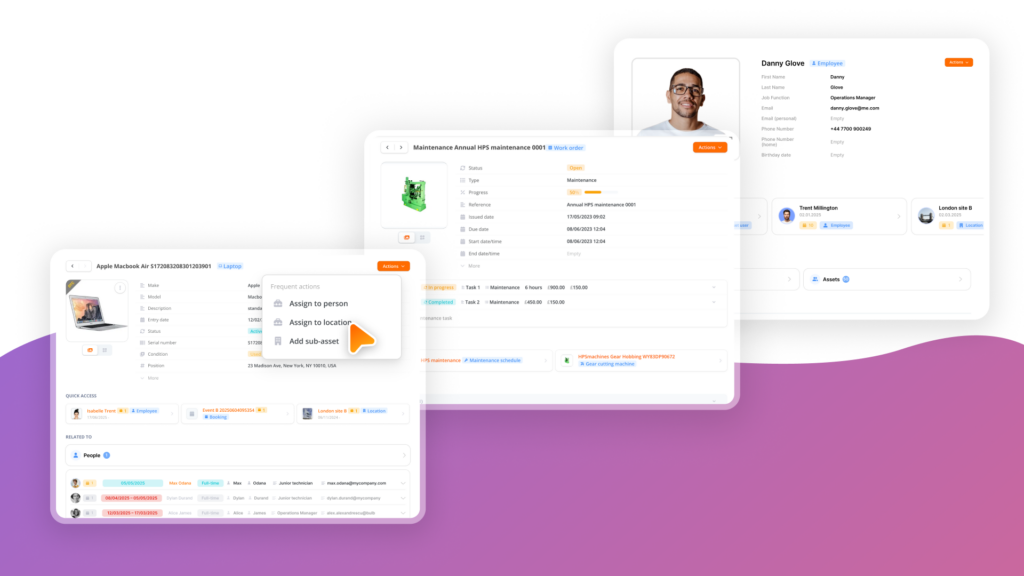
Modern, Intuitive Design: Bulbthings features a clean interface designed for quick understanding without extensive training. The platform reduces the onboarding curve compared to traditional asset management software, letting non-technical staff (from warehouse workers to finance managers) navigate the system productively from day one.
Source: Bulbthings
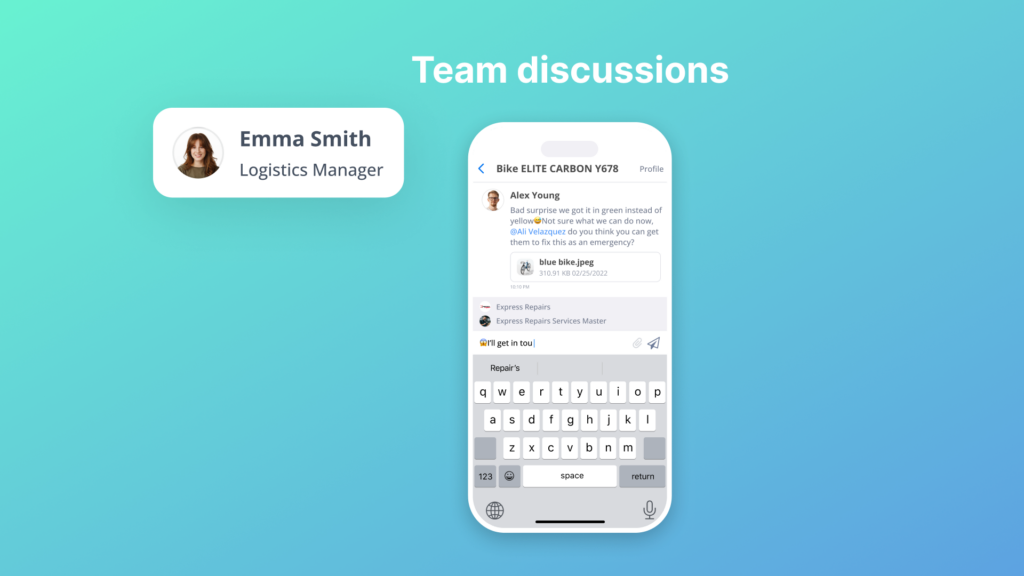
Team Collaboration: Workspace management for different teams, collaborative workflows across internal teams, suppliers, and customers, and cross-country collaboration with multi-language, multi-currency, and multi-metrics support.
Source: Bulbthings
Source: Bulbthings
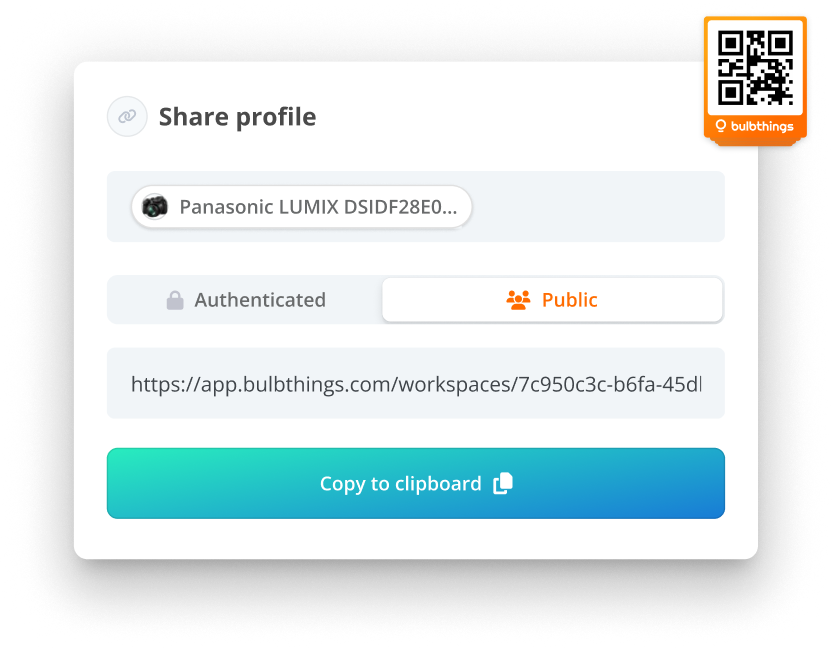
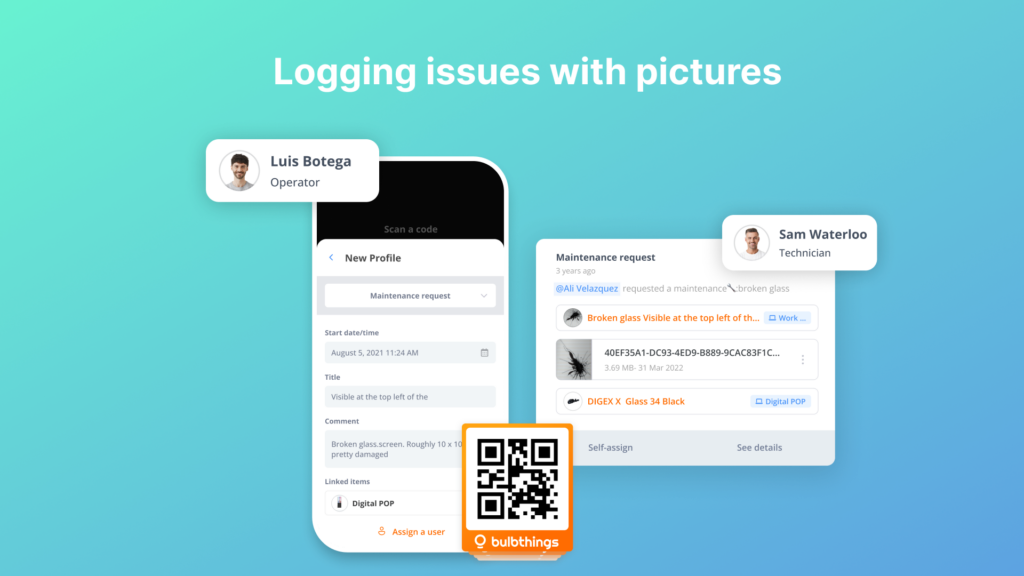
Office users can scan public QR codes to log issues without downloading the app, and work order information can be shared with suppliers via email links. Granular roles and permissions ensure each user (whether internal or external) sees only what they need.
AI-Powered Asset Management (Bulb AI): An AI agent that works as a copilot for the entire platform. Users interact with Bulb AI in natural language using chat or voice command to create assets, make bookings, assign items, log maintenance, create maintenance schedules, get reports and insights, and query the application.

Source: Bulbthings
The AI includes image recognition: users can photograph an asset via the mobile app and have Bulb AI create it in the system. A Developer AI Agent is in development for natural-language workflow customization.
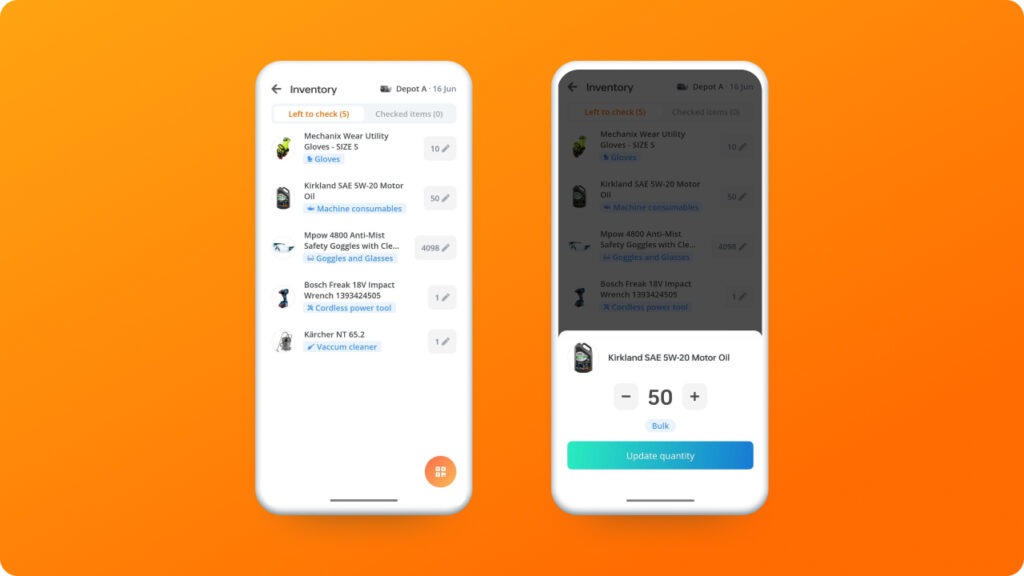
Advanced Stock Management: Stock intake, stock allocation to locations and people (e.g., PPE, materials tracking), stock value calculation, alerts on minimum and maximum stock levels, and stock level trends and reporting. Consumables are tracked by quantity rather than individually, and the system supports bulk actions across large asset volumes.
Source: Bulbthings
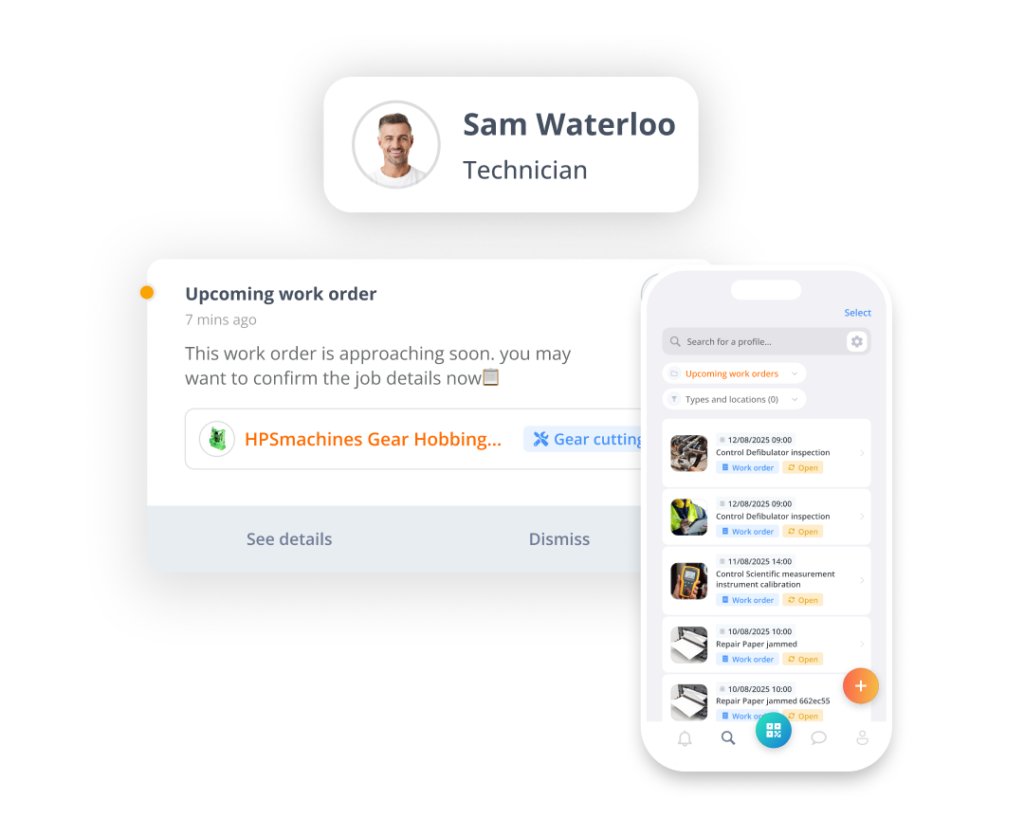
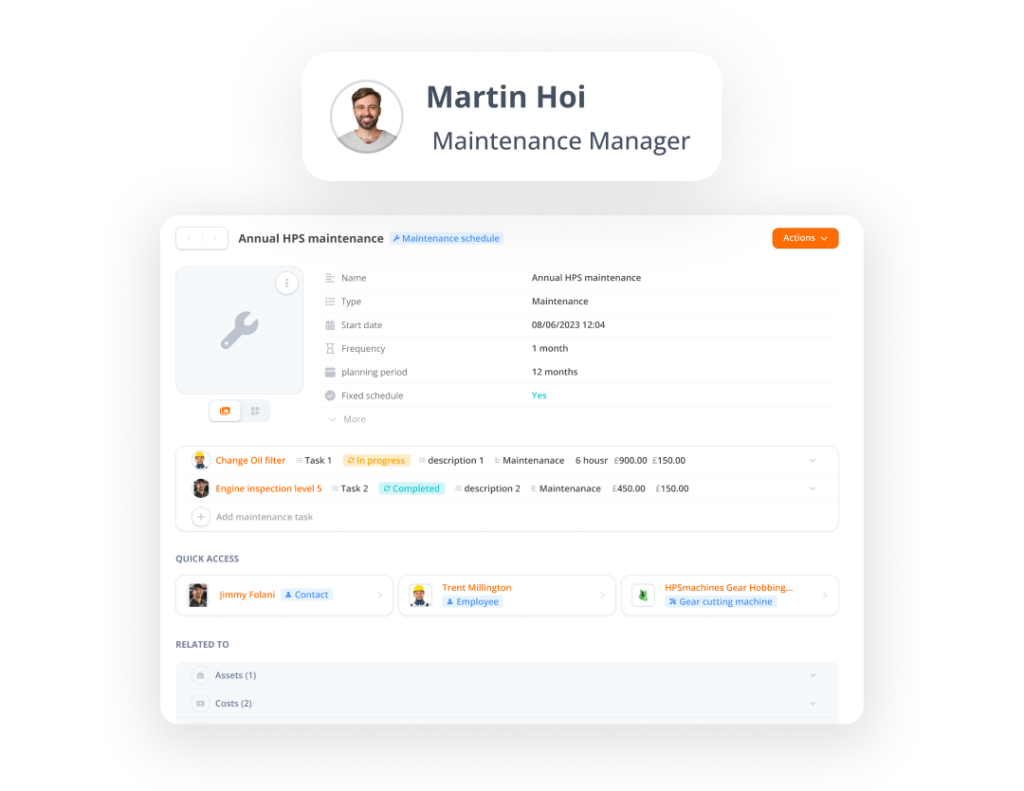
CMMS & Maintenance: Work orders, preventive maintenance with time-based, meter-based, and condition-based triggers, anonymous QR code maintenance requests from non-users, supplier workflow management, and TCO reporting.
Source: Bulbthings
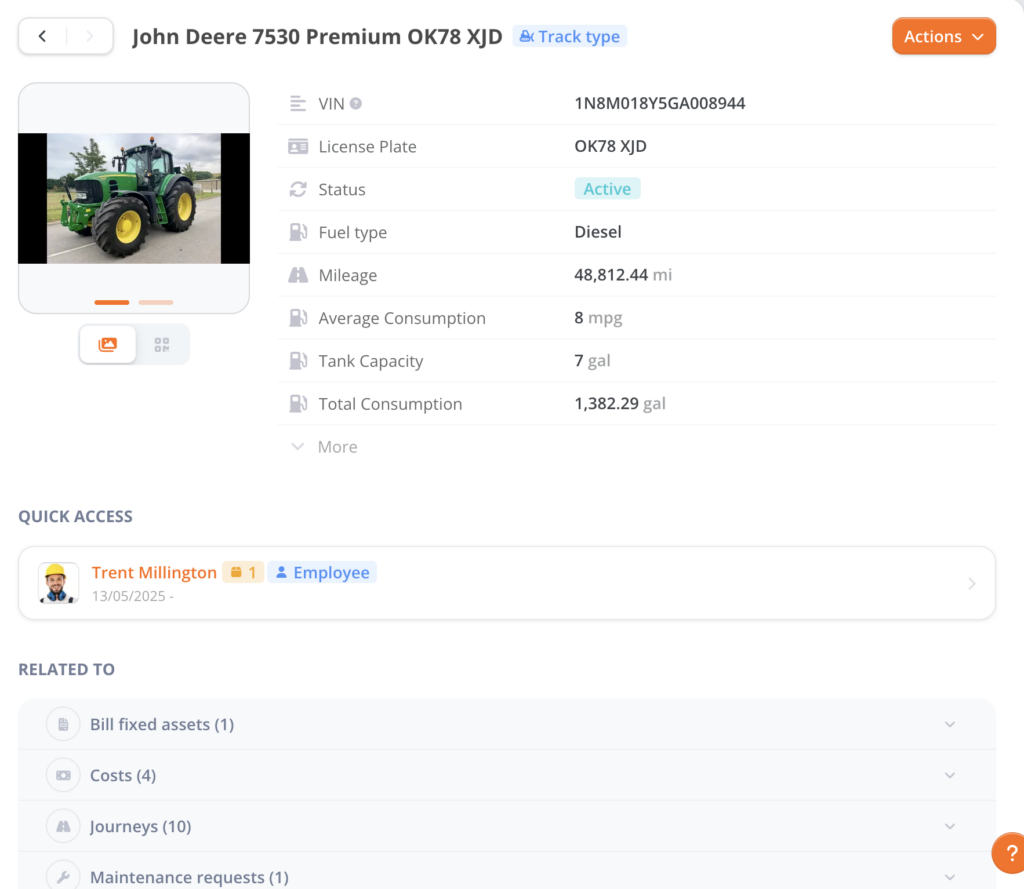
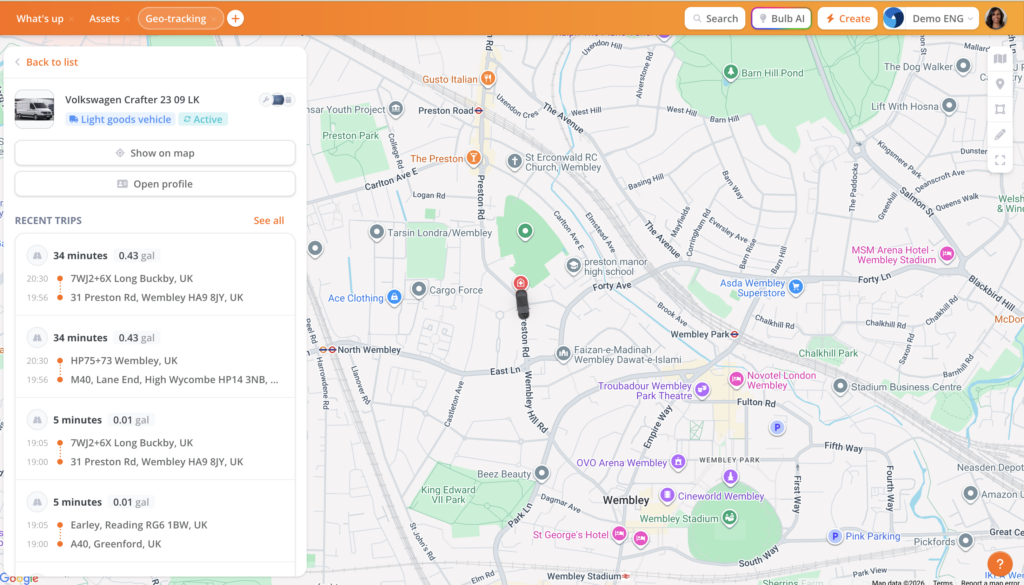
Vehicles and Plant Fleet Management: Mileage tracking, fuel consumption tracking, driver incident reporting, fines and damages management, and end-of-life management.
Source: Bulbthings
For corporate fleets: leasing contract quotation and comparison, ordering from suppliers, fleet cost import (maintenance, fuel, financing or depreciation), and TCO calculation. Idling and geo-fencing alerts are available, though route optimization is not included.
Field Services: Technician dispatch, mobile work orders, customer self-service via QR code, condition monitoring, and automated invoicing.
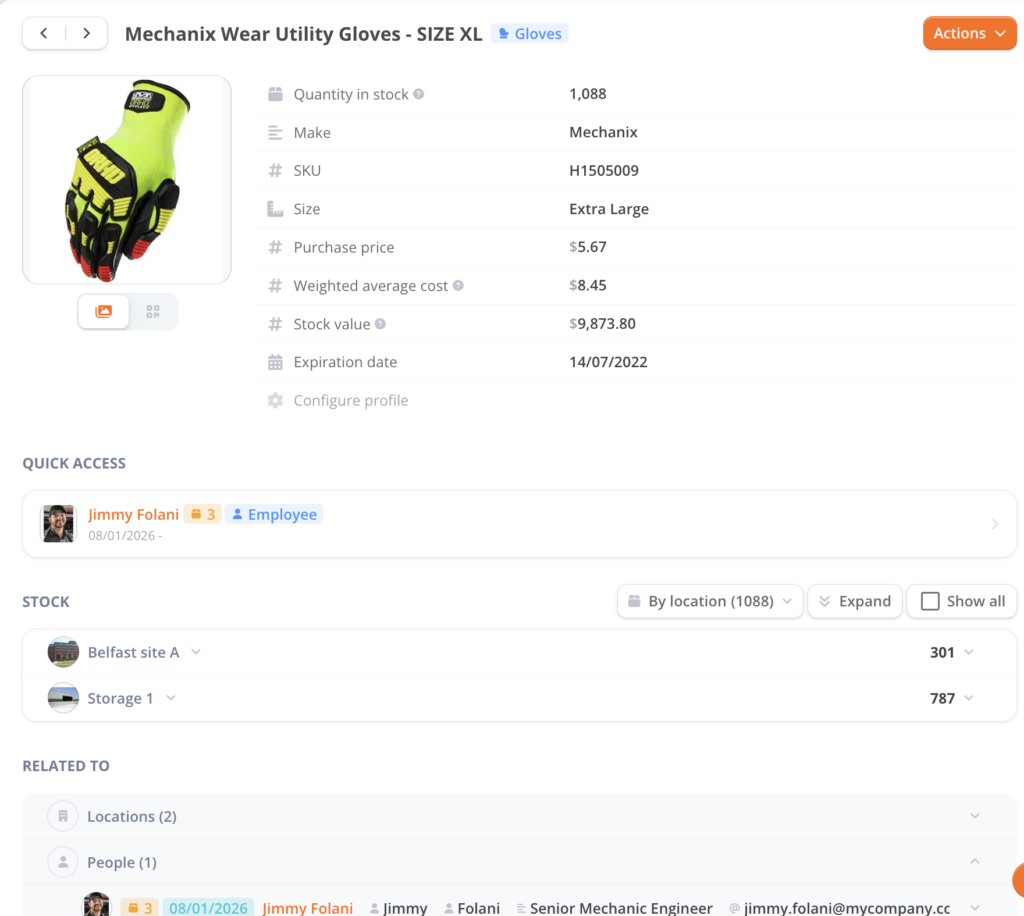
PPE Tracking: Individual PPE assignment, regulatory inspection scheduling, automated compliance alerts, and audit-ready documentation.
Source: Bulbthings
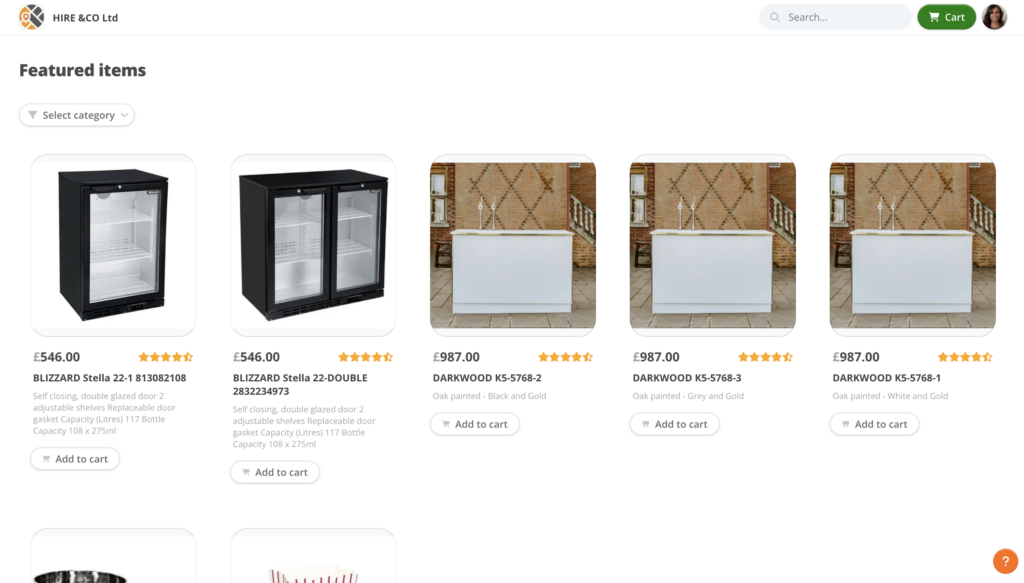
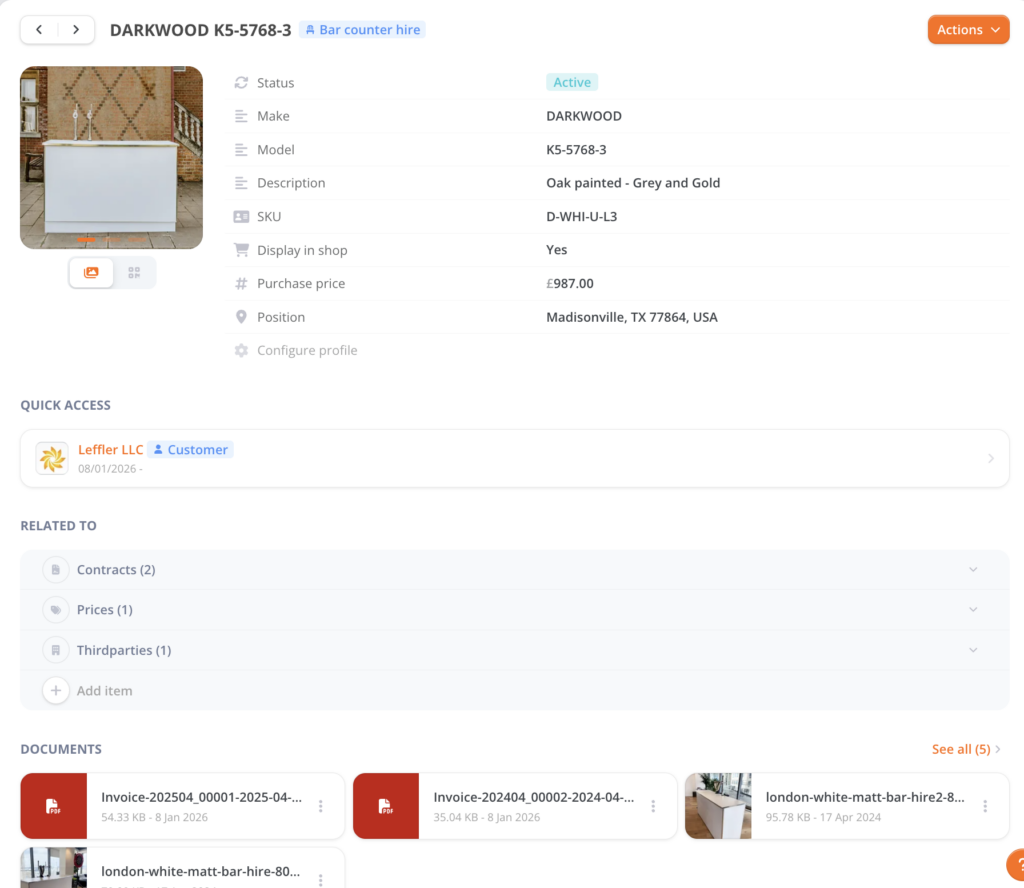
Service Providers and Rental/Leasing Management: Front-office: customer records, CRM integration, e-shop plug-in, quotation and invoicing. Logistics: supplier records, orders, delivery management, end-of-rental checks. Back-office operations: stock management, maintenance management, financial reporting.
 Source: Bulbthings
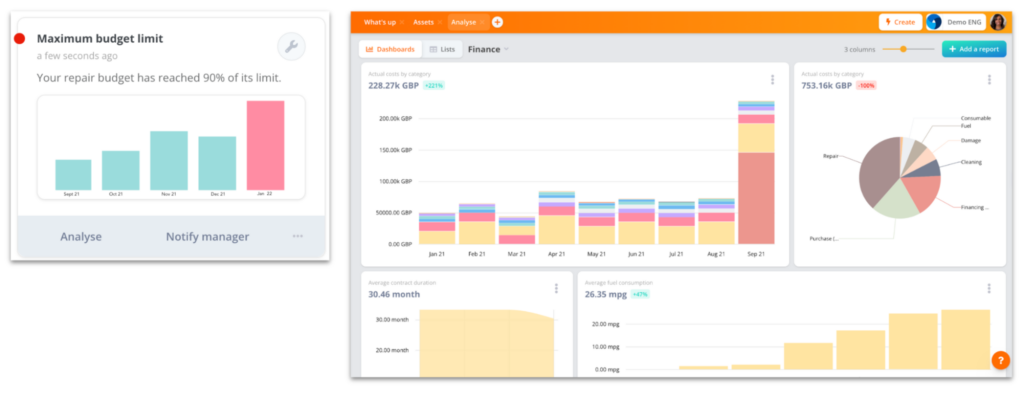
Financial Management: Cost calculation across asset classes, customer invoicing, and TCO analysis. This goes beyond basic depreciation to cover the full financial lifecycle of assets including rental revenue, maintenance costs, and fleet expenses.
Source: Bulbthings
Telematics and IoT Connectivity (Optional Add-On): As an optional add-on, Bulbthings connects with GPS tracking devices and IoT sensors for real-time asset monitoring. This is not a core feature and is priced separately.
Low-Code Workflow Automation: The platform includes many off-the-shelf templates, features and workflows by industry, and an AI Workflow Builder feature is in development that will let customers customize workflows independently. However, since it is built on a low-code architecture, Bulbthings enables customization of workflows, validation processes, checklists, and forms without extensive development resources.
Bulbthings Additional Costs
The pricing page discloses the following add-on services:
| Service | Price |
|---|---|
| QR Code Labels | From €250 per 1,000 units |
| Workflow Customisation | Custom quote |
| Integrations (ERP, CRM, accounting) | Custom quote |
| Active Directory / SSO (SAML, OKTA) | Custom quote |
| IoT / Connected Assets (optional) | Custom quote |
| Telematics — GPS/vehicle (optional) | Custom quote |
Asset Panda Feature Value Breakdown (vs Bulbthings)
Team Collaboration
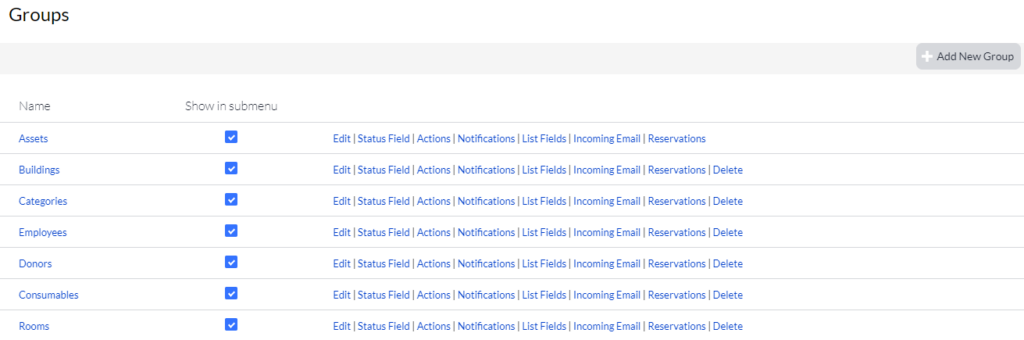
Asset Panda’s Approach: Asset Panda provides role-based access control and multi-tenant structure on the Business+ plan, allowing organizations to segment data by department. Collaborator seats offer view-only access for $120/year per person.
Source: Asset Panda
However, the platform does not offer collaboration workflows for working across teams, suppliers, or customers. Collaboration is limited to internal user access: no workspace management, no cross-organizational workflows, and no way for external partners to participate without being added as paid users or collaborators.
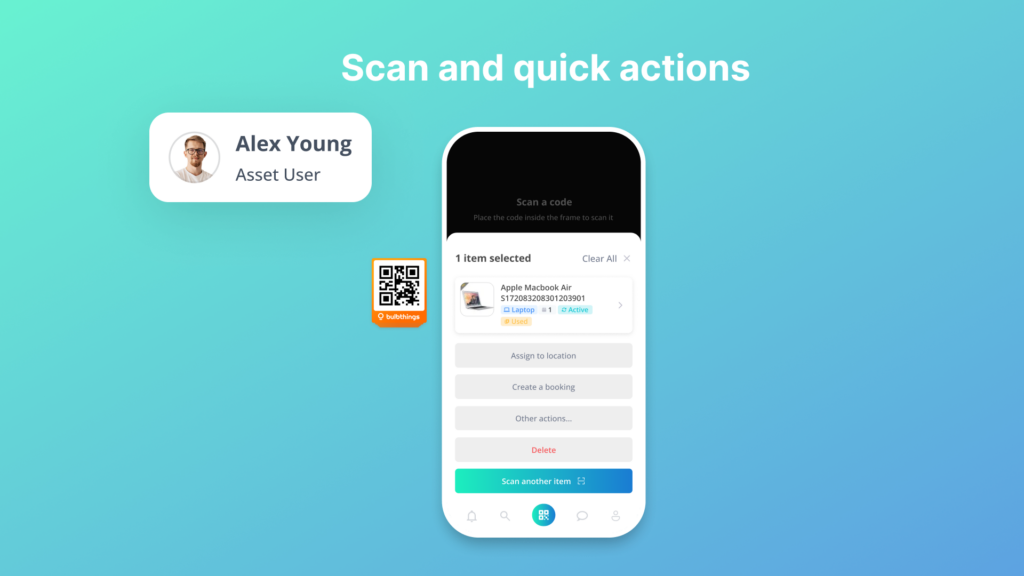
Bulbthings’ Approach: Bulbthings treats collaboration as its core differentiator, offering workspace management for different teams, collaborative workflows that span internal teams, suppliers, and customers, and cross-country collaboration with multi-language, multi-currency, and multi-metrics support.
Source: Bulbthings
External parties can interact through QR code-based issue logging (no app required) and email-linked forms (e.g. work orders, contracts).
Source: Bulbthings
Granular permissions ensure each participant (internal or external) sees only what is relevant to their role. And because all plans include unlimited users, there is no cost barrier to bringing everyone into the same workspace.
🪙 Value Verdict: Bulbthings is better for organizations that need cross-team and cross-organizational collaboration across departments, suppliers, and customers. Asset Panda is better for organizations with a small, defined group of internal administrators who don’t need external collaboration workflows.
Modern Design and Workflow Customization
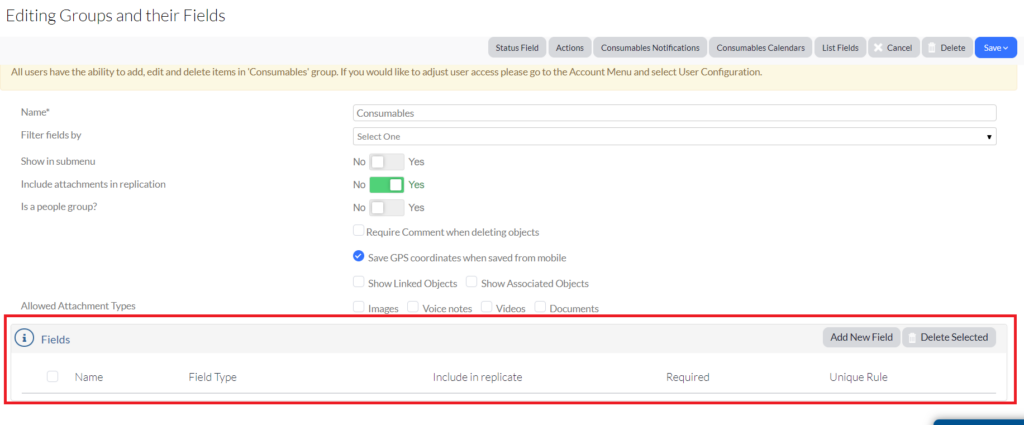
Asset Panda’s Approach: Asset Panda’s interface follows a traditional design pattern with dense menus, layered navigation, and numerous on-screen options.
While the platform offers configurability through custom fields, forms, and workflows, it was not built as a low-code platform. Organizations with unique multi-step workflows may find that Asset Panda either cannot accommodate them or requires significant effort and cost to implement workarounds.
Source: Asset Panda
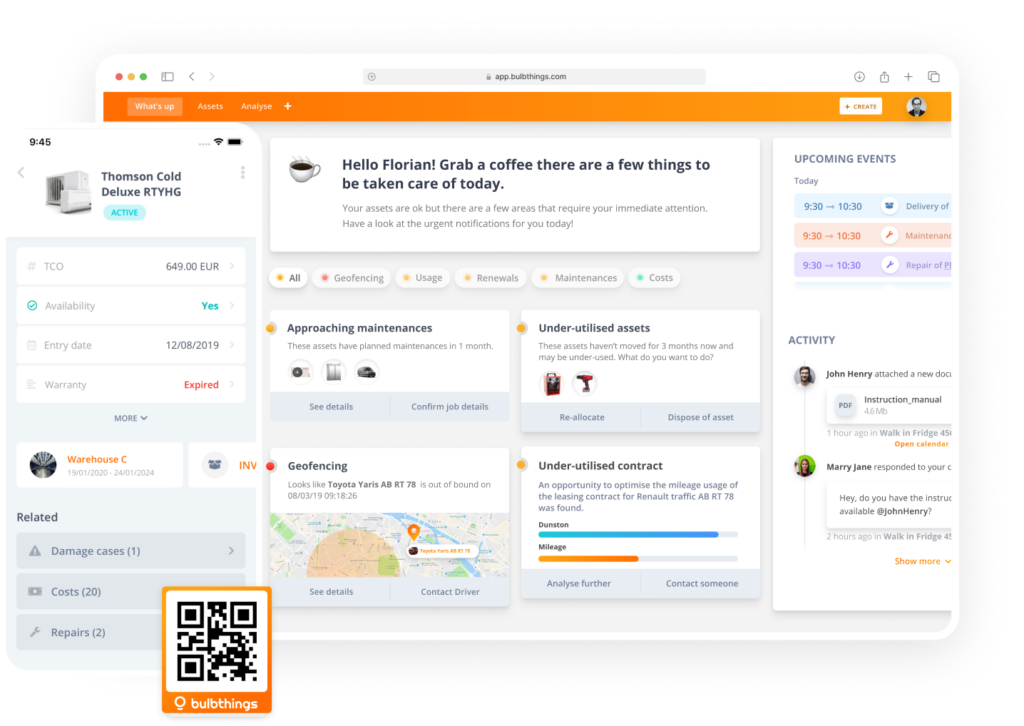
Bulbthings’ Approach: Bulbthings features a clean, modern interface designed for quick understanding, reducing the training and onboarding time that traditional platforms require. Beyond the UI, its low-code architecture enables customization of workflows, validation processes, checklists, and forms without extensive development resources.
Source: Bulbthings

Source: Bulbthings
The platform includes off-the-shelf workflows by industry, and an AI wWorkflow Builder is in development for self-service customization. This means organizations can digitalize their operational processes (from multi-step approval chains to inspection workflows) without the cost and rigidity of legacy platforms.
🪙 Value Verdict: Bulbthings is better for organizations that need a modern interface their entire team can adopt quickly, and that need flexible workflow customization. Asset Panda is better for teams comfortable with traditional enterprise software who primarily need configurable fields and forms rather than full workflow digitalization.
Pricing Model and Team Access
Asset Panda’s Approach: Asset Panda prices by user seats and asset volume, with plans ranging from $3,000/year for 5 users to $18,000/year for 20 users. Each additional full user costs $600-$900/year, and collaborator seats (view-only) cost $120/year. This model works when a defined group of administrators manages assets and most staff don’t need direct access.
But in operations-heavy environments where field workers, technicians, suppliers, and managers all need to scan barcodes and update records, per-seat costs scale quickly.
Bulbthings’ Approach: Bulbthings charges based on asset volume, industry, and selected feature packs, with unlimited users on every paid plan. A warehouse team of 5 and a facilities department of 50 pay the same subscription as long as they manage the same number of assets.
This removes the calculation of who deserves a full seat versus a collaborator seat, and lets organizations invite internal teams, suppliers, and customers into the platform without budget negotiations per department or per partner.
🪙 Value Verdict: Bulbthings is better for organizations needing broad access across field workers, managers, suppliers, and customers. Asset Panda is better for IT teams with a small group of dedicated administrators.
AI Capabilities
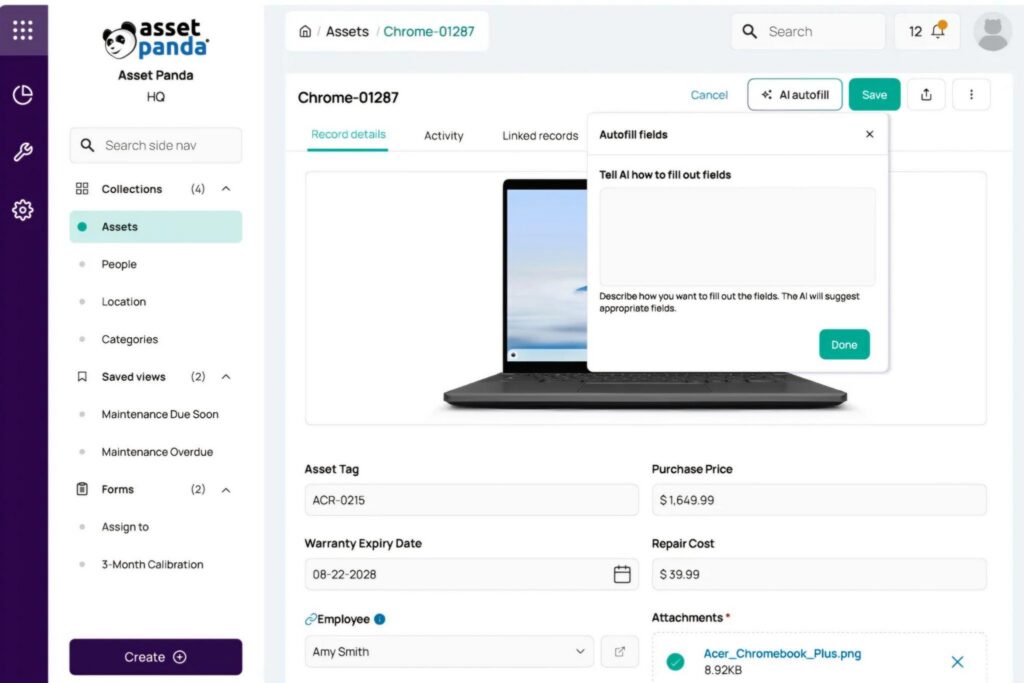
Asset Panda’s Approach: Ursa AI is a built-in AI assistant on the Enterprise plan that supports natural language queries, AI-generated automations, AI column mapping for data imports, field auto-fill, and database configuration suggestions.
Source: Asset Panda
Its dual-mode design (read-only Ask mode and action-capable Agent mode) provides a safety layer, and all AI models run in a closed environment that does not train on customer data. Ursa supports voice input and 20+ languages.
Bulbthings’ Approach: Bulb AI is a unified AI agent that works as a copilot across the entire platform, accessible both from the web and mobile apps and not limited to specific features like queries or data imports. Users interact with Bulb AI in natural language using chat or voice command to act on assets (create, book, assign, log maintenance, create maintenance schedules), get reports and insights, and query the application.
Source: Bulbthings
The AI includes image recognition: users can photograph an asset via the mobile app and have Bulb AI create it in the system. Bulb AI also delivers faster onboarding (users don’t need to learn where every button is), productivity gains for bulk actions on large asset volumes, and insights from platform data. A Developer AI Agent is in development for natural-language workflow customization.
🪙 Value Verdict: Both platforms offer AI assistants with natural language capabilities. Asset Panda’s Ursa provides dual-mode safety controls and explicit privacy commitments. Bulbthings’ Bulb AI covers broader actions across the entire platform, includes image recognition for asset creation, and focuses on reducing the learning curve through AI-first interaction.
Evaluate which approach fits your workflows: Ursa for controlled, query-focused AI in IT environments, or Bulb AI for full-agent interaction across diverse operational tasks.
IT Asset Management Depth
Asset Panda’s Approach: Asset Panda has invested heavily in IT-specific integrations.
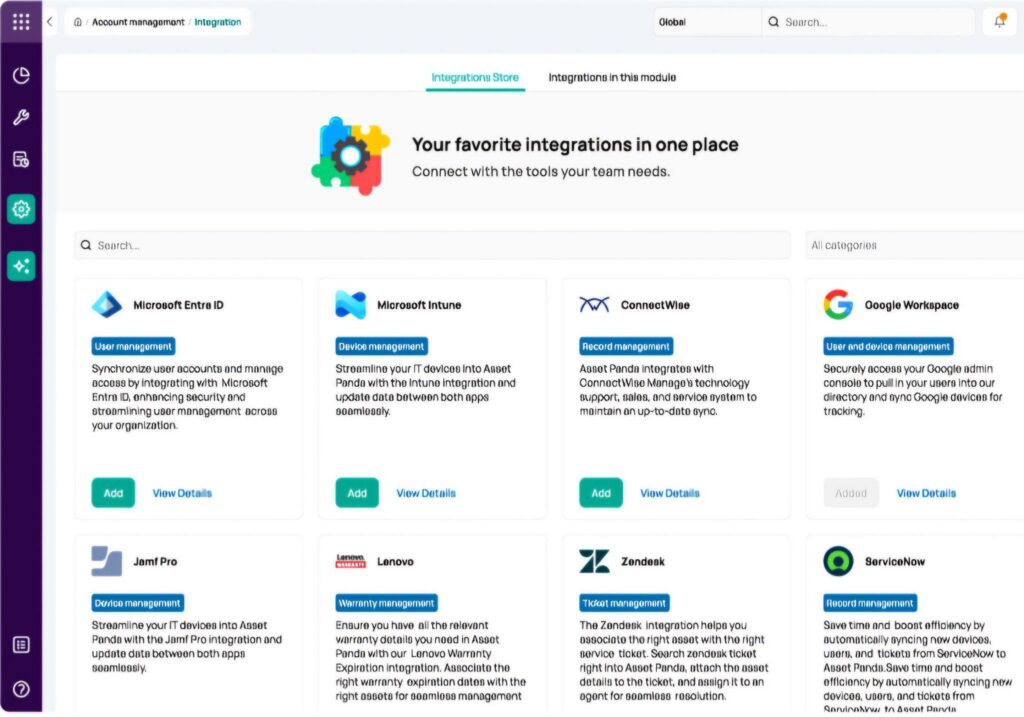
The platform offers native two-way sync with Microsoft Intune, direct connections to Jamf Pro, Kandji, and Cisco Meraki for device management, and ticketing integrations with Zendesk (including an in-app embedded console), Jira, ServiceNow, and Freshservice. SSO through Microsoft Entra ID, Google Workspace, and Okta simplifies enterprise IT deployments.
Source: Asset Panda
These integrations make Asset Panda a strong ITAM hub for organizations whose asset management centers on laptops, phones, and network equipment.
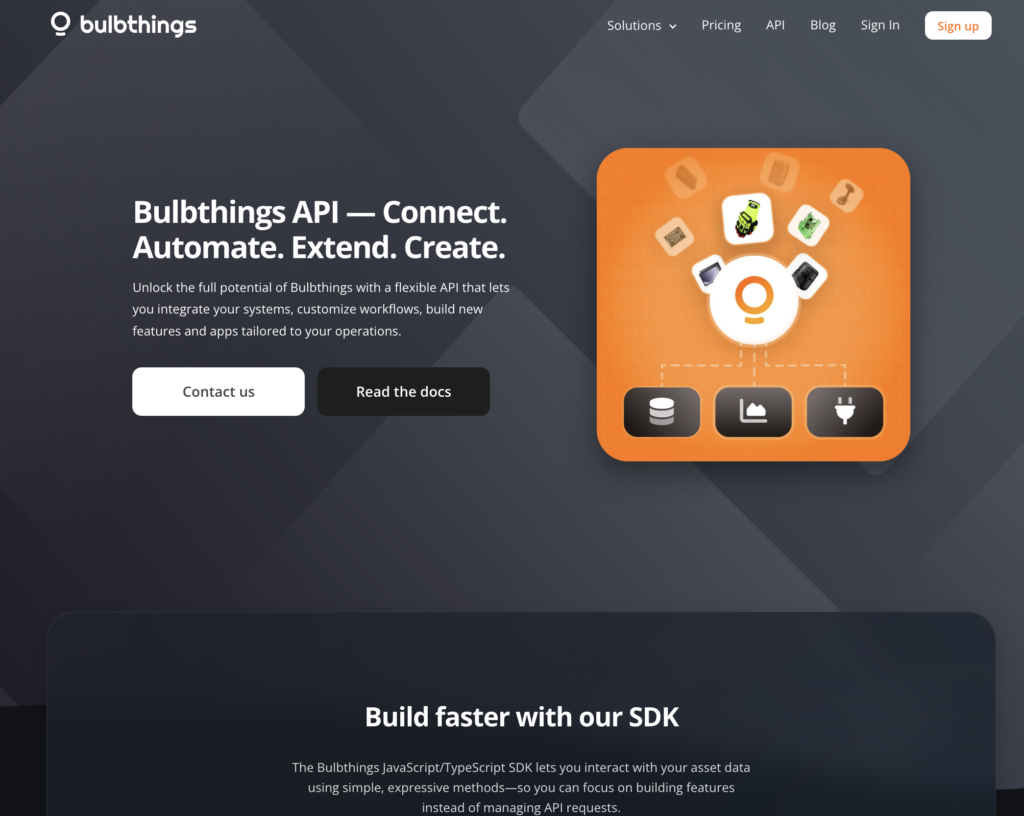
Bulbthings’ Approach: Bulbthings offers a REST API and SDK for connecting to external systems, but pre-built integrations with IT management tools like Intune, Jamf, or ServiceNow are not available as click-to-connect options. Organizations needing ITAM-specific connectivity must build custom integrations or use the API, which requires developer resources.
Source: Bulbthings
🪙 Value Verdict: Asset Panda is better for IT departments needing native device management and ticketing system integrations. Bulbthings is better for physical operations teams where ITAM connectivity is not a primary requirement.
Operational Scope and Financial Management
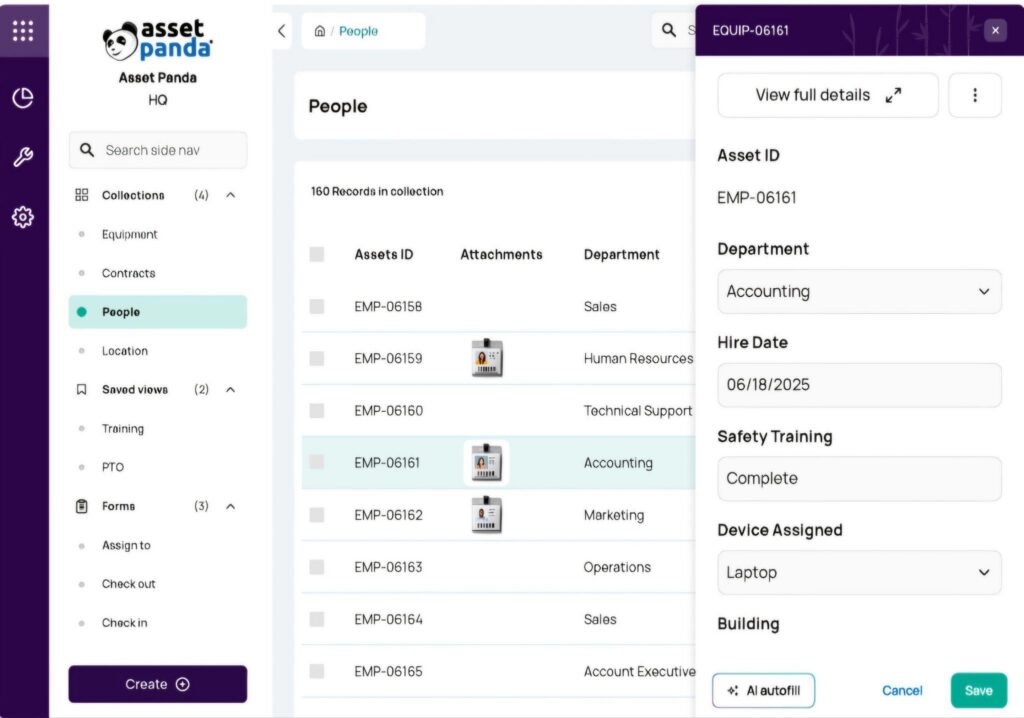
Asset Panda’s Approach: Asset Panda covers asset tracking, lifecycle management, CMMS/maintenance management, and compliance/audit management.
Source: Asset Panda
Within these areas, the platform is configurable. But it does not include dedicated modules for fleet management (no mileage tracking, fuel consumption reporting, or fines and damages management), field services dispatch, PPE compliance, or equipment leasing and rental.
Its financial management is limited to depreciation calculations, without broader cost analysis, customer invoicing, or TCO reporting across asset classes. Organizations managing vehicles, deploying technicians, or renting assets to customers need separate tools for those workflows.
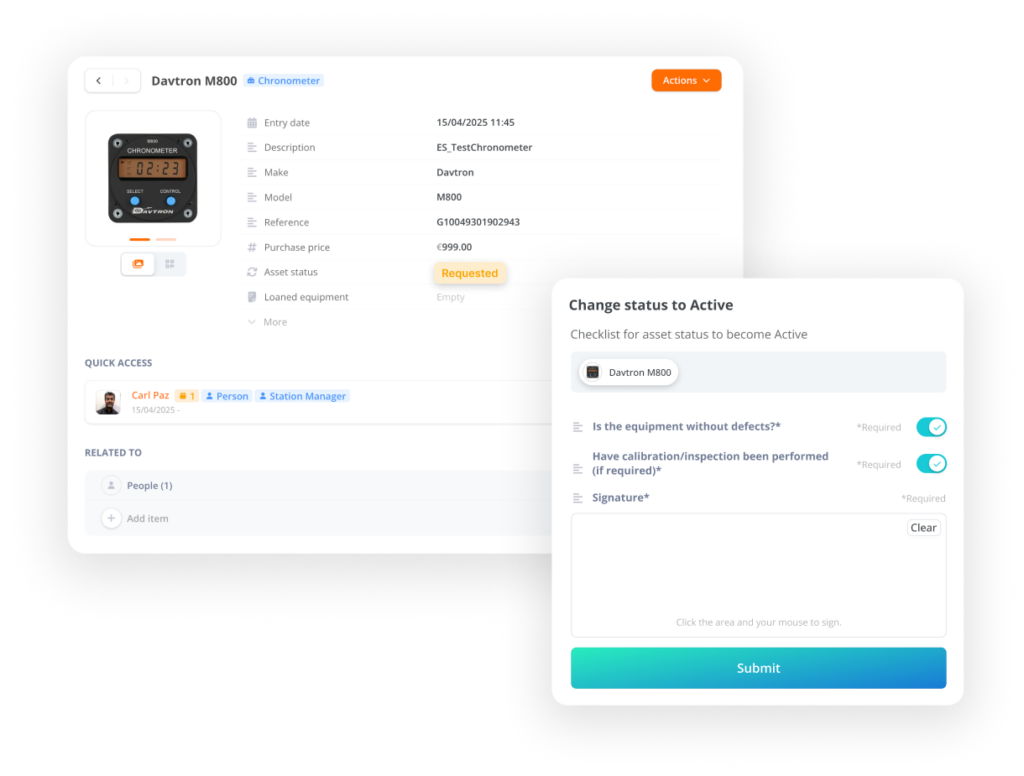
Bulbthings’ Approach: Bulbthings is a platform for digitalizing asset-centric workflows across multiple asset classes: vehicles (with full fleet management including mileage, fuel, and leasing contract management), buildings and facilities, IT equipment, production equipment, and consumables tracked by quantity.
Source: Bulbthings
The platform includes financial management with cost calculation, customer invoicing, and TCO analysis across the entire asset lifecycle. Stock management covers intake, allocation, value calculation, level alerts, and trend reporting.
A construction company can track tools on job sites, manage its vehicle fleet, dispatch maintenance technicians, ensure PPE compliance, track rented equipment to subcontractors, and analyze costs across all of it from the same system.
🪙 Value Verdict: Bulbthings is better for organizations managing diverse asset classes that need fleet, stock, financial, and field service capabilities in one platform. Asset Panda is better for organizations whose asset management needs center on tracking, compliance, and IT devices.
Security and Compliance
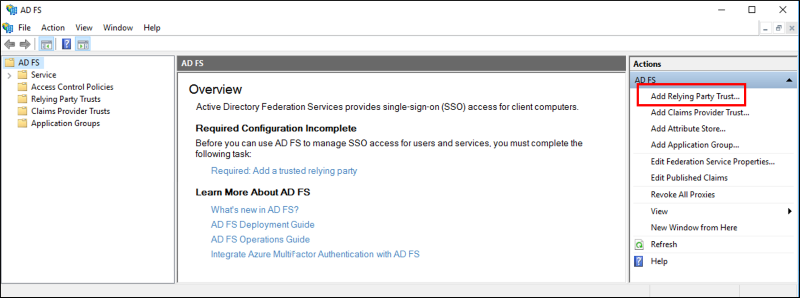
Asset Panda’s Approach: Asset Panda holds SOC 2 Type II certification (audited by the Johanson Group), runs on AWS infrastructure with encryption at rest and in transit, conducts periodic third-party penetration testing, and publishes a Trust Center for security documentation.
Source: Asset Panda
SSO via Microsoft Entra ID, Google Workspace, and Okta reduces credential risk. A published GDPR policy covers European customers.
Bulbthings’ Approach: Bulbthings operates under a formal GDPR-compliant Data Processing Agreement with EU Standard Contractual Clauses and a published privacy policy. The platform is hosted by Google Cloud Platform and provides SSO via Linkedin, Google workspace, SAML and OKTA.
🪙 Value Verdict: Asset Panda is better for organizations in regulated industries (government, healthcare, education) that require SOC 2 certification and documented security controls as procurement prerequisites.
Final Verdict: Asset Panda vs Bulbthings
The choice between Asset Panda and Bulbthings depends on what you’re managing, how your teams collaborate, and how many people need access:
👍 Asset Panda is a configurable asset tracking platform for organizations that need IT integrations, compliance-ready audit trails, and enterprise-grade security. With annual pricing from $3,000 to $18,000 based on users and asset volume, it lets IT departments and operations teams build a custom system of record with 20+ native integrations, five depreciation methods, and AI workflows via Ursa.
This seat-based pricing model works best for IT-centric organizations with a defined group of power users, compliance-sensitive environments requiring SOC 2 certification, and teams that primarily need asset tracking and lifecycle management without fleet or field service requirements.
Get started with Asset Panda here.
👉 Bulbthings is a collaborative asset management platform built for digitalizing asset-centric workflows. By offering activity-based pricing with unlimited users and a permanent free plan, it removes the per-seat calculations that drive up costs on traditional platforms while enabling collaboration across internal teams, suppliers, and customers.
Its modern design reduces onboarding time, and Bulb AI provides an AI copilot for natural language interaction across all platform functions, from creating assets via image recognition to generating reports and automating workflows.
With coverage spanning asset tracking, CMMS, stock management, fleet management, field services, PPE compliance, rental/leasing management, and financial management in a single system, Bulbthings is the right choice for mid-sized organizations managing multiple asset classes across several locations, teams that need collaborative workflows with internal and external stakeholders, and any company where broad adoption and workflow digitalization matter more than restricting access to a few administrators.
Get started with Bulbthings here.
The fundamental difference isn’t just the pricing structure. It’s how each platform thinks about access and collaboration. Asset Panda asks “How can we be the most configurable system of record for your assets?” Bulbthings asks “How can we digitalize every asset-centric workflow your team runs, for everyone who needs to participate?”
Asset Panda Pricing FAQ
Is Asset Panda free to use?
Asset Panda does not offer a permanent free plan. It provides a 7-day free trial with full feature access. After the trial, the minimum commitment is the Starter plan at $3,000/year. Bulbthings, by comparison, offers a free forever plan supporting approximately 100 assets with unlimited users.
What’s the minimum cost for Asset Panda?
The entry point is the Starter plan at $3,000/year, which includes 5 users and 1,000 assets. Additional users cost $600/year each, and additional assets cost $0.50 each per year. A team of 10 users tracking 2,000 assets on Starter would pay $3,000 (base) + $3,000 (5 extra users) + $500 (1,000 extra assets) = $6,500/year.
Do Asset Panda’s plans include integrations?
No. Integrations and API access are locked to the Business+ plan at $7,200/year and above. The Starter plan cannot connect to Microsoft Intune, Zendesk, Jira, or any other external tool. Organizations that need even basic integrations must start at Business+.
What are Asset Panda’s collaborator seats?
Collaborator seats provide view-only access, allowing employees to view records and submit forms (like check-in/check-out requests) but not edit records. They cost $10 per month, billed annually ($120/year). This is a more affordable option for staff who only need to interact with assets occasionally.
Can I pay monthly for Asset Panda?
No. All Asset Panda plans are billed annually with no monthly billing option publicly listed. This means a minimum 12-month commitment starting at $3,000. Bulbthings offers monthly billing with discounts for semi-annual (10% off) and annual (15% off) prepayment.
Which platform is better for large teams?
Bulbthings is more cost-effective for large teams because it includes unlimited users on all paid plans, and its collaborative workflows mean those users can actively participate rather than just view records.
On Asset Panda, a 30-person team on the Enterprise plan would pay $18,000 (base for 20 users) + $9,000 (10 additional users at $900 each) = $27,000/year, before accounting for asset volume. With Bulbthings, the same 30 people access the platform at no incremental per-user cost, with full collaboration capabilities across departments, suppliers, and customers.