Asset Panda vs EZOfficeInventory (vs Bulbthings): which asset management platform fits your operations in 2026?
Choosing between Asset Panda and EZOfficeInventory for your asset management needs often comes down to these five questions:
- Do you only need to track assets, or do you also need maintenance, fleet, field services, or rental management in one system?
- Do your teams, suppliers, or customers need to collaborate on asset workflows, or is this a single-department tool?
- Is IT integration (Intune, Jamf, ServiceNow) a requirement, or are your assets mostly physical equipment, tools, and vehicles?
- Would you rather pay per user or per asset count, and how many people across your organization need access?
- Do you need a platform you can configure yourself without developers, or are you willing to invest in setup time for more granular control?
In short, here’s what we recommend:
👉 Asset Panda is built for organizations that need configurability and IT ecosystem integration. Its no-code custom fields, workflows, and 20+ native integrations with tools like Microsoft Intune, Jamf Pro, and ServiceNow make it a strong choice for IT-heavy operations. The Ursa AI assistant lets administrators set up databases and automations using natural language, and the mobile app with full offline mode handles barcode scanning in the field.
However, Asset Panda’s pricing starts at $3,000/year for just 5 users and 1,000 assets, with per-user costs that add up quickly as teams grow. And while it covers asset tracking and maintenance well, it doesn’t extend into fleet management, field services, equipment rental or comprehensive financial management of assets.
👉 EZOfficeInventory (now branded as EZO) serves operations-heavy mid-market organizations that need asset tracking, inventory management, and maintenance in a proven platform. With 1,543 verified reviews on Capterra and enterprise clients including Pepsi, Snap Inc., and Harvard University, EZO brings credibility and scale. Its unlimited-user pricing model and support for barcode, QR code, and RFID tracking in one system give it flexibility.
But long-term users note a slow feature cadence, limited bulk editing, and a mobile app that lags behind the desktop experience, which matters for field-based workflows.
Both platforms handle asset tracking and basic maintenance well. But many operations teams need more than an asset register. They coordinate across departments, suppliers, and field technicians, manage multiple asset families from vehicles to consumables, and need workflows digitalized rather than just recorded. That’s where a platform built around collaboration and workflow automation becomes valuable.
👉 Bulbthings is a collaborative asset management platform built for mid-sized organizations that need to digitalize asset-centric workflows across teams, suppliers, and customers. Its low-code architecture lets teams customize workflows, validation processes, checklists, and forms without developers, and it ships with off-the-shelf workflows by industry so teams can start fast.
Described as “WhatsApp for assets,” the platform’s workspace management and collaborative workflows let internal teams, suppliers, and customers work together with granular permissions, while its modern interface reduces training time compared to traditional asset management tools. Bulb AI lets users create assets, log maintenance, generate reports, and run workflows through natural language or image recognition.
Beyond asset tracking, Bulbthings covers stock management, fleet management, service provider and rental/leasing management, CMMS, field services, and PPE compliance in a single system. Instead of charging per user, Bulbthings uses activity-based pricing with unlimited users, so field workers, managers, suppliers, and customers can all collaborate without incremental license costs.
If your team needs structured collaboration across departments and partners alongside asset workflow automation, see how Bulbthings works with a free account.
Asset Panda vs EZOfficeInventory vs Bulbthings at a glance
| Asset Panda | EZOfficeInventory (EZO) | Bulbthings | |
|---|---|---|---|
| Pricing model | Per-user + per-asset, annual billing | Per-item count, unlimited users | Activity-based, unlimited users |
| Starting Price | $3,000/year (5 users, 1,000 assets) | $40/month (250 items, unlimited users) | Free tier (up to 100 assets); paid plans via simulator |
| Collaboration | Internal users only | Internal users only | Cross-team, supplier, and customer collaboration with workspace management |
| Modern UI / Onboarding | Traditional interface; steeper setup | Settings-driven; fast onboarding | Modern design; minimal training required |
| AI Assistant | Ursa AI (Pro/Enterprise) | Zoe AI (Premium tier) | Bulb AI copilot with image recognition |
| Tracking methods | Barcode, QR code, GPS | Barcode, QR code, RFID, GPS | QR code, NFC, GPS, RFID; IoT sensors as optional add-on |
| Stock / inventory management | Basic asset tracking | Asset + inventory tracking | Stock management (intake, allocation, value calculation, alerts, trends) |
| CMMS / Maintenance | Built-in with automations | Built-in + standalone CMMS product | Built-in with IoT condition triggers (optional add-on) |
| Financial Management | Basic depreciation tracking | Basic financial features | Cost calculation, invoicing, and financial reporting |
| Vehicles and plant fleet management | Not available | Not available | Full fleet module with mileage, fuel, fines/damages, TCO calculation |
| Field services | Not available | Not available | Built-in with mobile dispatch |
| PPE tracking | Via custom configuration | Via custom configuration | Standard feature with compliance workflows |
| Service providers and rental/leasing | Not available | Separate product (EZRentOut) | Built-in module with front-office, logistics, and back-office operations |
| Workflow customization | No-code custom fields; limited workflow architecture | Settings-driven configuration | Low-code platform with off-the-shelf + customizable workflows |
| Mobile offline mode | Yes (Enterprise tier) | Yes (Enterprise tier) | Yes (limited) |
| Telematics / IoT | Not available | Not available | Optional add-on for GPS tracking and sensor data |
| REST API for developers | REST API for integrations | REST API for integrations | REST API and Javascript/Typescript SDK for integrations, customizations and building new apps |
| Free tier | 7-day trial | Free trial (no credit card) | Free forever (up to 100 assets) |
Asset Panda wins on configurability, EZO wins on accessibility
Asset Panda and EZOfficeInventory take different approaches to the same core problem: getting organizations off spreadsheets and into a structured system for tracking physical assets.
Asset Panda treats every organization as unique.
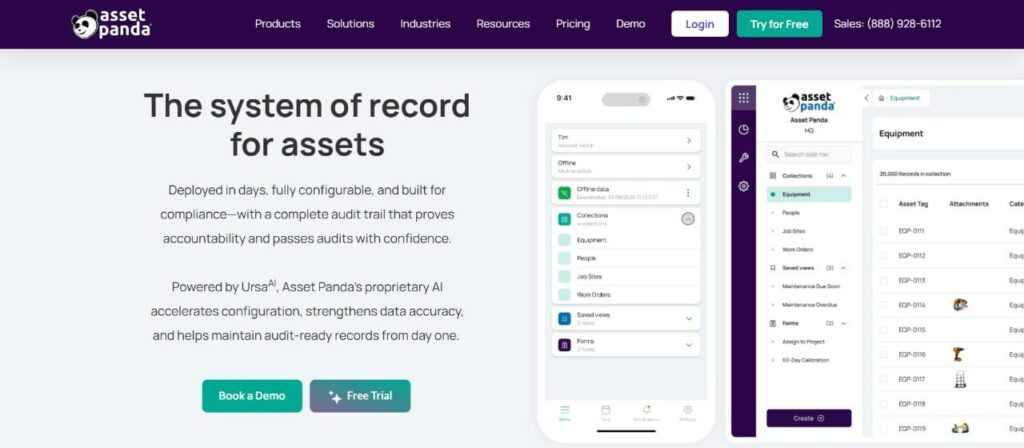
Its platform exposes 18+ custom field types, including formula fields, GPS coordinates, digital signatures, and relational fields that pull data from linked collections. Administrators build their own data model, defining which fields, forms, workflows, and permission rules apply to each asset type.
Wellington School’s IT Network Manager put it simply: “I don’t see a situation where this software would not meet requirements. It is incredibly customizable.”
This flexibility has a cost. The same depth that makes the platform useful requires planning before it delivers value. First-time administrators face a real learning curve, and the RISE Robotics case study notes that their lab manager implemented Asset Panda because he had used it at a previous company.
The interface follows a traditional design with many menus, buttons, and configuration options, which gives administrators control but increases onboarding time.
EZOfficeInventory prioritizes getting teams productive quickly.
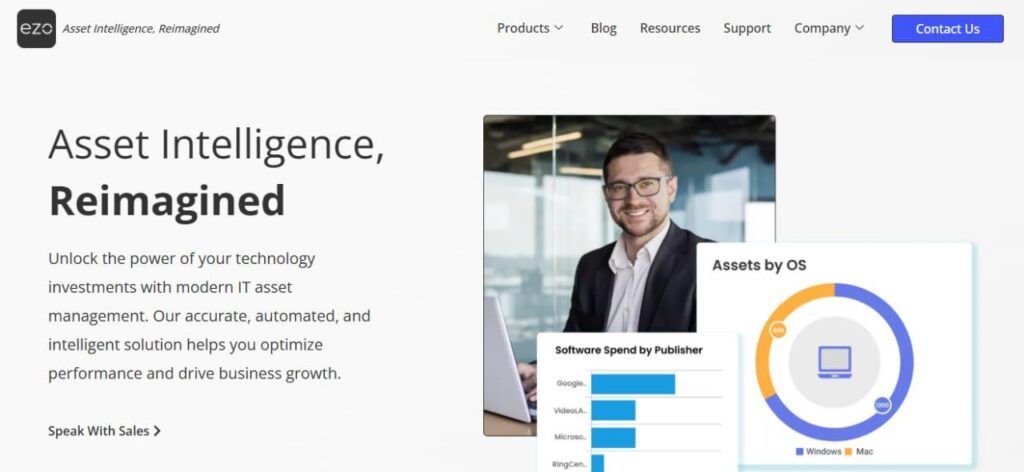
The interface follows a settings-driven configuration model that experienced administrators can learn in hours, not weeks. Capterra reviewers consistently cite how fast new users get productive. One COO in construction noted: “It is relatively easy to get started setting up assets in the system. We use the QR scanner app which works flawlessly.”
The trade-off is less control. Users who need custom field comparisons in reports, bulk editing across large catalogs, or daily depreciation calculations have flagged these as gaps on Capterra. EZO is easier to start with but harder to bend to unusual workflows.
Bulbthings takes a different approach to customization.
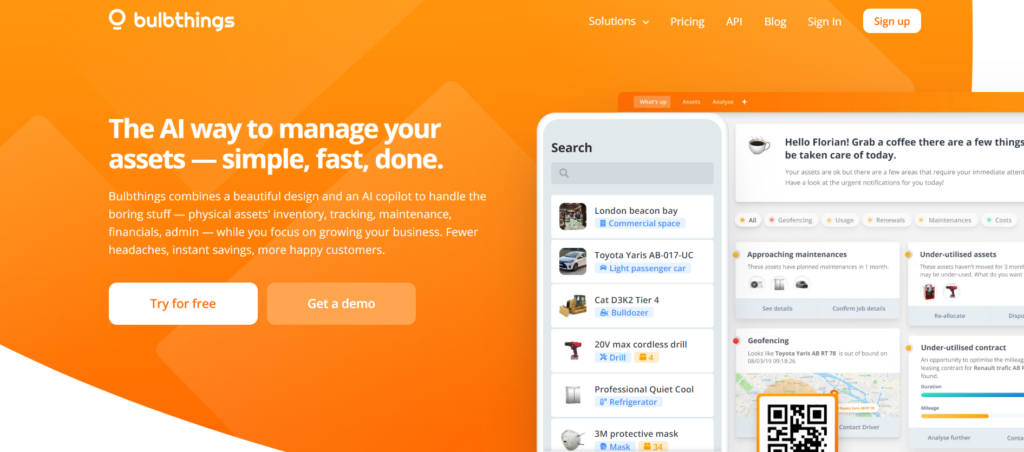
Rather than exposing hundreds of configuration options upfront, the platform is built on a low-code technical architecture that lets teams customize workflows, validation processes, checklists, and forms without developers. It ships with off-the-shelf workflows organized by industry, so teams start with pre-built solutions and can customize if needed.
An AI workflow Builder (currently in development) will let customers build and modify very advanced workflows on their own. The interface is designed to be immediately understandable, reducing the gap between initial setup and productive use.
Pricing reveals different philosophies about who should pay
The three platforms price their products around different assumptions about how organizations use asset management software.
Asset Panda charges by user count and asset volume.
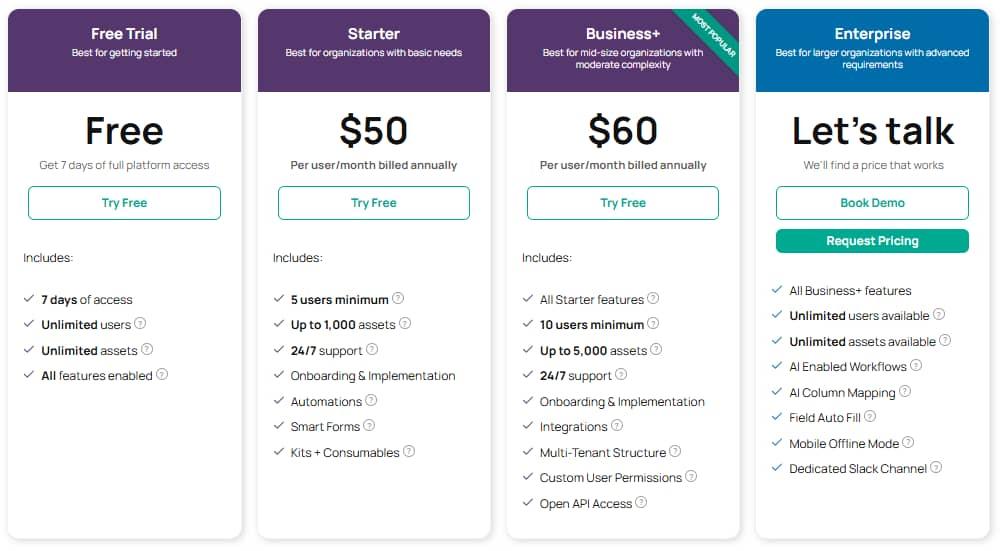
The Starter plan costs $3,000/year for 5 users and 1,000 assets. Additional seats cost $600–$900 per user per year depending on the plan. View-only access for staff who just check assets in and out costs $120 per collaborator per year. Additional asset blocks beyond a plan’s cap run $0.50–$1.00 per asset per year. For a 50-person organization tracking 5,000 assets, annual costs can climb past $30,000.
EZOfficeInventory charges by item count with unlimited users.
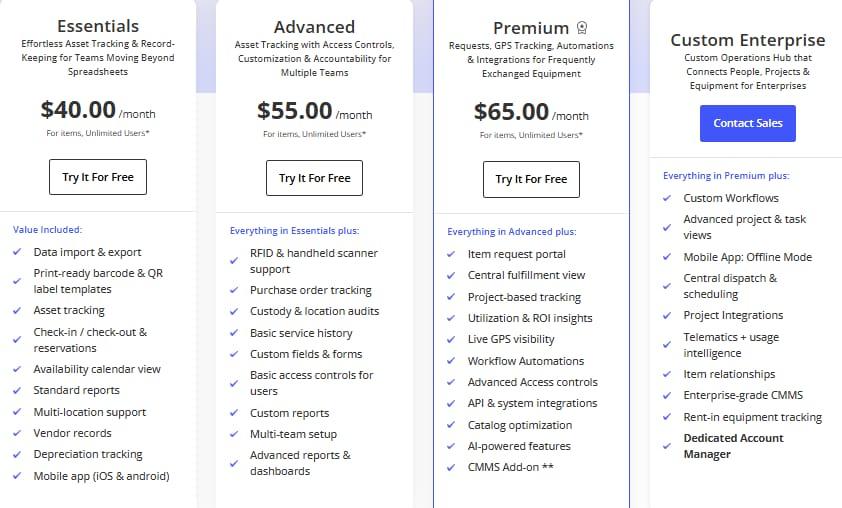
The Essentials plan starts at $40/month for 250 items, and prices scale as your inventory grows. The unlimited-user model is an advantage for organizations where many people need occasional access.
But the feature tiers matter: RFID support requires the Advanced plan ($55/month), and workflow automations, AI features, and API access require Premium ($65/month). The CMMS module is an additional paid add-on even on Premium, with pricing undisclosed.
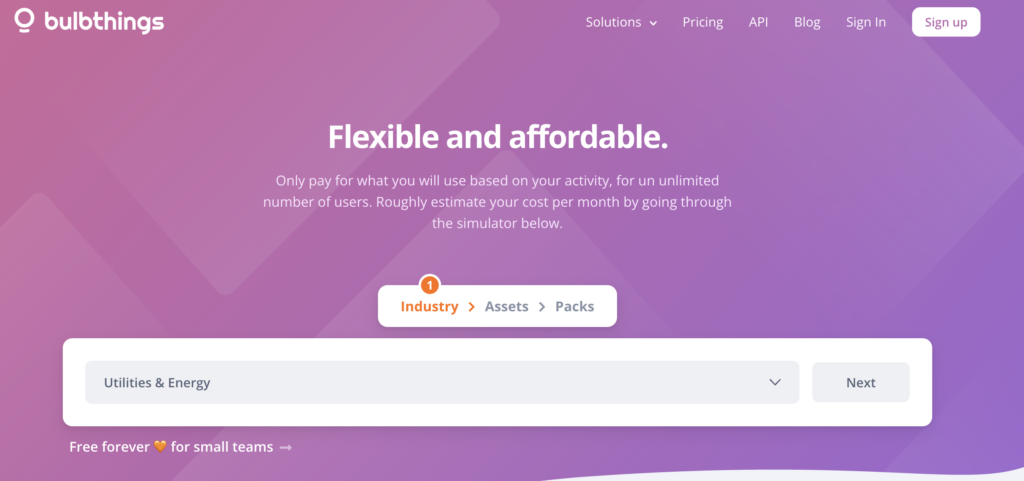
Bulbthings uses activity-based pricing calculated by industry, asset count, and feature packs selected, with unlimited users included at every level.
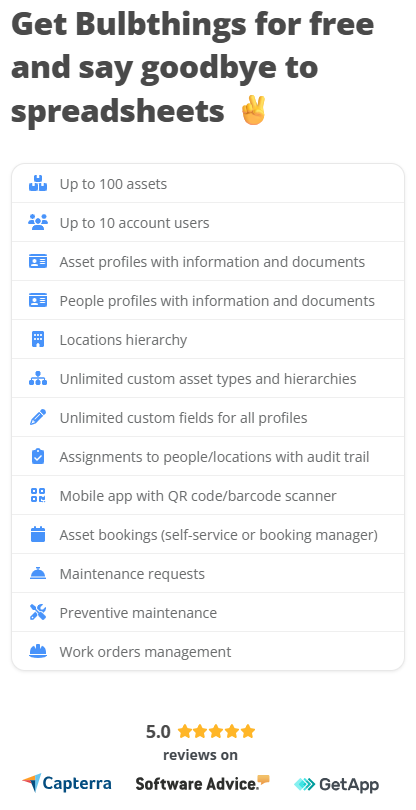
The free tier supports up to 100 assets. The unlimited-user model is designed for organizations where collaboration extends beyond a single department: field workers, managers, suppliers, and customers can all access the platform without incremental license costs, which removes the friction of deciding who gets access. Annual billing earns a 15% discount, semi-annual 10%.
The practical difference: if you have 50 people who need to interact with asset data (even occasionally), Asset Panda’s per-user model gets expensive. EZO and Bulbthings both avoid this problem, but Bulbthings extends that philosophy further by pricing on activity rather than item count, and by including third-party collaboration (suppliers, customers) as a core capability rather than an edge case.
Where the platforms stop and where they keep going
This is the most important distinction between the three.
Asset Panda and EZOfficeInventory are asset tracking and management platforms.
They track what you own, where it is, who has it, what condition it’s in, and when it needs service. Both do this well, with Asset Panda offering deeper configurability and EZO offering broader tracking methods (adding RFID to the mix).
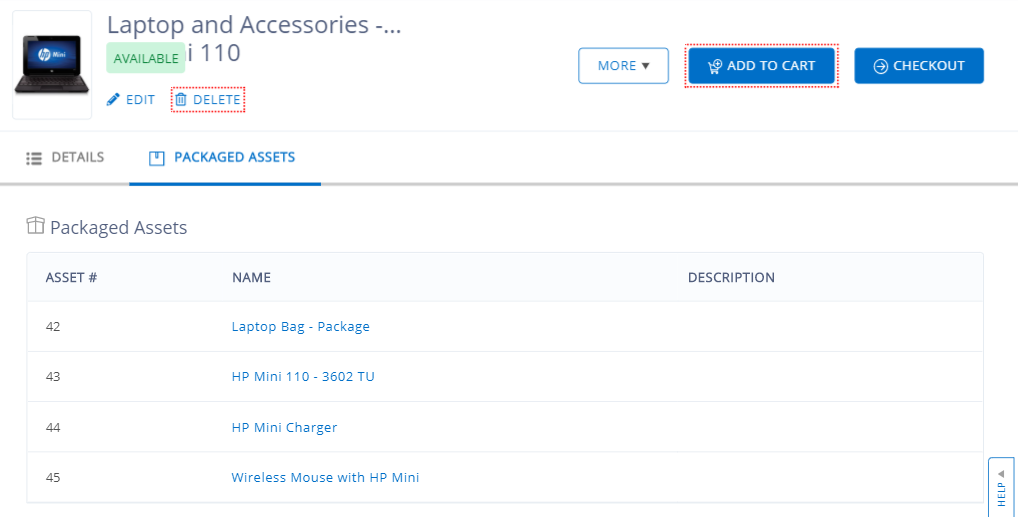
Source: EZOfficialInventory
Neither platform is built around multi-team or third-party collaboration, and neither extends into fleet management, field service dispatch, PPE compliance tracking, equipment rental or comprehensive financial management. If your organization manages vehicles, sends technicians to customer sites, issues PPE to workers, or rents equipment, you need additional tools.
Bulbthings is built around the idea that asset management is collaborative and spans multiple operational functions.
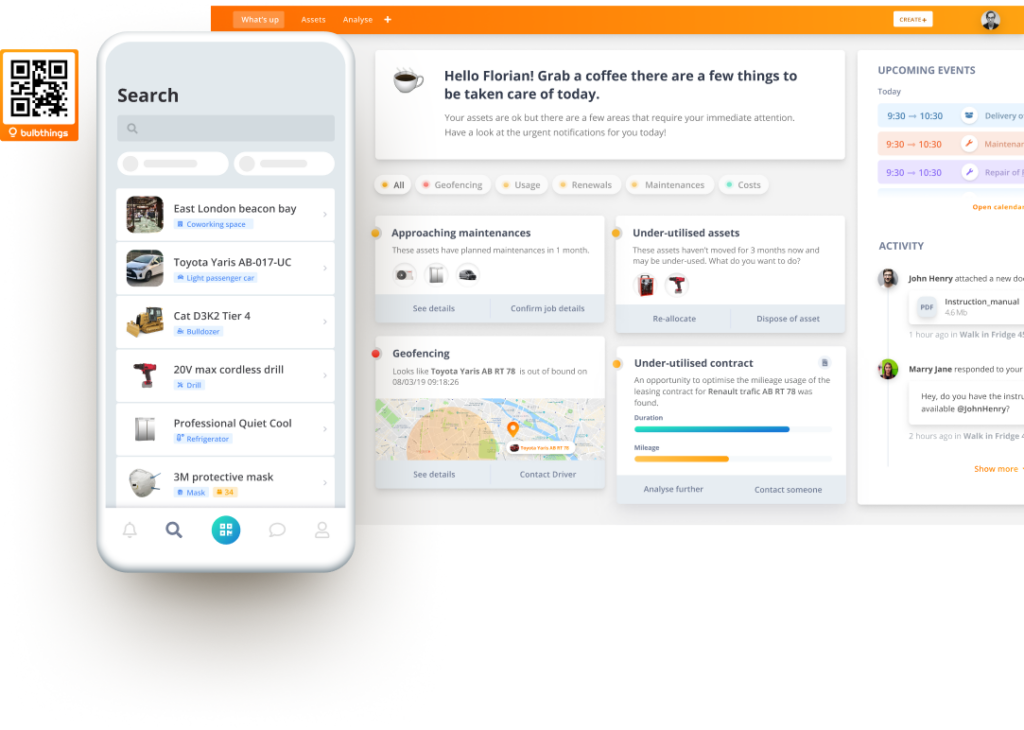 Here’s what the platform covers beyond basic asset tracking:
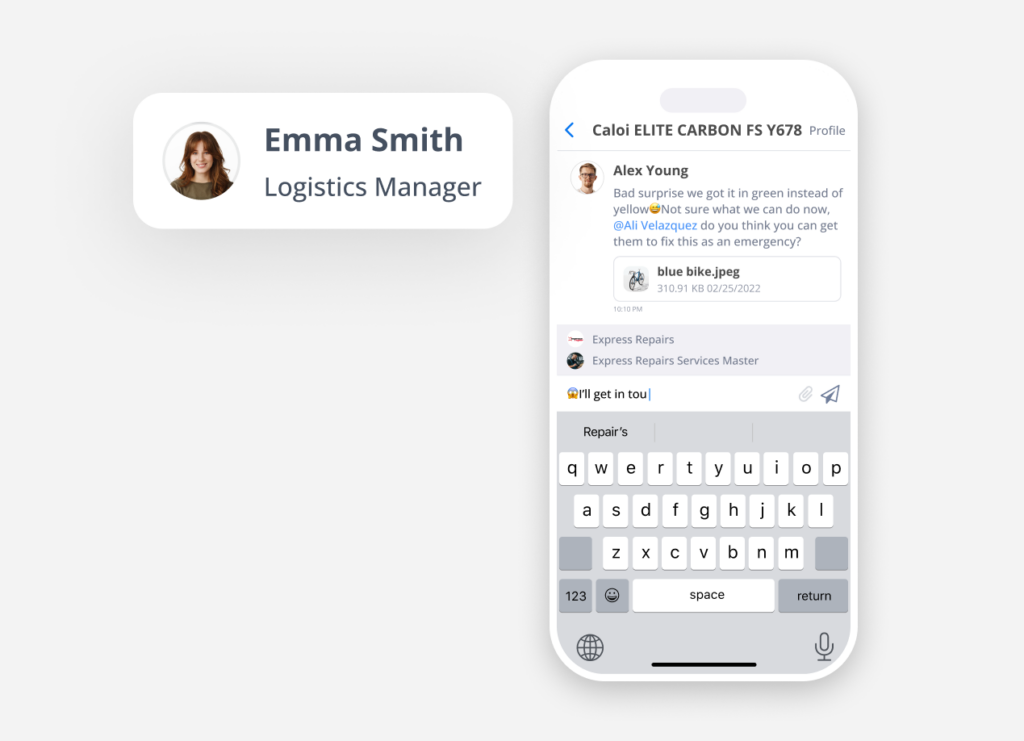
- Collaboration & workspace management: Teams, suppliers, and customers collaborate within shared workspaces with granular role-based permissions. Workflows span across departments and external partners, with multi-language, multi-currency, and multi-metrics support for cross-country operations.
- Stock management: Full stock lifecycle management including intake, allocation to locations and people (PPE, materials),multi-site stock distribution, stock value calculation, min/max stock level alerts, and stock trend reporting.
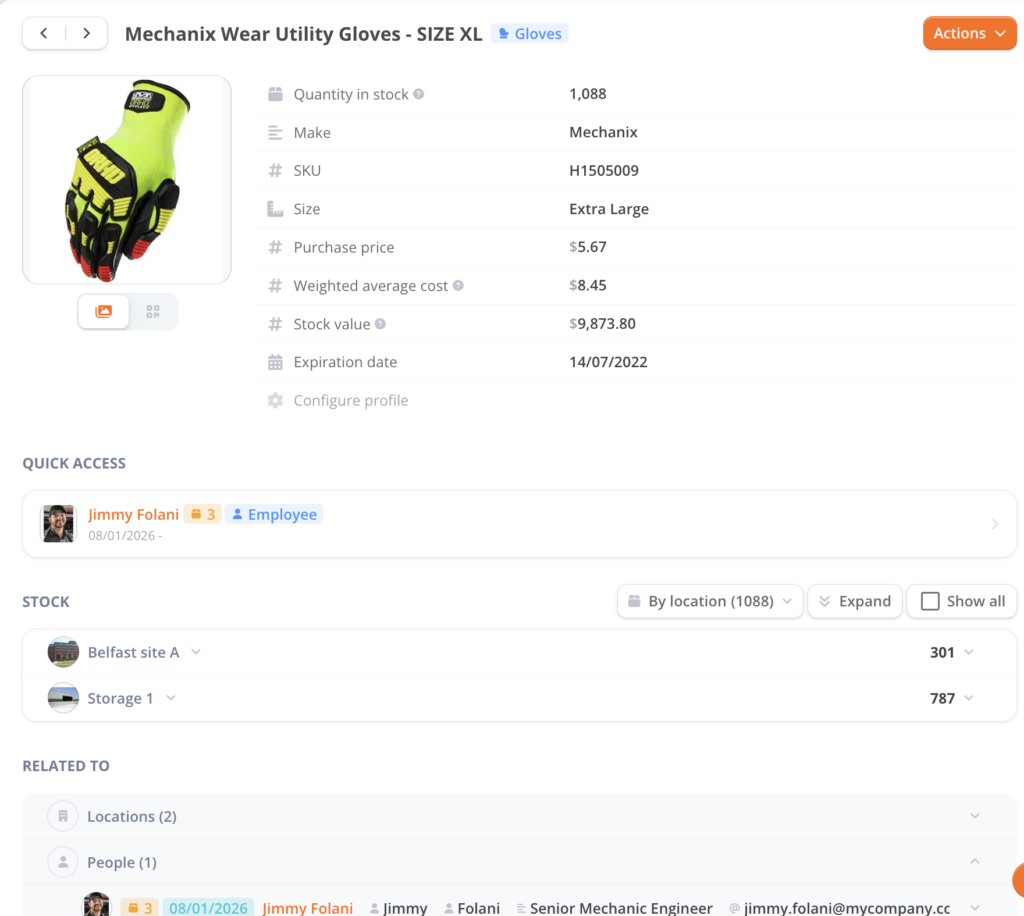
- Financial management: Cost calculation, customer invoicing, and financial reporting across the asset lifecycle, going beyond the basic depreciation tracking offered by Asset Panda or EZO.
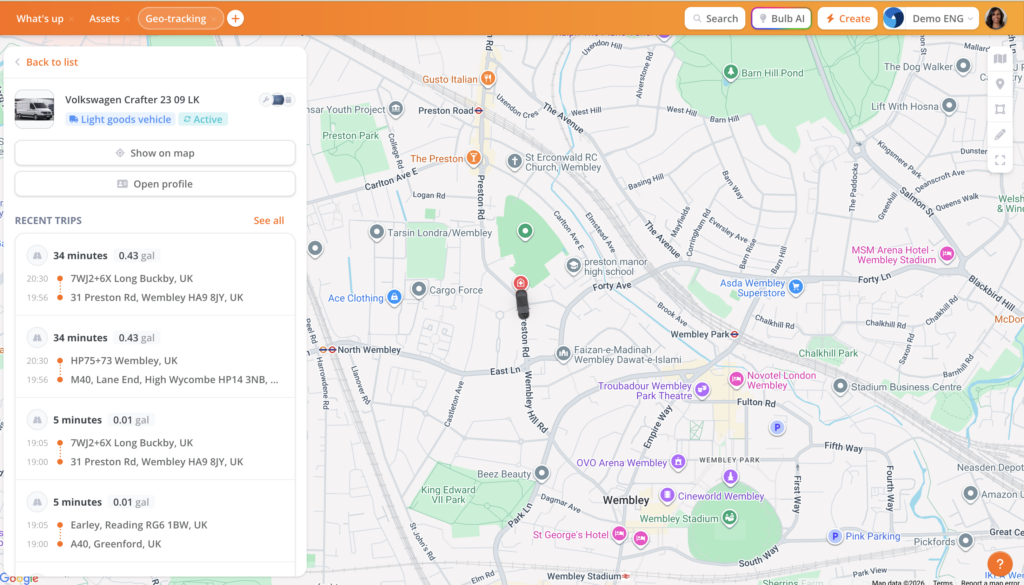
- Vehicles and plant fleet management: The fleet management module covers mileage tracking, fuel consumption tracking, driver incident reporting, fines and damages management, and end-of-life management.
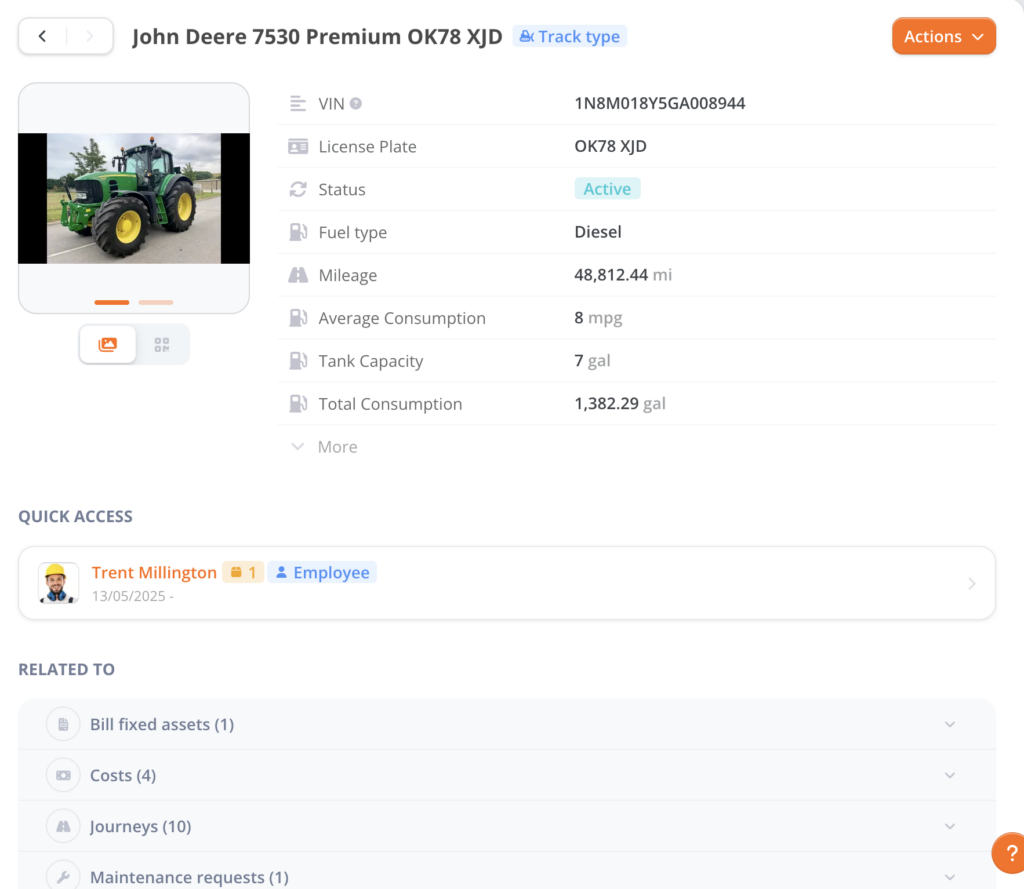 For corporate fleets: leasing contract quotation and comparison, supplier ordering, fleet cost import (maintenance, fuel, financing or depreciation), and TCO calculation. Optional GPS tracking devices and OBD dongles can be connected as add-ons for real-time location monitoring and geofencing alerts.
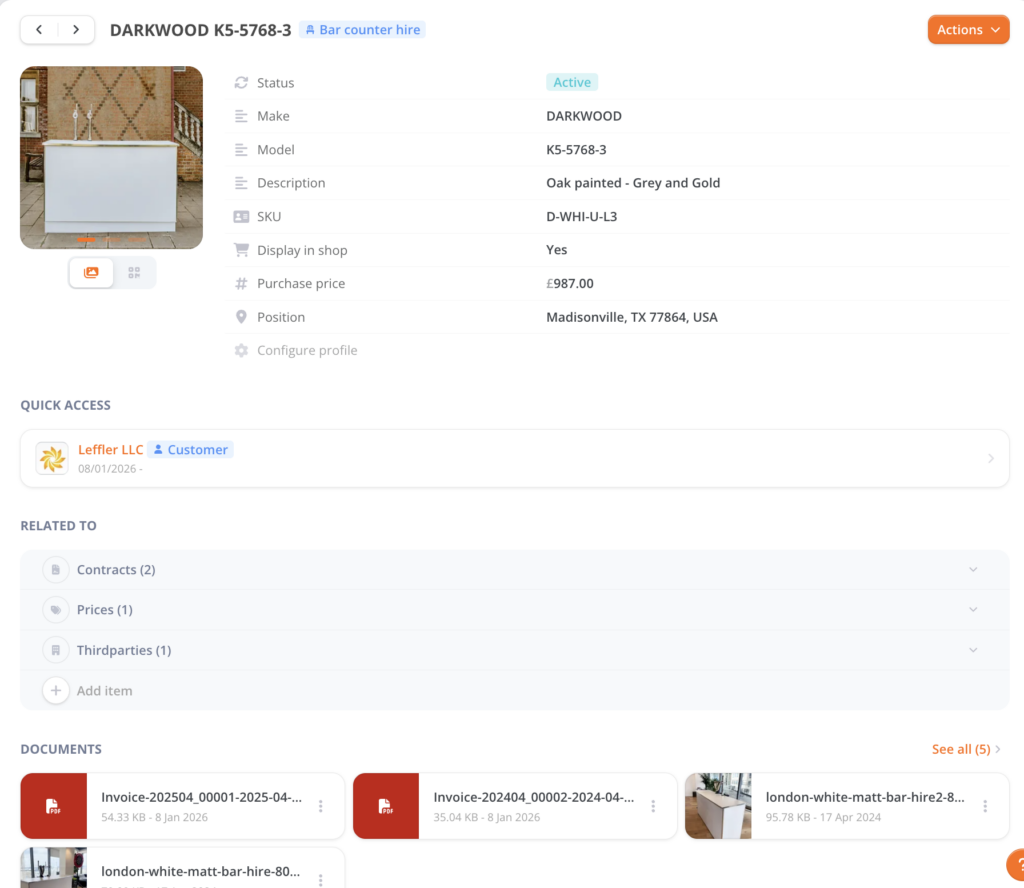
- Service providers and rental/leasing management: The rental/leasing module covers three operational areas: front-office (customer records, CRM integration, e-shop plug-in, quotation and invoicing), logistics (supplier records, orders, delivery management, end-of-rental checks), and back-office (stock management, maintenance management, financial reporting).
E-shop website plug-in:
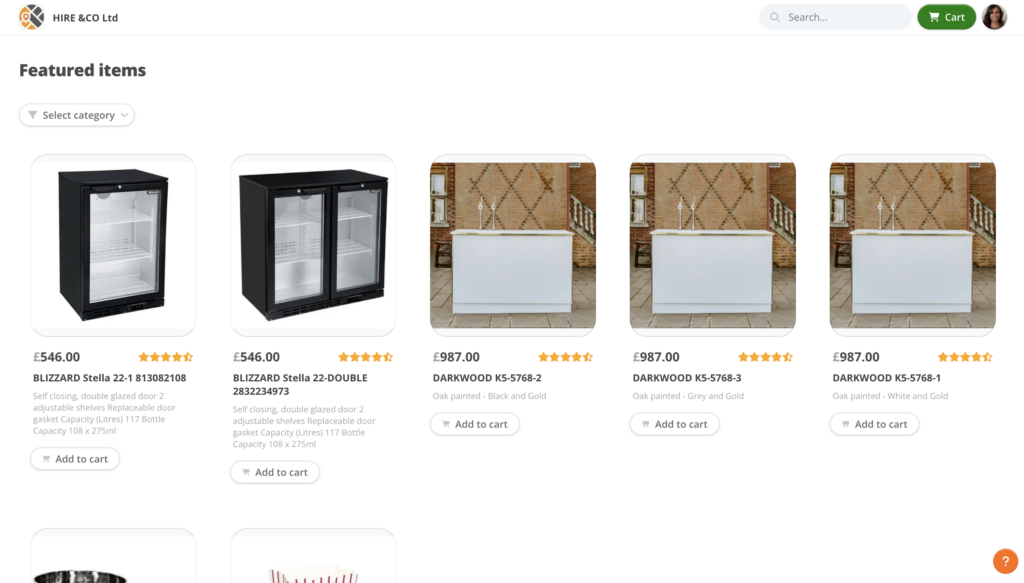
Back office item:
- Field services: The field services module handles mobile dispatch, customer-facing QR code service requests, and automated cost computation for invoicing.
- PPE compliance: The PPE tracking module manages individual PPE assignment, regulatory inspection scheduling, and automated alerts for expiry dates.
For a construction company, this means tracking tools, managing fleet vehicles, dispatching field technicians, ensuring PPE compliance, and renting equipment to subcontractors, all within the same data model and collaborative workspace.
James Fisher Renewables moved from another inventory system because they needed parent-to-child asset hierarchies, warehouse-to-site movement tracking, and financial reporting in one place.
IT integration depth vs. operational breadth
Asset Panda has invested heavily in IT ecosystem connectivity.
The platform offers 20+ native integrations covering device management (Microsoft Intune with two-way sync, Jamf Pro, Kandji, Cisco Meraki), identity providers (Microsoft Entra ID, Okta, Google Workspace), ticketing systems (Zendesk, Jira, ServiceNow, Freshservice), and collaboration tools (Slack, Microsoft Teams).
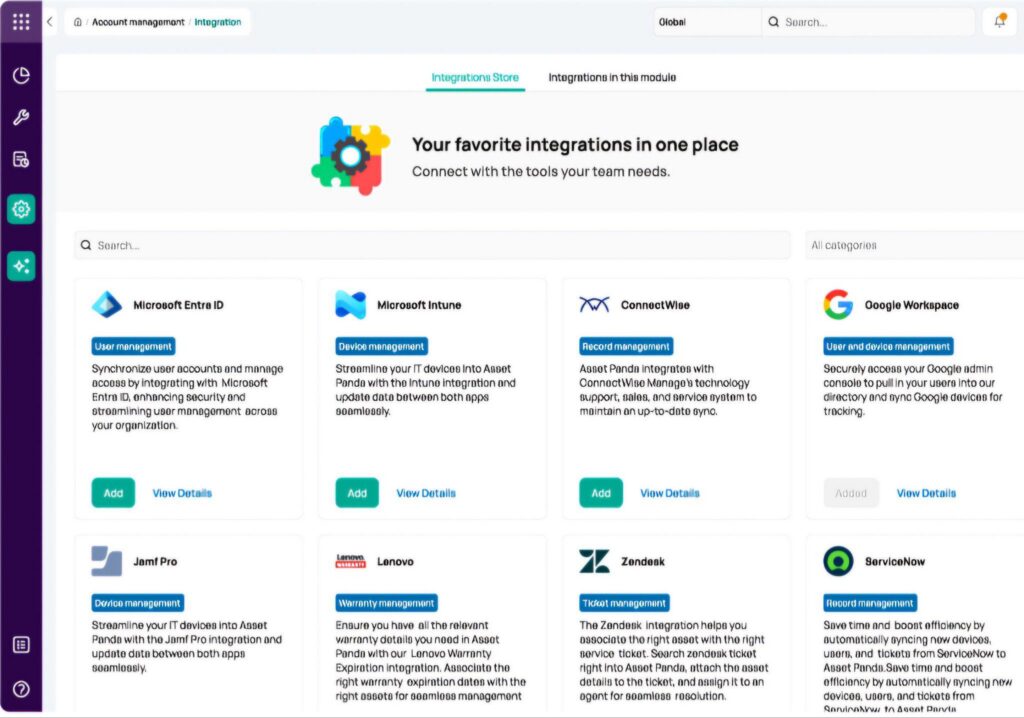
Source: Asset Panda
For IT departments managing laptop fleets, the Intune two-way sync alone can justify the platform.
EZOfficeInventory offers a different integration profile.
Native connections to Zendesk, Jira Service Desk, Google Workspace, Okta, OneLogin, Dropbox, OneDrive, and Zapier cover service desk, identity management, and data backup needs. The Zapier integration extends connectivity to hundreds of additional apps, though these are workflow-level connections rather than data syncs.
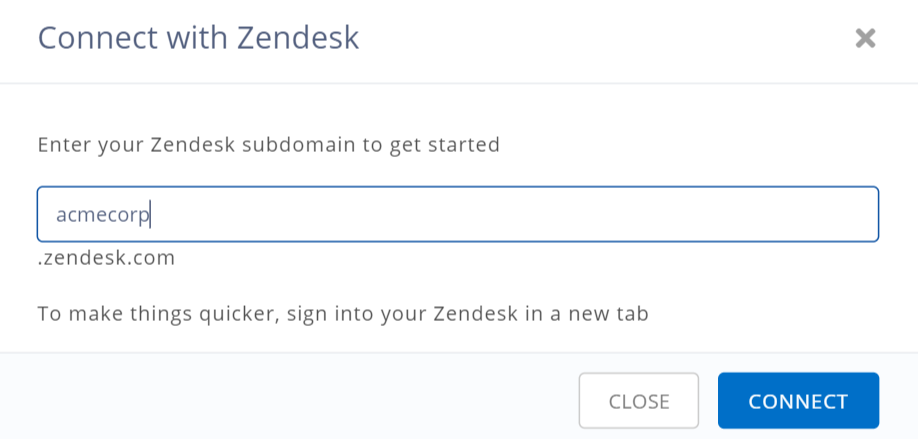
Source: EZOfficeInventory
Bulbthings takes a different approach.
Rather than building a catalog of pre-built connectors, the platform exposes a full REST API and SDK following the JSON:API specification, with webhook support for event-driven integrations. Native integrations with specific tools (ERP, CRM, accounting, HR systems) are available but priced as custom add-ons rather than included out of the box.
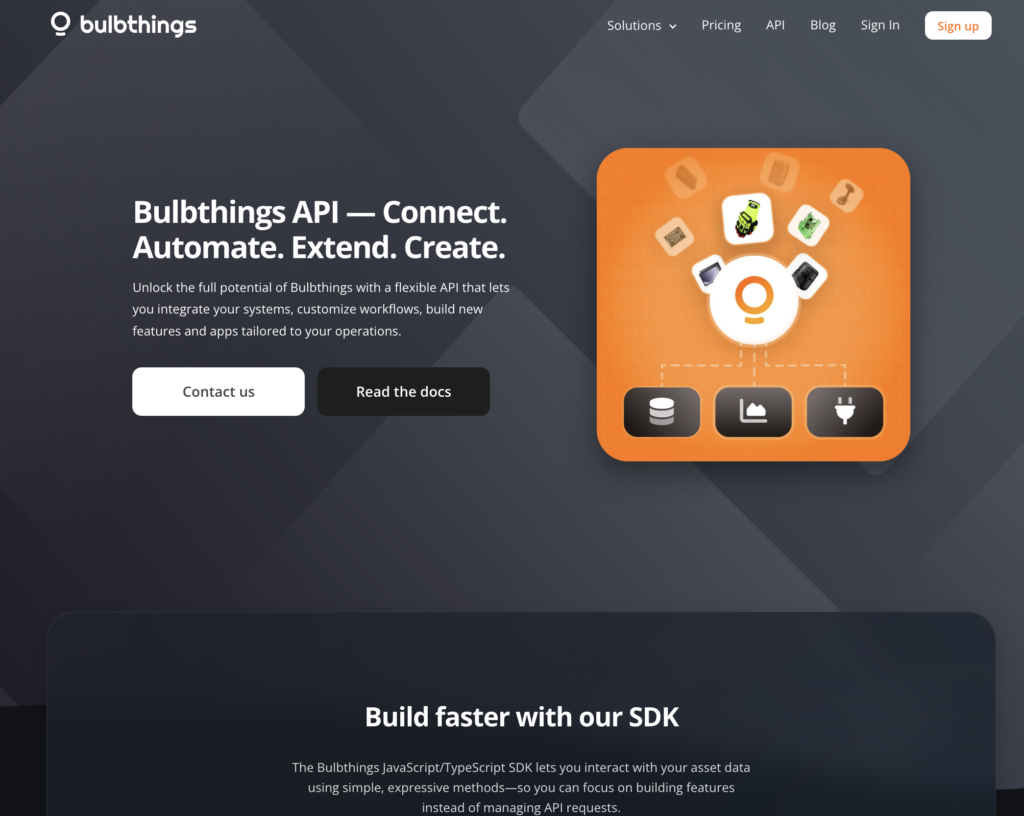
Source: Bulbthings
The distinction matters depending on your starting point. If you’re an IT department standardized on Microsoft or Jamf, Asset Panda’s native integrations save real time. If you need Zendesk or Jira connectivity for service desk workflows, EZO handles that natively.
If your primary need is operational asset management with collaboration across teams and partners, Bulbthings’ built-in modules and collaborative workflows may matter more than a long list of third-party connectors.
AI assistants approach the same problem differently
All three platforms have launched AI capabilities, each reflecting their priorities.
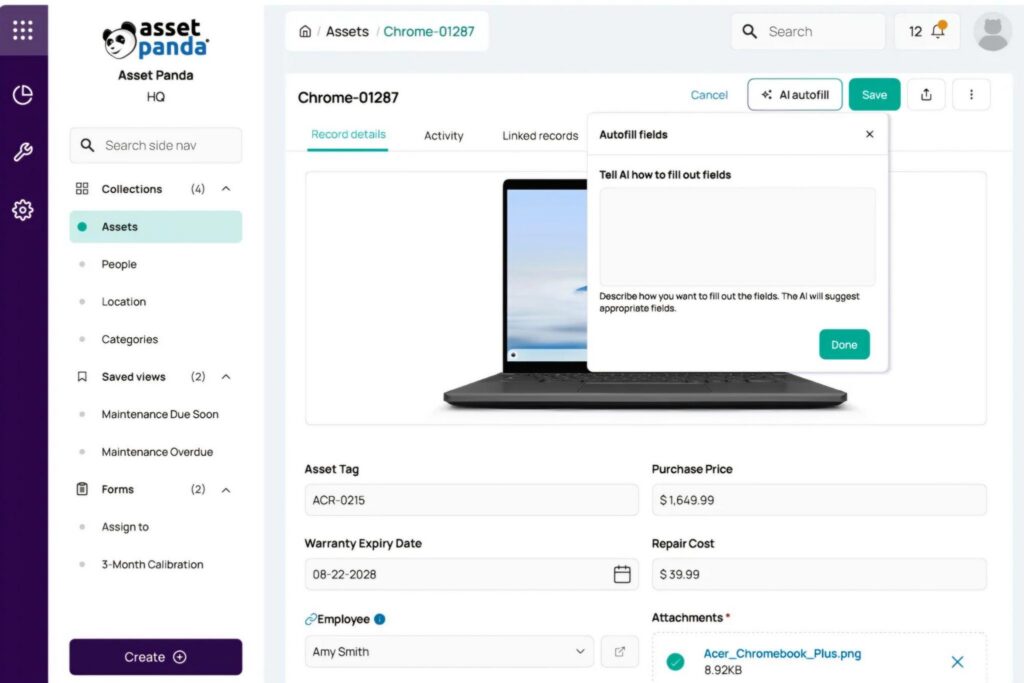
Asset Panda’s Ursa AI focuses on platform configuration and data querying.
Source: Asset Panda
It operates in two modes: Ask mode (read-only questions about data) and Agent mode (creates forms, builds automation rules, and processes uploaded files). Ursa can suggest domain-appropriate fields when setting up new asset collections, map spreadsheet columns during imports, and generate automation rules from plain language descriptions.
It runs on proprietary models that don’t train on customer data and supports 20+ languages. Ursa is available on the Enterprise tier.
EZO’s Zoe focuses on operational intelligence.
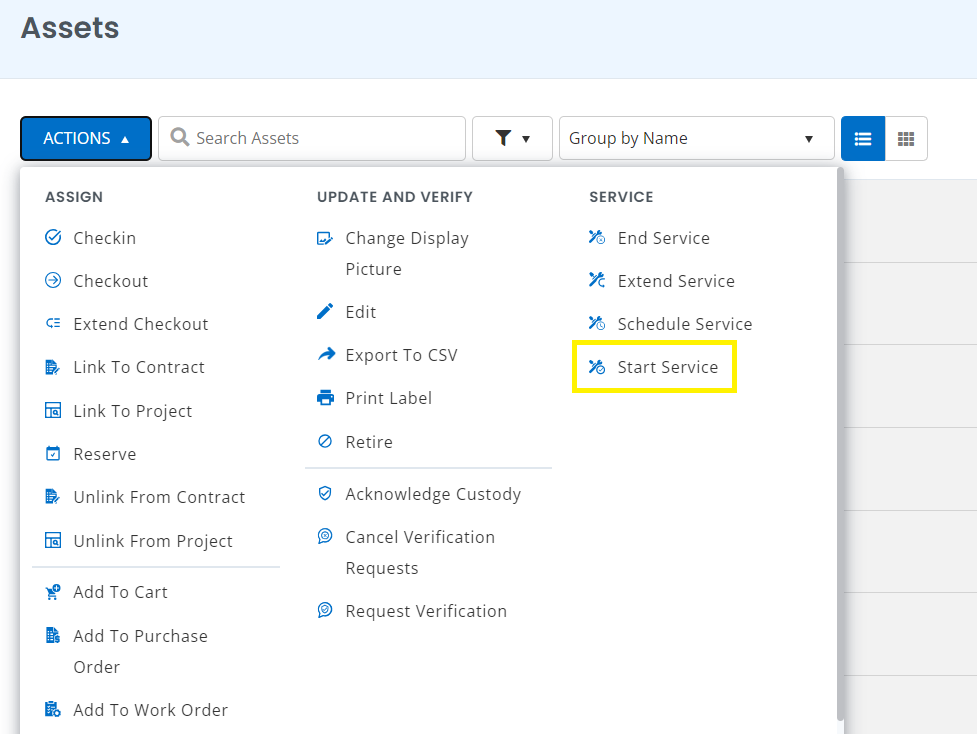
It provides predictive maintenance insights based on individual asset service histories, parses invoices to auto-generate purchase orders, and creates AI-generated safety checklists for work orders. As of January 2026, Zoe’s insights expanded beyond reports into the Items, Members, and Locations modules. Zoe is available on the Premium tier ($65/month).
Source: EZOfficeInventory
Bulbthings’ Bulb AI, launched in January 2026, functions as a copilot rather than a feature-specific tool.
Users can create, book, and assign assets, log maintenance, create maintenance schedules, generate reports, and run operational workflows through natural language. The AI also includes image recognition: users can photograph an asset via the mobile app and ask Bulb AI to create it in the system.

Source: Bulbthings
The practical advantages are instant onboarding (no need to learn the interface), productivity gains (especially for bulk actions across large asset volumes), and actionable insights on demand. A Developer AI Agent is in development that will let business users customize workflows or build entirely new solutions for their assets, using natural language.
Each AI assistant reflects its platform’s identity. Ursa helps you configure a system with a steep learning curve. Zoe helps you analyze operational data. Bulb AI aims to become the primary way users interact with the platform, reducing the need to navigate the UI at all.
Mobile experience and field readiness
For teams managing assets in warehouses, construction sites, or remote locations, the mobile app is the primary interface.
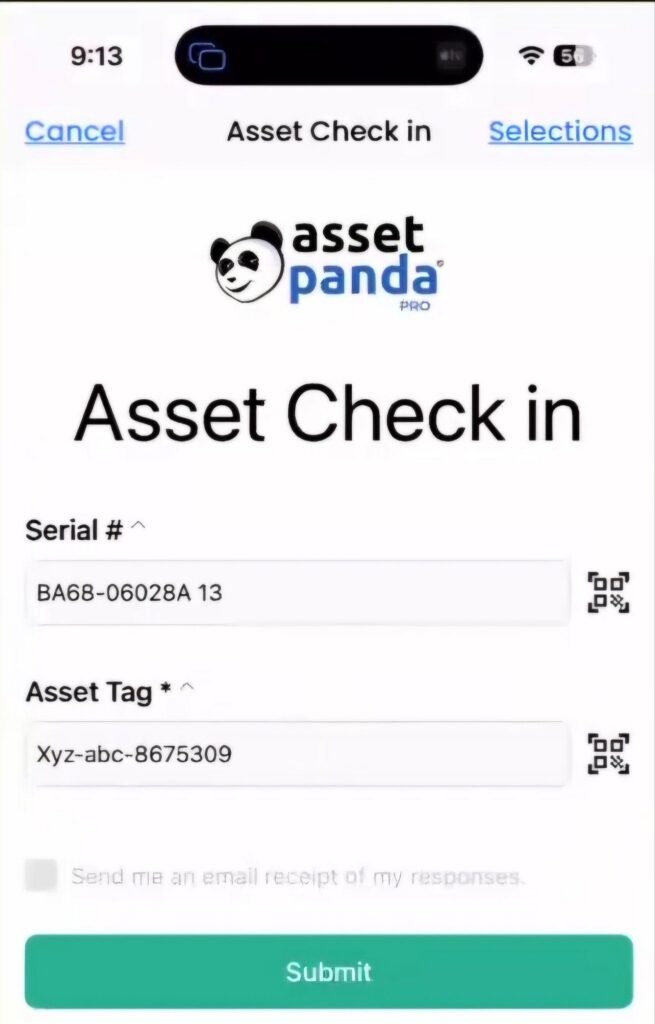
Asset Panda’s mobile app supports barcode and QR code scanning, offline mode, mobile auditing, and configurable mobile layouts.
Source: Asset Panda
The offline capability lets field staff scan, update, and submit forms without connectivity, syncing when back online. However, full offline mode is only available on the Enterprise tier ($18,000/year for 20 users). The app also supports mobile reservations and multi-account switching.
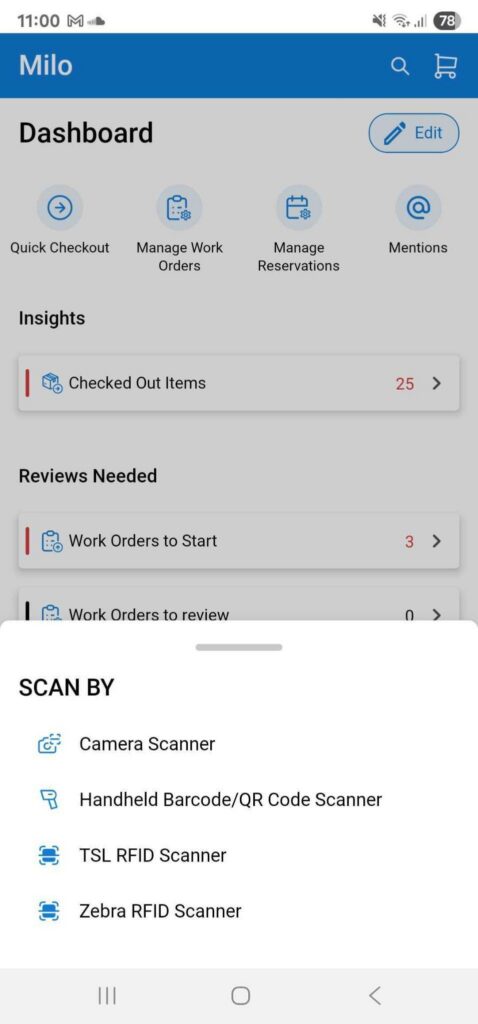
EZOfficeInventory’s mobile app runs on iOS, Android, and Windows and supports barcode, QR, and RFID scanning.
Source: EZOfficeInventory
Offline mode is available but limited to the Enterprise tier. Reviewers have noted that the mobile app has limited functionality compared to the desktop version and can be glitchy, which creates friction for field-first teams.
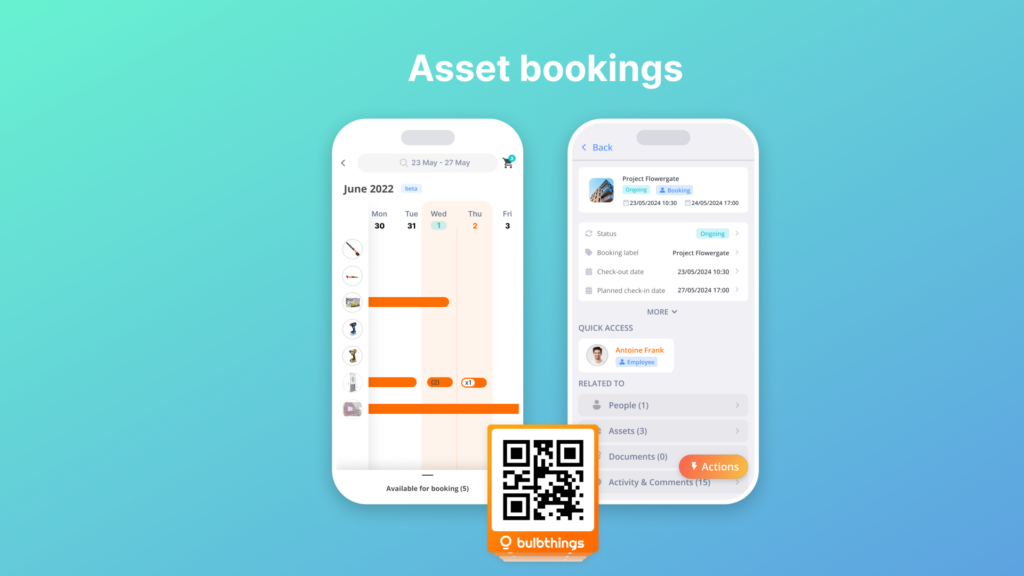
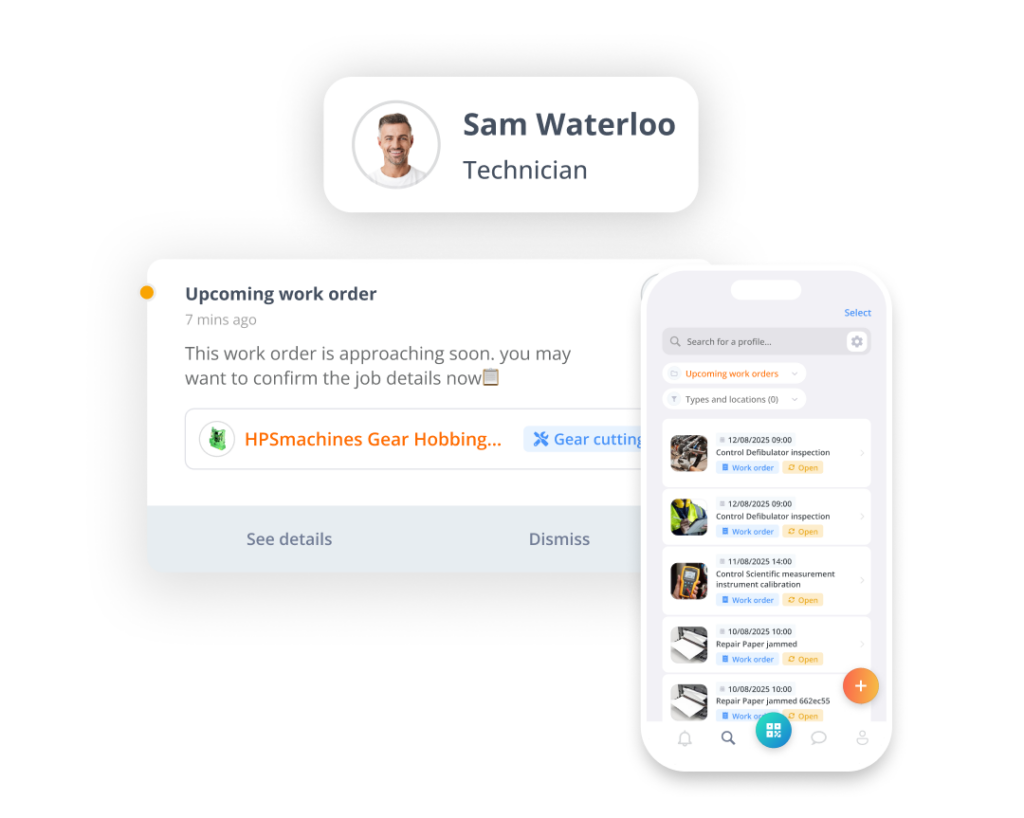
Bulbthings’ mobile app is built around a “one scan + one tap” interaction model: scan a QR code or NFC tag, lookup asset information or take actions (e.g. book, check-out, check-in, log a maintenance request, add warranty, add contract. etc.) according to their permissions.
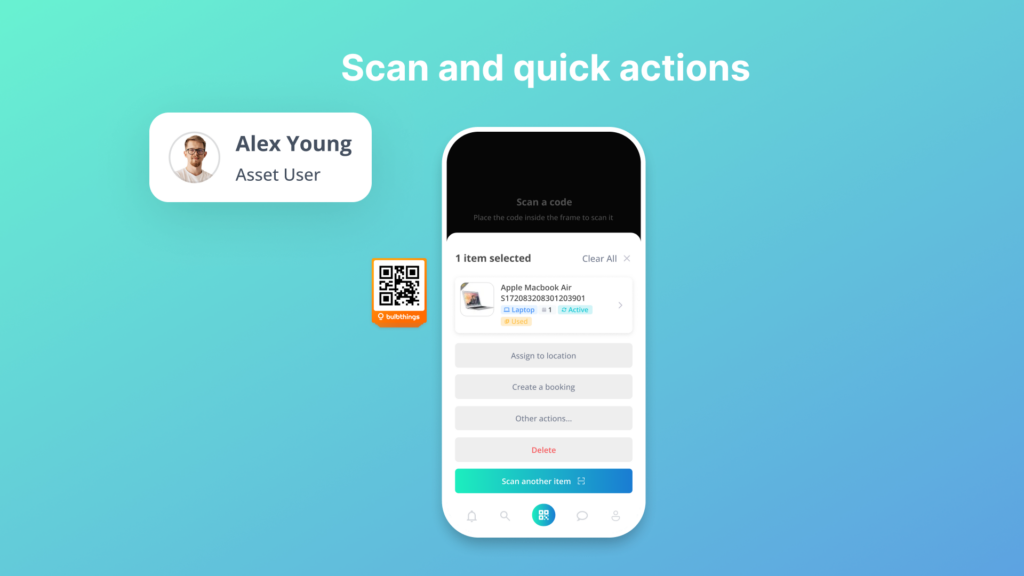
Users can search, filter or update any information about assets, work orders, bookings, contract, costs etc. and managers get key reports on the fly.
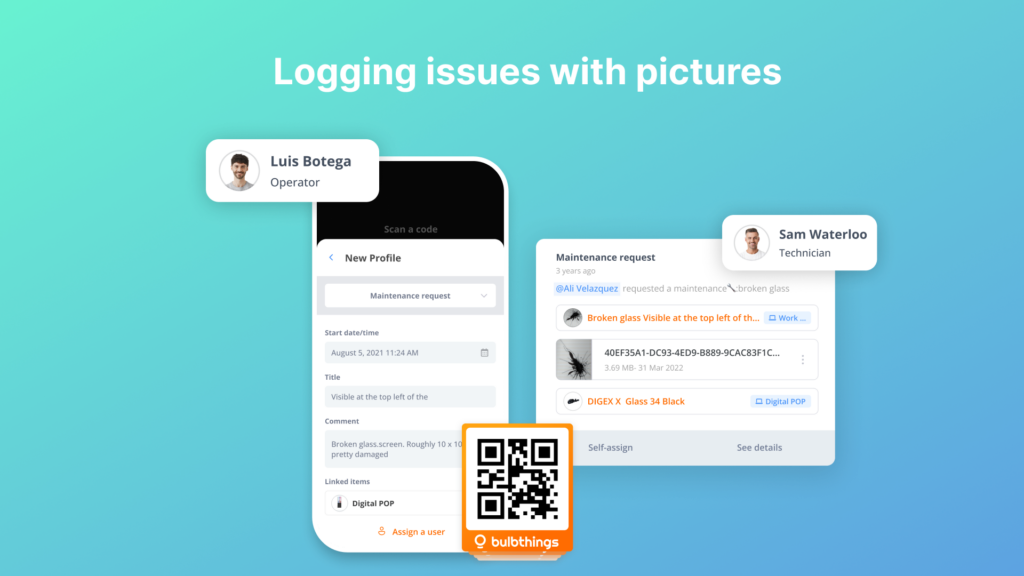
The app also supports interacting with Bulb AI and taking pictures for AI-powered asset creation. The simplicity drives adoption across frontline staff who don’t have time for training. The app supports anonymous maintenance requests: anyone can scan a QR code on an asset or room and submit a service request with photos, without needing a Bulbthings account.
 Source: Bulbthings
This is useful for building tenants, machine operators, or contractors who encounter equipment issues but shouldn’t need access to the full platform. Note that offline capabilities are limited compared to Asset Panda’s full offline mode.
Maintenance management takes three different forms
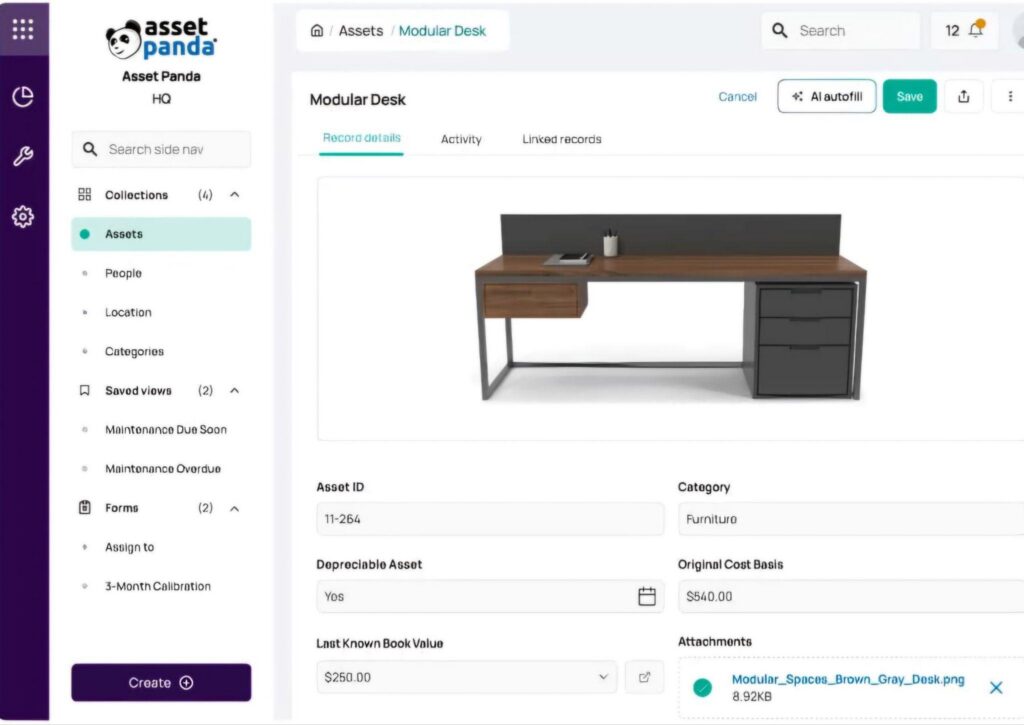
Asset Panda uses its general-purpose Automations framework to drive maintenance.
Administrators configure date fields and scheduled automations that fire notifications when service thresholds approach. Work orders are created and assigned within the system. Five depreciation methods are supported.
Source: Asset Panda
The strength is that maintenance workflows use the same configurable building blocks as everything else in Asset Panda, so they can match any process. The limitation is that it’s not a dedicated CMMS, so features like spare parts inventory linked to work orders or labor cost tracking require manual configuration.
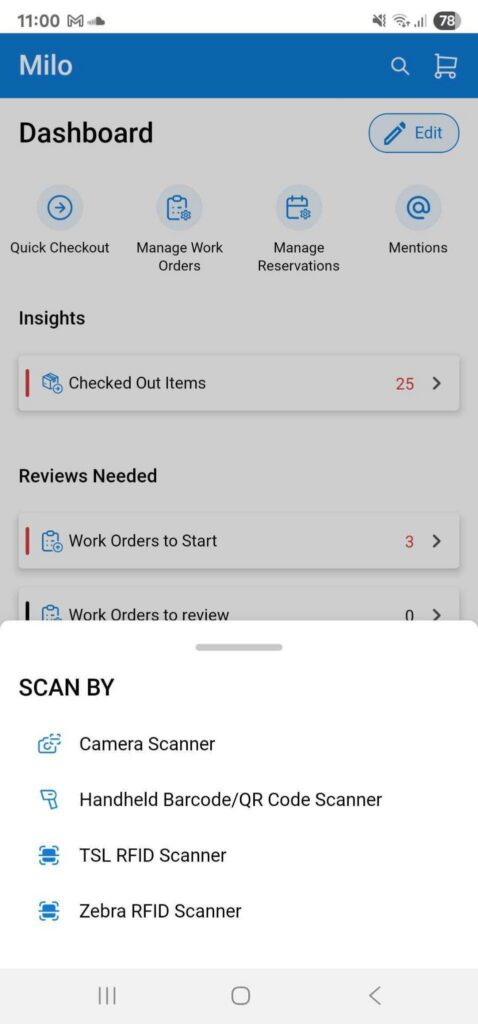
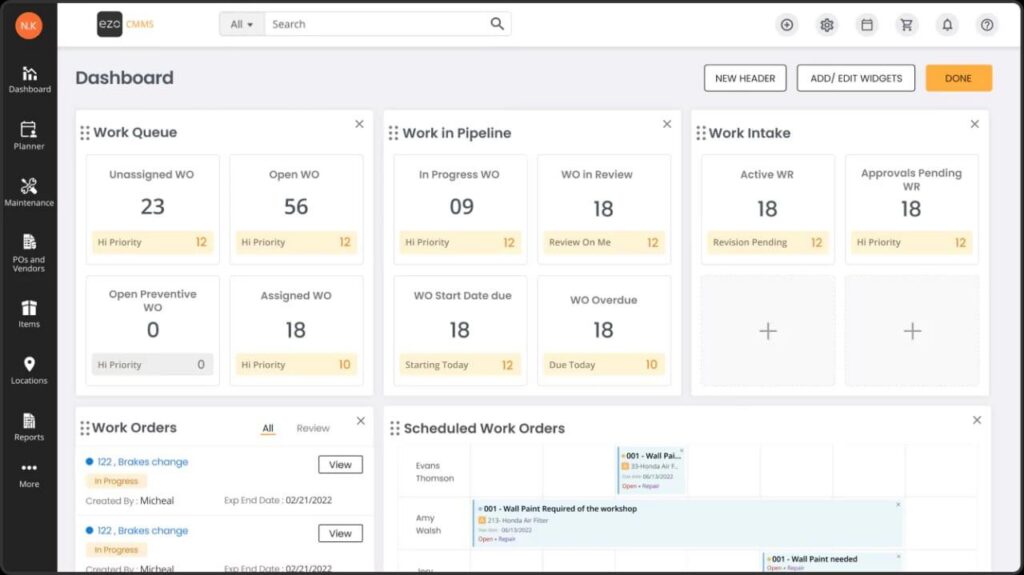
EZOfficeInventory offers both built-in maintenance features and a standalone EZO CMMS product.
Source: EZOfficeInventory
The built-in features include service tickets, recurring services, and service triage (automatically flagging items for service on check-in). The standalone CMMS adds a Work Command Center, PM Scheduler with time-based and meter-based triggers, compliance checklists, and parts inventory management.
The dual approach gives buyers a choice: lightweight maintenance within the asset tracker, or full CMMS as a separate product or add-on.
Bulbthings embeds its CMMS directly inside the asset management platform which covers both corrective and preventive maintenance workflows.
Recurring maintenance or controls have three trigger types: time-based, meter-based (mileage, hours, cycles), and condition-based.
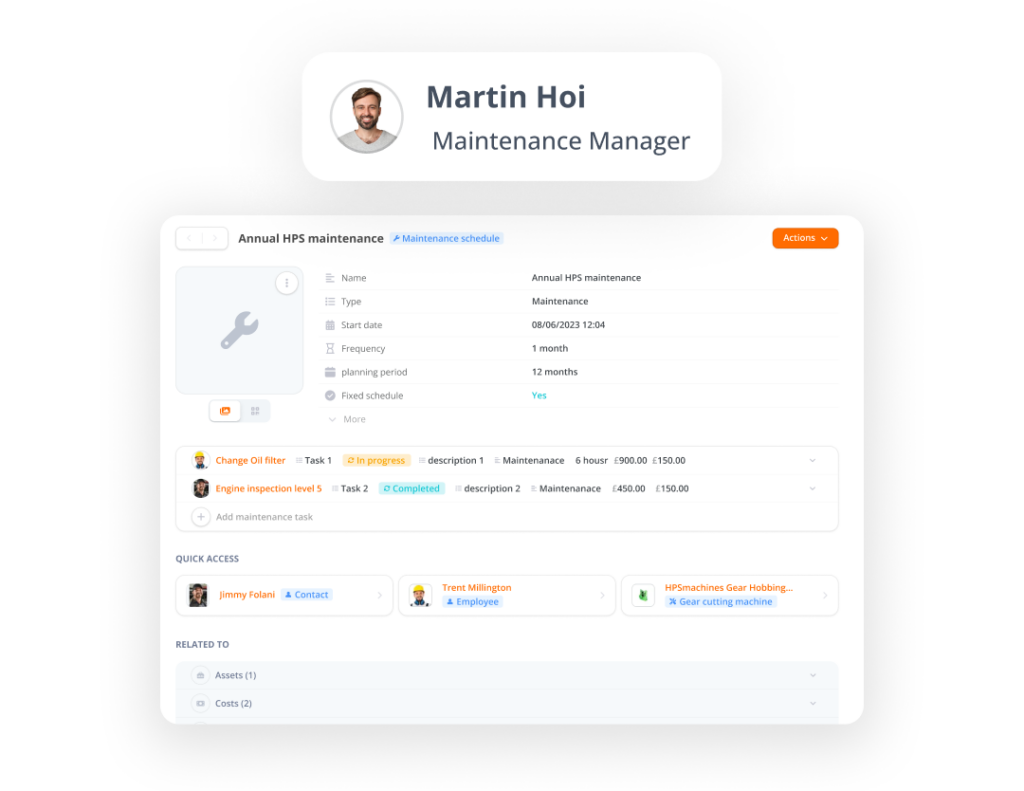
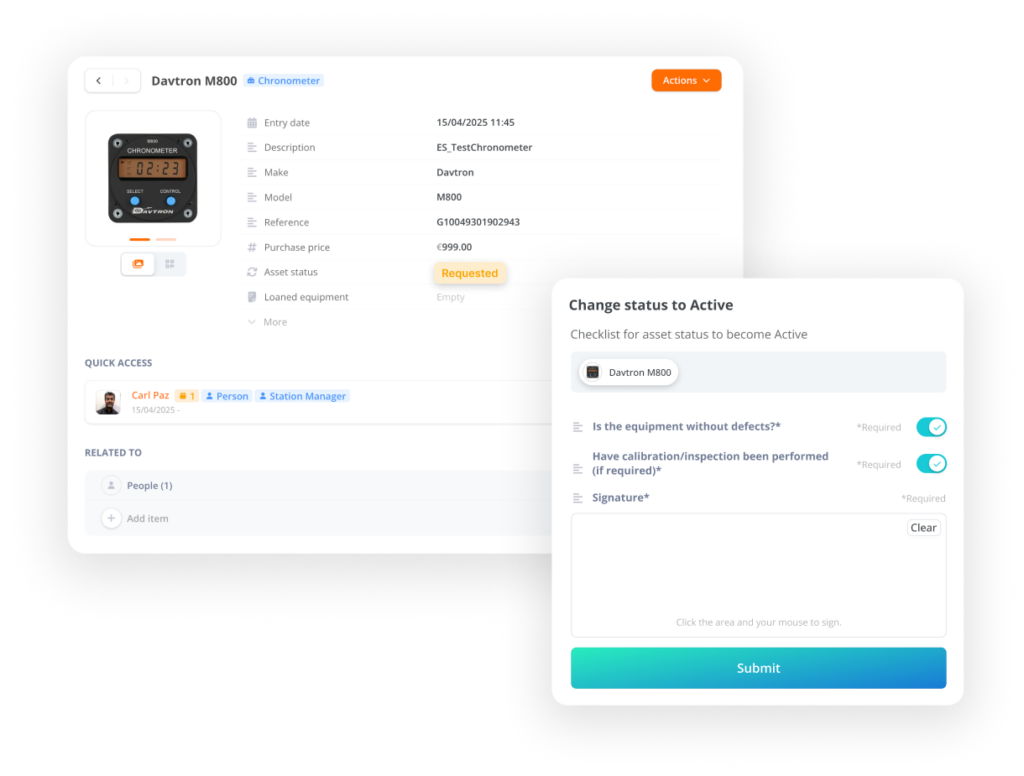
Customizable checklist forms are available to capture any type of data, including measurements and electronic signatures. Checklists behaviours can be customized to enable advanced workflows.
Work order information can be shared with suppliers via email links, and the anonymous QR-code maintenance request feature means anyone (even a non-user) can report an issue by scanning a label.
The condition-based triggers are available as an optional add-on: Bulbthings offers integrations with third party tracking devices and sensors that feed data back into the platform, enabling predictive maintenance without a separate IoT middleware layer.
Security and compliance posture
For regulated industries, security certifications matter during procurement.
Asset Panda holds SOC 2 Type II certification (achieved March 2023), is hosted on AWS with encryption at rest and in transit via KMS, and publishes a GDPR policy.
Source: Asset Panda
A Trust Center provides access to security documentation.
EZOfficeInventory has a broader certification portfolio: SOC 2 Type 2, ISO/IEC 27001 (certified since 2018), CSA STAR Level 1, TX RAMP Level 1 and Level 2, and PCI compliance.
The platform is hosted on AWS and supports SSO via SAML 2.0, Okta, Azure AD, and multiple other identity providers.
Bulbthings operates under a formal GDPR Data Processing Agreement with EU Standard Contractual Clauses.
The platform is hosted on GCP and supports SSO via SAML 2.0, Okta, Azure AD, and multiple other identity providers.
The DPA covers 72-hour breach notification, data subject rights facilitation, and sub-processor management. However, Bulbthings does not publicly advertise SOC 2, ISO 27001, or other third-party security certifications. For procurement teams in healthcare, government, or defense that require these certifications as a gate, this is a gap to verify directly with the vendor.
Asset Panda vs EZOfficeInventory vs Bulbthings: Which should you choose?
The right platform depends on what your operations actually require beyond basic asset tracking.
👉 Choose Asset Panda if:
- Your primary use case is IT asset management with MDM integration (Intune, Jamf, Kandji)
- You need granular, no-code configurability for non-standard asset types and workflows
- Compliance-readiness and audit trails are critical to your industry
- Your team has an administrator willing to invest in thoughtful platform setup
- You can justify the per-user pricing model for your team size
Start a 7-day free trial of Asset Panda
👉 Choose EZOfficeInventory if:
- You need a proven platform with extensive third-party validation and enterprise references
- Unlimited user access at a predictable per-item price is important
- You want RFID scanning alongside barcode and QR code tracking
- Your team values fast setup and a low learning curve over customization
- Security certifications (SOC 2, ISO 27001) are procurement requirements
Start a free trial of EZOfficeInventory
👉 Choose Bulbthings if:
- You need structured collaboration across internal teams, suppliers, and customers on asset workflows
- A modern interface with minimal training requirements matters to your team
- You want AI-powered interaction (Bulb AI) for faster onboarding and daily productivity
- You manage multiple asset families (vehicles, facilities, IT equipment, consumables) and need stock management or comprehensive financial management of assets
- You need fleet management, rental/leasing, or field services alongside asset tracking
- Unlimited users with activity-based pricing fits your organization better than per-seat or per-item models
Start for free with Bulbthings
Asset Panda and EZOfficeInventory are both strong platforms for organizations whose needs center on asset tracking, IT management, and basic maintenance.
But for operations teams that manage multiple asset families across locations, departments, and external partners, Bulbthings offers something the others don’t: a collaborative platform that digitalizes the full range of asset-centric workflows (from stock management and fleet operations to rental/leasing and field services) without forcing you to stitch together separate tools for every function.
Sometimes the best asset management decision isn’t choosing the deepest tracker. It’s choosing the platform that matches how your team actually works together every day.