Sortly Pricing in 2026: Worth It or Consider Bulbthings?
If you’ve navigated Sortly’s tier calculator, trying to figure out whether 500 items on the Advanced plan will cover your inventory or if you need Ultra’s 2,000 item cap, while realizing that barcode labels, purchase orders, and QuickBooks integration each live on different tiers, you know that inventory pricing can feel like a game of feature unlock where the rules change at every level.
Sortly has built a reputation as a simple, mobile-first inventory tool, serving over 15,000 businesses with photo-based item tracking, built-in barcode scanning, and low-stock alerts. Its strength is getting non-technical teams running fast, often within hours. But as your operations grow beyond basic inventory counts to include asset bookings, maintenance scheduling, fleet tracking, field services, and compliance, Sortly’s focused scope means you’ll likely need additional tools.
We’ve analyzed Sortly’s pricing tiers, item caps, and feature gates. It’s the right choice if:
- You need a simple, visual inventory tracker that works on smartphones immediately
- Your primary need is knowing what you have and where it is across locations
- Your team is small (under 8 users) and non-technical
- You manage fewer than 5,000 unique items of a single asset type
- You value fast setup over operational depth
Sortly’s pricing might not be the right choice if:
- You manage multiple asset families (equipment, vehicles, buildings, consumables) and need them in one system
- You need collaborative workflows across internal teams, suppliers, and customers
- You want unlimited users without per-seat cost escalation
- You require asset bookings, maintenance scheduling, work orders, or CMMS capabilities alongside inventory
- You need advanced stock management, financial tracking, or rental/leasing workflows
- You want an AI-powered platform that lets your team interact through natural language
In this case, you should consider Bulbthings: an all-in-one Asset Management (EAM) platform built for mid-size companies that need to digitalize asset-centric workflows across the full asset lifecycle, from procurement to disposal.
Bulbthings brings together asset inventory, stock management, logical and physical tracking, CMMS, lifecycle and financial management under one roof. With unlimited users on every paid plan, collaborative workflows across teams and external partners, an intuitive interface, and Bulb AI (an AI agent for asset management), Bulbthings is designed for businesses where multiple people and organizations need to work together around physical assets.
Because of that, we’ve included a detailed pricing comparison with Bulbthings in this review, as the best choice for businesses that need more than inventory tracking. If you’re eager to jump into the Bulbthings pricing breakdown, go ahead and do so with this link.
Sortly Pricing Summary
| Sortly | Bulbthings | |
|---|---|---|
| Free plan | - 100 items, 1 user - 1 custom field - 1-month activity history | - Up to 100 assets - 10 app users and unlimited people for tracking purposes - Generous free plan with asset inventory, tracking, bookings and maintenance features - Free forever for small teams |
| Entry plan | - Advanced: $49/mo ($24/mo annual) - 500 items, 2 users - QR labels only, no barcodes | - Self-onboarding available - No gated features, pick the features packs and services you need as you grow - Pricing based on number of assets starting at 150$ per month (via simulator) - Unlimited users included |
| Mid Tiers | - Ultra: $149/mo ($74/mo annual) - 2,000 items, 5 users - Barcode labels, purchase orders | - No gated features, pick the features packs and services you need as you grow - Pricing based on number of assets (via simulator) - Quick setup service available (optional) |
| High Tiers | - Premium: $299/mo ($149/mo annual) - 5,000 items, 8 users - QuickBooks, role permissions | - Custom quote for white gloves service |
| Best for | Small teams needing simple, single-class inventory tracking with fast mobile setup | Mid-sized businesses digitalizing asset workflows across multiple asset families, teams, or locations |
Sortly Pricing: In-Depth Overview
Sortly uses a tiered flat-fee subscription model where price depends on two constraints: the number of unique items you track and the number of user licenses you need. Individual features or items cannot be purchased separately; you move between published tiers. Two billing cycles are available: monthly (pay-as-you-go) and annual (prepaid, with roughly a 50% discount on most tiers). Features like barcode label creation, purchase orders, QuickBooks integration, and API access are gated to specific tiers, meaning you may need to upgrade not because you’ve outgrown your item count, but because you need a feature locked behind a higher plan.
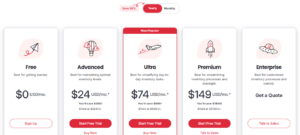
Sortly Free Plan: $0/month
| Feature | Details |
|---|---|
| Price | $0/month |
| Unique Items | 100 |
| User Licenses | 1 |
| Custom Fields | 1 |
| Activity History | 1 month |
| Labels | QR code creation only |
The Free plan gives you Sortly’s core inventory system: folders, tags, photos (up to 8 per item), custom units of measurement, stock counts, and in-app barcode/QR scanning. It works for a solo user managing a small collection of items. The 1-month activity history means you lose visibility into changes beyond 30 days, and the single custom field limits the metadata you can attach to each item.
| Free plan Pros | Free plan Cons |
|---|---|
| ✅ No credit card required | ❌ Only 100 items total |
| ✅ Core scanning and photo features | ❌ Single user only |
| ✅ QR code label creation included | ❌ 1-month activity history |
| ✅ Good for initial testing | ❌ No alerts or integrations |
The Bottom Line 👉 The Free plan works for individuals testing Sortly or managing a small personal inventory, but any business use will hit the 100-item ceiling quickly.
Sortly Advanced Plan: $49/month or $24/month annually
| Feature | Monthly | Annual | Details |
|---|---|---|---|
| Price | $49 | $24/month ($288/year) | 51% annual savings |
| Unique Items | 500 | 500 | Hard cap |
| User Licenses | 2 | 2 | Owner + 1 |
| Custom Fields | 5 | 5 | Up from 1 |
| Activity History | 1 year | 1 year | Up from 1 month |
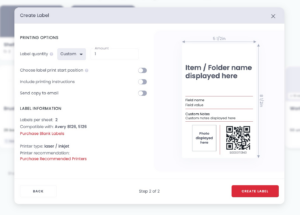
The Advanced plan is Sortly’s entry point for small businesses. It unlocks low-stock and date-based alerts, email notifications, and unlimited QR code label creation. The jump from 1-month to 1-year activity history makes audit trails viable. However, the 500-item cap is tight for businesses managing equipment across multiple locations, and you’re still limited to QR labels only, as barcode label creation requires the Ultra plan.
Source: Sortly
| Advanced Plan Pros | Advanced Plan Cons |
|---|---|
| ✅ Strong annual discount (51% off) | ❌ Only 500 items |
| ✅ Alerts and notifications included | ❌ 2 users limits team adoption |
| ✅ 1-year activity history | ❌ No barcode labels |
| ✅ QR label creation unlimited | ❌ No purchase orders or integrations |
The Bottom Line 👉 Advanced suits very small teams (2 people) tracking fewer than 500 items, but growing businesses will hit the item ceiling or user limit within months.
Sortly Ultra Plan: $149/month or $74/month annually
| Feature | Monthly | Annual | Increase from Advanced |
|---|---|---|---|
| Price | $149 | $74/month ($888/year) | +204% (monthly) |
| Unique Items | 2,000 | 2,000 | +300% |
| User Licenses | 5 | 5 | +150% |
| Custom Fields | 10 | 10 | +100% |
| Activity History | 3 years | 3 years | +200% |
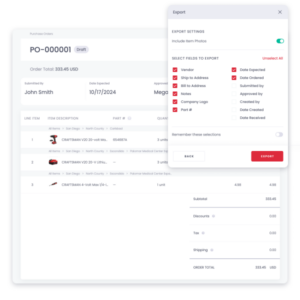
Ultra is Sortly’s most popular tier, and for good reason: it unlocks barcode label creation, purchase orders, pick lists, online orders, Amazon Business US integration, Bluetooth scanner support, and inventory snapshots. The 2,000-item cap and 5 user licenses serve most small businesses comfortably. The 3-year activity history makes compliance reporting realistic. This is the first tier where Sortly feels like a complete inventory tool rather than a limited starter product.
Source: Sortly
| Ultra Plan Pros | Ultra Plan Cons |
|---|---|
| ✅ Barcode and QR labels included | ❌ 3x price jump from Advanced |
| ✅ Purchase orders and pick lists | ❌ Still no QuickBooks integration |
| ✅ 5 users enables small teams | ❌ No customizable role permissions |
| ✅ Amazon Business integration | ❌ 2,000-item cap creates growth pressure |
The Bottom Line 👉 Ultra is the best fit for small businesses managing inventory across multiple locations, but the missing QuickBooks integration and role permissions push growing teams toward Premium.
Sortly Premium Plan: $299/month or $149/month annually
| Feature | Monthly | Annual | Increase from Ultra |
|---|---|---|---|
| Price | $299 | $149/month ($1,788/year) | +101% (monthly) |
| Unique Items | 5,000 | 5,000 | +150% |
| User Licenses | 8 | 8 | +60% |
| Custom Fields | 20 | 20 | +100% |
| Activity History | Unlimited | Unlimited | From 3 years |
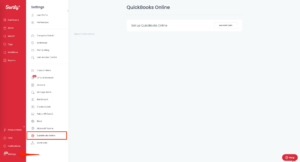
Premium finally adds QuickBooks Online integration, customizable role permissions, report subscriptions, and unlimited activity history. The 5,000-item cap and 8 user licenses support mid-sized operations. QuickBooks integration enables accounting sync for invoicing and purchase orders. Customizable role permissions let you control who sees and edits what, which matters once teams grow beyond the “everyone does everything” stage.
Source: Sortly
| Premium Plan Pros | Ultra Plan Cons |
|---|---|
| ✅ QuickBooks Online integration | ❌ $299/month is steep |
| ✅ Customizable role permissions | ❌ 5,000-item cap still limits growth |
| ✅ Unlimited activity history | ❌ No API or webhook access |
| ✅ Report subscriptions for automation | ❌ 8 users may not cover larger teams |
The Bottom Line 👉 Premium suits established small businesses needing accounting integration and access controls, but the price approaches enterprise territory while the item cap and feature set remain SMB-focused.
Sortly Enterprise Plan: Custom Pricing
| Feature | Details |
|---|---|
| Unique Items | 10,000+ |
| User Licenses | 12+ |
| Custom Fields | Unlimited |
| API and Webhooks | Included |
| Support | Dedicated Customer Success Manager |
| Security | SOC 2, GDPR, SSO |
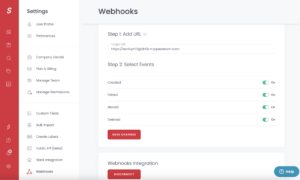
The Enterprise tier removes item and custom field limits while adding API access, webhooks, multi-account access, and a dedicated customer success manager. SOC 2 compliance and SSO address enterprise procurement requirements. Enterprise customers include VMware, Thermo Fisher, T-Mobile, and Carvana, though Sortly typically fills a departmental role within these organizations rather than serving as the enterprise-wide system of record. Pricing requires a custom quote.
Source: Sortly
| Enterprise Plan Pros | Enterprise Plan Cons |
|---|---|
| ✅ Unlimited custom fields | ❌ Still purely an inventory tool |
| ✅ API and webhook access | ❌ No shared asset bookings, maintenance workflows |
| ✅ SOC 2 and SSO compliance | ❌ No workflow cuztomizations, limited flexbility for complex organizations |
| ✅ Dedicated success manager | ❌ Pricing per user may limit collaborative workflows for large organizations |
The Bottom Line 👉 Enterprise works for departments at larger organizations needing secure, API-connected inventory tracking, but businesses needing asset management beyond inventory will find the scope limiting regardless of budget.
Sortly Hidden Costs and Pricing Considerations
Beyond base subscriptions, several cost factors affect your total **Sortly **spend:
Item Count Escalation
- Growing past your tier’s item cap forces an upgrade, not a per-item add-on
- Capterra reviewers report aggressive price increases, with one user citing costs rising from $1,500/year to $5,360/year over two years
- Many customers receive a promotional rate during their first year; after the promotional period, subscriptions renew at the standard rate
No Special Discounts
- No nonprofit or education discounts beyond the standard annual plan discount
- No refunds on any subscriptions; cancellation does not result in a refund for the remainder of the term
Seat Add-Ons
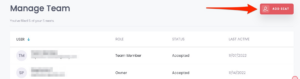
- Additional users can be added beyond the included seat count, but per-seat pricing is not published
- No custom plans are available; individual features or items cannot be purchased separately
Source: Sortly
Taxes and Fees
- All fees exclude applicable taxes; customers are responsible for tax payments
- Late payment charges of 1% per month may be assessed on unpaid amounts
Where Sortly Falls Short
Sortly delivers on its promise of simple inventory management. But its focused scope and tier-based pricing create challenges for businesses whose asset operations extend beyond counting and locating items:
Single-Class Inventory Only, Not Multi-Asset Management
- Sortly tracks what you have and where it is, but it handles only a single asset type. It doesn’t support managing multiple asset families (vehicles, buildings, IT equipment, production equipment, consumables) with different requirements for each
- No maintenance schedules, work orders, or equipment servicing
- No Vehicles and Plant Fleet Management, vehicle tracking, or driver assignment
- No field services workflow for dispatching technicians or managing customer service jobs
- Businesses with these needs must add separate CMMS, fleet, and FSM tools, multiplying costs and fragmenting data
No Collaborative Workflows
- Sortly lacks workspace management, team collaboration, or structured communication around assets
- No ability to share asset data or work orders with external suppliers or customers
- No multi-language, multi-currency, or multi-metrics support for cross-country operations
- Teams end up using email, messaging apps, and spreadsheets alongside Sortly to coordinate asset work
Per-Seat Pricing Limits Team Adoption
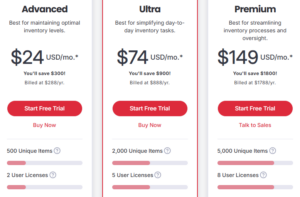
- With 2 users on Advanced, 5 on Ultra, and 8 on Premium, Sortly’s seat counts force difficult choices about who gets access
- Field workers, warehouse staff, suppliers, and managers all need inventory visibility, but adding each person increases costs
- Organizations with 20+ people touching inventory face either expensive Enterprise quotes or leaving users without access
Item Count Caps Create Growth Penalties
- The jump from 500 items (Advanced) to 2,000 (Ultra) costs an additional $100/month, a 204% price increase
- G2 reviewers note performance degradation when handling larger inventories, compounding the problem at scale
- Businesses tracking thousands of assets, parts, and consumables can quickly outgrow even the 5,000-item Premium cap
Narrow Integration Ecosystem
- Only six native integrations: Amazon Business, QuickBooks Online, Slack, Microsoft Teams, Webhooks, and API
- No ERP connectors (SAP, Oracle, NetSuite), no Xero, no Shopify
- Capterra reviewers report being promised integrations that never materialized
- API and webhook access restricted to Enterprise tier only
These limitations have led many growing businesses to explore platforms that unify asset workflows across inventory, maintenance, fleet, and field operations under one roof…
Best Sortly Alternative – Bulbthings
Bulbthings is an all-in-one asset management platform that goes beyond inventory tracking to digitalize asset-centric workflows across the full asset lifecycle, from procurement to disposal. It covers inventory and advanced stock management, CMMS and maintenance, Vehicles and Plant Fleet Management, field services, PPE compliance, and Service Providers and Rental/Leasing Management, with collaborative workflows and unlimited users on every paid plan.
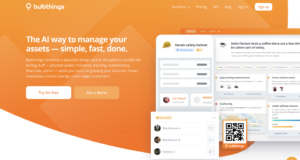
For mid-size companies that find Sortly’s single-class inventory scope limiting, per-seat pricing restrictive, and item count caps frustrating, Bulbthings offers a broader solution. With activity-based pricing (not per-seat), unlimited users across internal teams, suppliers, and customers, an intuitive interface, and Bulb AI for natural language interaction, Bulbthings is built for businesses where asset management requires coordination across people, teams, and organizations.

Founded in 2014 by Leslie Depond and Yann Depond, Bulbthings serves businesses ranging from BBC News and James Fisher Renewables to Bio-Techne and the Oetker Collection. In January 2026, the company launched the first dedicated AI agent for asset management, letting users interact with the platform through natural language to create assets, make bookings, log maintenance, generate reports, and run asset workflows.
Bulbthings fits mid-size companies managing diverse asset families (equipment, vehicles, buildings, tools, consumables) that need collaborative workflows, shared equipment bookings, advanced stock management, and operational depth in one system without per-user cost escalation. The platform excels at maintenance, but goes far beyond it, covering every stage of the asset lifecycle within a single environment.
James Fisher Renewables replaced Excel with Bulbthings to manage over £15 million in OFTO subsea spares, gaining asset hierarchy visualization, booking controls, and financial reporting across global depot networks. (James Fisher Case Study)
Bulbthings Free Plan: $0/month
| Feature | Details |
|---|---|
| Price | $0/month, free forever, no credit card required |
| Assets | Up to 100, with unlimited custom asset categories, custom fields on any forms or locations. |
| Users | Up to 10 account users with unlimited people profiles for tracking purposes |
| Core Features | Inventory, tracking, shared equipment booking, corrective and preventive maintenance and compliance workflows |
| Mobile App | iOS and Android included |
Like Sortly, Bulbthings offers a free tier for small teams supporting up to 100 assets. The key difference: Bulbthings extends asset inventory to other asset management features so you can automate and collaborate around your assets from day 1. The free plan also includes the mobile app with built-in QR code scanner giving small operations the full mobile experience and unlimited asset categories, custim fields on any forms or locations.
| Bulbthings Free Plan Pros | Bulbthings Free Plan Cons |
|---|---|
| ✅ Unlimited users included | ❌ 100-asset limit |
| ✅ QR code scanning via mobile | ❌ Limited to 10 application users |
| ✅ Unlimited custom asset categories, fields and locations | ❌ Advanced packs not included |
| ✅ iOS and Android apps | ❌ AI copilot not included |
The Bottom Line 👉 Bulbthings’ free plan matches Sortly’s 100-item limit but removes the single-user restriction, letting entire teams and external collaborators start tracking together.
Bulbthings Paid Plans: Activity-Based Pricing
| Feature | Details |
|---|---|
| Pricing Model | Activity-based (asset volume, not per-seat) |
| Users | Unlimited for all paid feature packs |
| AI copilot | Optional, available as a feature pack |
| Pricing Inputs | Industry, asset count, feature packs |
| Billing Discounts | 15% off annual |
| Configuration | Interactive pricing simulator |
Unlike platforms that lock certain features behind expensive enterprise tiers, Bulbthings makes advanced functionality accessible to growing businesses. Through an interactive simulator, your monthly rate is calculated modularly based on three factors: industry, asset volume, and selected feature packs..
Every paid plan includes unlimited users, meaning field workers, managers, suppliers, customers, and partner organizations can all collaborate without incremental license costs.
Bulbthings caters to different operational needs by offering three distinct onboarding tracks:
- Self-Onboarding (DIY): Ideal for smaller teams or tech-savvy DIYers who want to build their own setup, pay online, and get moving immediately.
- Quick Setup Service: Designed for mid-sized teams looking to delegate initial workspace configuration to the Bulbthings team.
- Enterprise Project Management: A white-glove service tailored to large-scale asset digitization projects requiring custom deployment.
| Bulbthings Paid Plans Pros | Bulbthings Paid Plans Cons |
|---|---|
| ✅ Unlimited users for greater collaboration | ❌ Requires simulator or sales contact |
| ✅ No gated features, activate any advanced feature or additional services as you need (e.g. AI copilot, QR code labels delivery, API/SDK access) | ❌ Starts at $150/month (more suited to mid-size/large businesses) |
| ✅ Engagement flexibility (cancel anytime, 12 months or 24 months) | ❌ Integrations quoted separately |
| ✅ 15% annual billing discount | ❌ No refunds on any fees |
The Bottom Line 👉 Bulbthings’ pricing model rewards team adoption and cross-organization collaboration rather than penalizing it, making it better suited for businesses where multiple teams and external partners need asset visibility.
Bulbthings Additional Services and Costs
Bulbthings offers several add-on services beyond the base subscription:
| Service | Price |
|---|---|
| QR Code Labels Delivery | From $300 per 1,000 units (depends on choice of material) |
| Onsite Inventory Service | From $500 per day Select countries only |
| Workflow Customization | $75/hour |
| Integrations (ERP, HR, Accounting) | Custom quote |
| AD/SSO Activation | $250 to $550 |
| Connected Assets / IoT | Custom quote |
| Telematics / GPS / OBD | Custom quote |
| High Priority, Premium Support | From $200/month |
These add-on costs are listed on the pricing page, letting buyers budget for implementation before committing.
Sortly Feature Value Breakdown (vs Bulbthings)
Asset Inventory and Tracking
Sortly’s Approach: Sortly’s core strength is visual inventory tracking.
Items are organized using folders, tags, and photos, and users can scan QR codes or barcodes to look up and update items in the field. The mobile app offers strong offline access with automatic sync, allowing teams to work in areas without connectivity and have changes reflected once they’re back online. For simple inventory counts and item location tracking, Sortly delivers a fast, intuitive experience.
However, Sortly’s tracking model is relatively flat.
Items exist as individual records within folders, but there is no support for deep parent-children hierarchies, meaning you cannot represent a container holding boxes that hold serialized equipment and consumables as a nested structure.
Asset check-out is available, but there are no advance booking workflows, no approval steps, and no options for lender acceptance with electronic signatures. Physical tracking is limited to location fields and folders rather than visual map-based tracking.
Bulbthings’ Approach: Bulbthings treats asset tracking as a multi-layered discipline rather than a simple item lookup.
The platform supports deep logical tracking through assignments to people, locations, projects, and cost centres, with a full tracking history and audit trail over time. One of Bulbthings’ standout capabilities is its unlimited parent-children hierarchy, allowing organizations to model complex asset structures such as a container with boxes, boxes with serialized equipment, and equipment with consumable components, all nested and tracked as a unified structure.
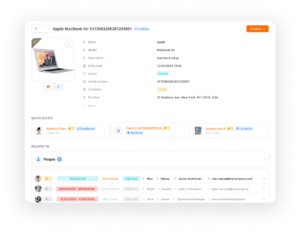
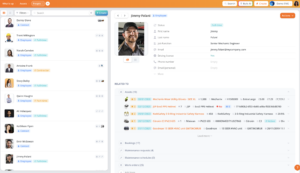
This was a key reason James Fisher Renewables migrated to Bulbthings, as their existing system could not support the hierarchical asset relationships they needed for subsea spares management.
Bulbthings also offers robust check-in, check-out, and advance booking workflows with multiple options: store manager approval, team self-service, approval steps, or lender’s acceptance with document upload and electronic signature.
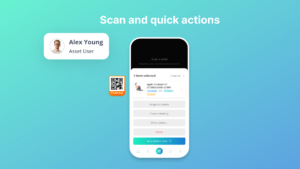
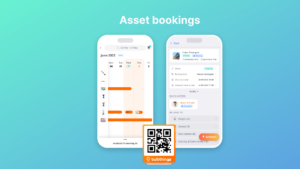
For physical tracking, mobile assets appear on Google Maps while indoor assets (furniture, facilities equipment) can be placed on uploaded floor plans. The platform also provides easy periodic inventory audits via QR code and barcode scanning on mobile, letting teams verify asset presence and condition in the field.

🪙 Value Verdict: Sortly is effective for flat, single-level inventory tracking with excellent offline support. Bulbthings is the stronger choice for organizations that need hierarchical asset structures, advance booking workflows, assignment-based tracking with audit trails, and visual location tracking on maps and floor plans.
Team Collaboration and External Access
Sortly’s Approach: Sortly is designed for small internal teams.
Collaboration is limited to sharing inventory lists and basic user permissions (customizable role permissions only on Premium and above). There’s no structured way to involve external suppliers, customers, or partners. Teams coordinating asset work across departments or with outside parties typically resort to email, messaging apps, or shared spreadsheets alongside Sortly.
Bulbthings’ Approach: Collaboration is Bulbthings’ primary differentiator.
The platform provides workspace management for different teams, collaborative workflows across internal departments, suppliers, and customers, and cross-country collaboration with multi-language, multi-currency, and multi-metrics support.
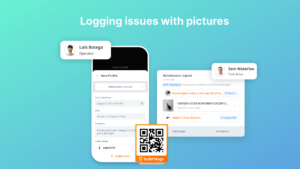

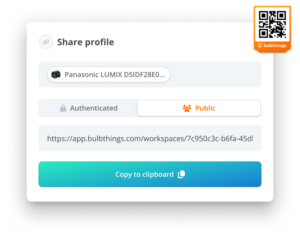
Granular permissions let organizations configure access based on virtually any criteria, ensuring each user (whether internal or external) sees only what’s relevant to their role.
Unlimited users on every paid plan means everyone who touches your assets can participate without per-seat cost pressure. Work order information can be shared with suppliers via email links, and anyone can scan a public QR code to log an issue without downloading the app or needing an account.
🪙 Value Verdict: Bulbthings is better for any organization where asset management involves coordination across teams, locations, or external partners. Sortly works for small, self-contained teams where collaboration needs are minimal.
Modern Design and Usability
Sortly’s Approach: Sortly’s strength is simplicity. The interface is clean and photo-centric, designed for non-technical users who need to start tracking inventory immediately. It achieves this through visual item cards, drag-and-drop organization, and a mobile-first design that minimizes the learning curve. However, this simplicity comes with limited depth: there’s no way to customize workflows, views, or processes beyond what Sortly provides out of the box.
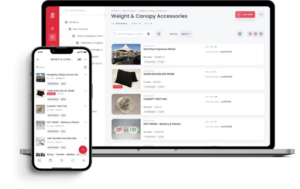
Source: Sortly
Bulbthings’ Approach: Bulbthings features a modern, intuitive interface that requires less training than traditional asset management software while offering more depth. The platform provides multiple inventory views (registers, stock levels, floor maps for indoor and GPS maps for outdoor, and planning views) letting teams visualize assets in whichever way fits their operations. The interface is designed to be understandable at first use while remaining customizable.
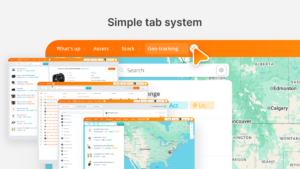
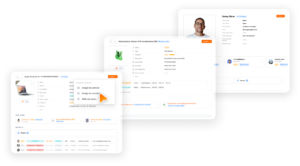
🪙 Value Verdict: Sortly is simpler to learn for basic inventory tasks. Bulbthings matches modern usability standards while offering more operational depth, making it better for teams that need both ease of use and advanced capabilities.
AI-Powered Asset Management
Sortly’s Approach: Sortly does not include AI capabilities. All asset management tasks (lookups, data entry, reporting, and analysis) must be performed manually through the traditional interface.
Bulbthings’ Approach: Bulbthings features Bulb AI, an AI agent that works as a copilot across the entire platform. Users interact with it in natural language to take actions on assets (create, book, assign, log maintenance, create maintenance schedules), get reports and insights, and query the application. The AI includes image recognition: users can photograph an asset via the mobile app and ask Bulb AI to create it in the system. Bulb AI provides three advantages: instant onboarding (no need to learn where to click or navigate), productivity gains (faster execution, especially for bulk actions on large asset volumes), and actionable insights from your asset data.
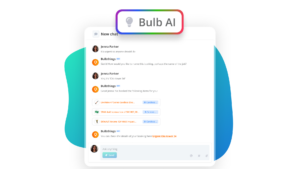
🪙 Value Verdict: Bulbthings’ AI agent is a clear differentiator for teams managing large asset volumes or onboarding new users frequently. Sortly relies entirely on manual interaction.
Advanced Stock Management
Sortly’s Approach: Sortly tracks items, quantities, and locations with low-stock alerts (Advanced tier and above). It handles basic inventory counting well: you know what you have, how many, and where. But stock management stops there. There’s no stock intake workflow, no allocation tracking to specific people or locations, no stock value calculation, and no stock level trends or reporting beyond basic counts.
Bulbthings’ Approach: Bulbthings includes stock intake workflows, stock allocation to locations and people (for PPE, materials, consumables), stock value calculation, configurable alerts on minimum and maximum stock levels, and stock level trends and reporting. This goes beyond knowing what you have. It manages the full flow of how stock enters, moves through, and is consumed within your operation.
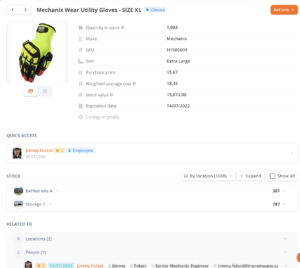

🪙 Value Verdict: Bulbthings is better for businesses that need to manage stock as a workflow (intake, allocation, value tracking, trend analysis), not just as a count. Sortly is sufficient for simple “how many do we have” tracking.
Maintenance and Work Order Capabilities
Sortly’s Approach: Sortly does not include maintenance management. There are no work orders, no preventive maintenance scheduling, no technician assignment, and no parts tracking. Businesses needing these capabilities must add a separate CMMS tool, such as Limble, MaintainX, or UpKeep (a mobile-first CMMS), creating a second system with its own login, data model, and subscription fee. Asset data must then be reconciled between the inventory tool and the CMMS manually.
Bulbthings’ Approach: Bulbthings embeds a full CMMS module within the same platform. Work orders can be created manually or triggered by time-based, meter-based, or condition-based schedules. Anyone can submit a maintenance request by scanning a QR code on any asset, without needing an account. Work order details can be shared with suppliers via email links, keeping external service providers informed without requiring them to join the platform. Maintenance costs, parts usage, and labor time feed directly into total cost of ownership calculations for each asset.
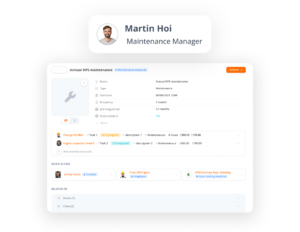
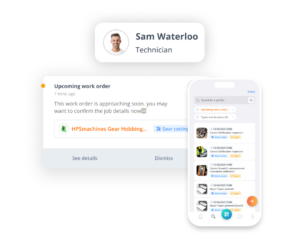
🪙 Value Verdict: Bulbthings is better for any business where equipment maintenance matters. Sortly requires a separate CMMS, adding cost and fragmenting data.
Mobile Experience and Field Operations
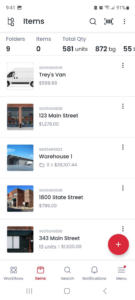
Sortly’s Approach: Sortly’s mobile app is excellent for inventory tasks.
Offline access with automatic sync, built-in barcode/QR scanning, quick actions for rapid item updates, and a 4.7 App Store rating demonstrate genuine mobile-first quality. The app handles item lookups, quantity adjustments, check-in/check-out, and photo capture well. Sortly’s offline mode is a genuine strength, allowing teams to work in warehouses, basements, or remote sites without connectivity and sync changes automatically once back online.
However, mobile capabilities stop at inventory: there’s no field service dispatch, fleet operations, or maintenance work order management on the go.
Bulbthings’ Approach: Bulbthings’ mobile app extends beyond inventory into operational workflows.
Teams can submit and execute maintenance work orders, manage fleet bookings, communicate around field service tasks, and complete asset inspection checklists, all from their mobile device. The app also supports NFC scanning, Bulb AI interaction, and photo-based AI asset creation.
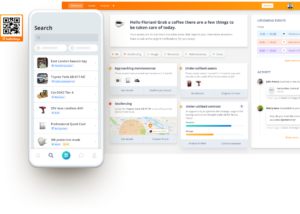
It is worth noting that Bulbthings’ mobile app has limited offline capabilities compared to Sortly’s full offline mode, so teams that frequently work without connectivity should factor this into their evaluation.
🪙 Value Verdict: Sortly’s mobile app is more polished for pure inventory scanning and has stronger offline support. Bulbthings’ mobile app covers more operational ground (shared equipment bookings, maintenance, fleet, field services), making it the better fit for teams whose field work extends beyond item tracking.
E2 Drives (Decathlon Group) uses Bulbthings’ QR codes daily to scan prototypes circulating across multiple countries, connecting each scan to the full asset record including maintenance history and project assignment. (E2 Drives Case Study)
Vehicles and Plant Fleet Management
Sortly’s Approach: Sortly can track vehicles as inventory items (location, photos, basic details), but it offers no fleet-specific functionality. There’s no mileage tracking, fuel consumption reporting, driver incident management, fines and damages tracking, or end-of-life management. Businesses managing vehicle fleets alongside other assets need a separate fleet management tool.
Bulbthings’ Approach: Bulbthings includes full Vehicles and Plant Fleet Management: mileage tracking, fuel consumption tracking, driver incident reporting, fines and damages management, and end-of-life management. For corporate fleets: leasing contract quotation and comparison, ordering from suppliers, fleet cost import (maintenance, fuel, financing or depreciation), and TCO calculation. Optional telematics add-ons provide GPS tracking with idling and geo-fencing alerts when needed.
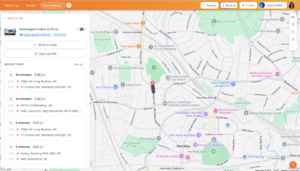
🪙 Value Verdict: Bulbthings is the clear choice for any business managing vehicle or plant fleets. Sortly has no fleet management capabilities.
Service Providers and Rental/Leasing Management
Sortly’s Approach: Sortly does not include rental, leasing, or financial management features. Businesses renting out equipment or managing leased assets need separate tools for quotations, invoicing, delivery management, and financial reporting.
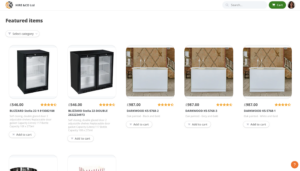
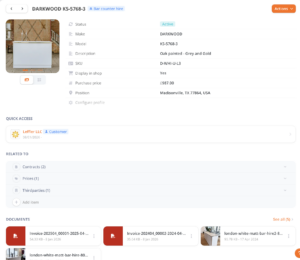
Bulbthings’ Approach: Bulbthings provides Service Providers and Rental/Leasing Management covering three operational areas. Front-office: customer records, CRM integration, e-shop plug-in, quotation and invoicing. Logistics: supplier records, orders, delivery management, end-of-rental checks. Back-office: stock management, maintenance management, and financial reporting. This makes it a fit for businesses that rent, lease, or loan assets as part of their operations.
Example rental e-shop plugin
Example backoffice inventory and rental workflows
🪙 Value Verdict: Bulbthings addresses an entire operational domain that Sortly doesn’t touch. Any business with rental, leasing, or equipment lending workflows will find this a significant differentiator.
Platform Flexibility and Workflow Automation
Sortly’s Approach: Sortly provides a fixed workflow: add items, track them, move them, count them. There’s no way to customize validation processes, create multi-step approval workflows, or build custom checklists and forms. What you see is what you get.
Bulbthings’ Approach: The platform ships with off-the-shelf features workflows by industry, so customers get pre-built solutions they can further tailor. However, Bulbthings was also built for extreme flexibility from the ground up, enabling customization of workflows, validation processes, checklists, and forms without extensive development. The AI Workflow Builder agent lets business users customize workflows on their own, through natural language.
🪙 Value Verdict: Bulbthings is better for businesses with multi-step processes that need digitalization. Sortly works for straightforward track-and-count operations.
Final Verdict: Sortly vs Bulbthings
The choice between Sortly and Bulbthings depends on how much of your asset operations you want in a single platform and how many people need to collaborate around those assets:
👍 Sortly is a focused inventory tool designed for small businesses that need to track a single class of items, their locations, and their quantities. With pricing from $0 to $299/month based on item counts and user seats, it lets non-technical teams replace spreadsheets with a visual, mobile-first system in hours. This tier-based pricing model works best for small teams managing fewer than 5,000 items of one asset type, businesses where inventory counting is the primary need (not maintenance, fleet, or financial management), and organizations with predictable team sizes that fit within Sortly’s seat limits.
👉 Bulbthings: Designed for scaling businesses managing varied asset portfolios, Bulbthings brings enterprise-grade management without the enterprise price tag. Unlike platforms that penalize growth with per-seat licensing, Bulbthings provides unlimited user access backed by activity-based pricing.
By combining a modern UI with a smart AI copilot, the platform digitizes the entire asset journey—automating inventory tracking, equipment bookings, maintenance, compliance, procurement, and daily admin. It empowers mid-market companies to bridge operational silos and unlock full visibility across internal departments and external partners.
Upgrade to full asset and workflow management with Bulbthings.
The fundamental difference isn’t feature count. It’s operational philosophy. Sortly asks “How can we make inventory tracking simple?” Bulbthings asks “How can we digitalize your asset-centric workflows in one collaborative platform?“
Sortly Pricing FAQ
Is Sortly free to use?
Sortly offers a permanent free plan supporting 100 unique items and 1 user. It includes core features like photo-based item tracking, QR code scanning, folder organization, and tags. The free plan does not include alerts, integrations, barcode labels, or purchase orders. For most businesses, the 100-item cap and single-user restriction mean upgrading is necessary almost immediately.
How much does Sortly cost per year?
Annual pricing ranges from $288/year (Advanced: 500 items, 2 users) to $1,788/year (Premium: 5,000 items, 8 users). Annual billing saves roughly 50% compared to monthly pricing. Enterprise plans require custom quotes for 10,000+ items and 12+ users. Promotional first-year rates may apply, with renewal at standard pricing afterward.
Can I add extra users to my Sortly plan?
Sortly allows adding users beyond the included seat count through a Manage Team page, but per-seat add-on pricing is not published. If you need significantly more users than your plan includes, you’ll likely need to upgrade to the next tier. Bulbthings takes a different approach with unlimited users on every paid plan, enabling collaboration across internal teams, suppliers, and customers without per-seat cost pressure.
Does Sortly offer refunds if I cancel?
No. All Sortly subscriptions are prepaid and non-refundable. If you cancel, your subscription stays active until the end of the current billing period, but no partial refund is issued. Deleting the app does not cancel automatic renewal. You must cancel through the web app settings or your app store subscription management.
What happens when I outgrow my Sortly plan?
You must upgrade to the next tier. Sortly does not offer custom plans, and individual features or items cannot be purchased separately. Hitting 501 items on the Advanced plan forces a jump to Ultra at $149/month (monthly), a 204% price increase. Some reviewers have reported costs rising from $1,500/year to over $5,000/year within two years as their inventory grew.
Does Sortly handle maintenance or work orders?
No. Sortly is purely an inventory tool. It does not include maintenance scheduling, work order management, preventive maintenance triggers, or technician assignment. Businesses needing these capabilities must use a separate CMMS tool alongside Sortly. Bulbthings includes a full CMMS module with work orders, time/meter/condition-based scheduling, and mobile field execution within the same platform.
How does Bulbthings pricing compare to Sortly?
Bulbthings uses activity-based pricing calculated through an interactive simulator based on your industry, asset count, and selected feature packs. All plans include unlimited users, enabling collaboration across your entire organization and external partners. While specific prices require the simulator or contacting sales, the pricing model charges for what you use rather than how many people need access. Bulbthings also offers a free tier supporting up to 100 assets with unlimited users.
Which platform is better for construction companies?
Both platforms target construction. Sortly offers simple tool and material tracking with strong mobile scanning. Bulbthings covers a broader set of construction needs: asset tracking with advanced stock management, shared equipment bookings and returns, equipment maintenance scheduling and compliance, Vehicles and Plant Fleet Management, and field service coordination, all with collaborative workflows that include subcontractors and suppliers. Construction companies that only need to count tools and materials will find Sortly sufficient. Those managing equipment bookings, servicing, vehicle fleets, safety compliance, and multi-party coordination alongside inventory will benefit from Bulbthings’ unified approach.